 SEO & Accessibility
 AI
AI Localization
 Ecommerce
 Forms
Forms Fields
 Development
 Security
 Templating
 Performance
 Control Panel
 Widgets
 Assets
 Utilities
 Mailer Adapters
 Social Networking
 Integrations
Accessibility Audit

"Is the site accessible?"
A client forwards an email asking whether the site meets WCAG. A procurement form wants a VPAT before it'll go any further. Or the European Accessibility Act came in, in June 2025, and somebody has finally asked what's been done about it. Craft will tell you whether an entry saved. It won't tell you whether someone on a screen reader or a keyboard can get through the page.
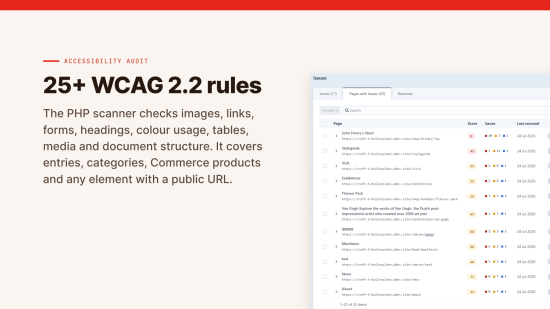
Accessibility Audit finds that out without you leaving the control panel. It scans every element with a public URL, entries, categories, Commerce products and any custom element type, along with the pages Craft routes that have no element behind them, and scores the site against WCAG 2.2 A, AA or AAA, with EN 301 549 support. Every issue is grouped by rule and by page, ordered by what it costs the score, and tagged with difficulty and responsibility, so you can tell a template fix from a content fix before you scope the work.

Showing it's been fixed
Finding the problems is half the job. The other half is the record, because whoever asked the question will want to see an answer.
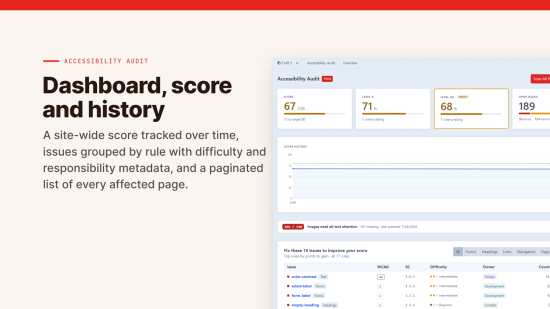
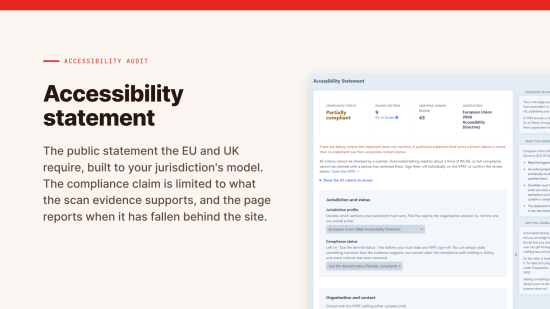
The dashboard keeps the score's history, so a regression shows up the week it lands. The plugin writes the public accessibility statement the EU and UK require, built to your jurisdiction's model, with the compliance claim held to what your evidence actually supports. On Pro you also get a dated log of every issue that's been fixed, and the VPAT or ACR that procurement teams ask for, with each criterion showing what the scans covered, over how many pages, and what's left for a person to decide.
What a scanner can't tell you
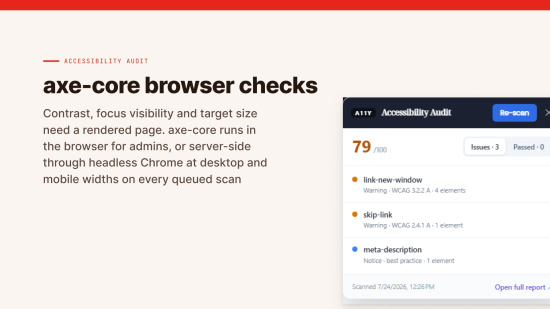
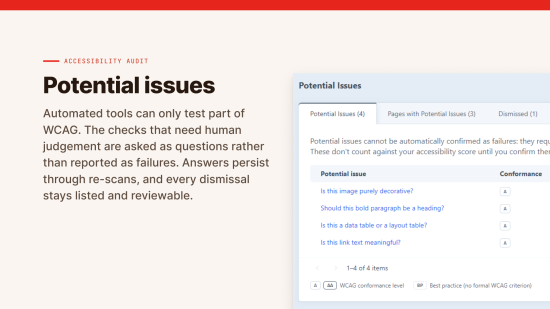
Automated checks catch about a third of WCAG failures. That's true of every tool, this one included. So the scanner does its part properly, 28 rules in PHP plus axe-core on the rendered page at both desktop and phone widths, and then hands you the rest as plain questions. Text sitting over a background image, where contrast can't be measured, becomes a question rather than a quiet pass. Answer it once and the answer stays through re-scans.
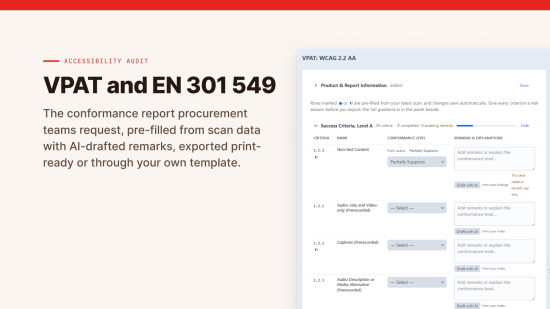
The VPAT works the same way. No criterion is ever marked "Supports" by the scanner, because none of them can be settled by automated testing alone, and a conformance report is a public claim about your site. A page can carry a title that doesn't describe it. lang="en" passes on a page written in Irish. Contrast is measured on computed colour, and text drawn inside an image has none. So the scan is shown to you as evidence and the answer stays yours.
Not sure where your site stands? Run any public page through the free checker. It uses the same PHP engine as the plugin, so what you see there is what the plugin will find, one page at a time instead of every page.
Works without AI
Scanning, scoring, the reports, the statement and the VPAT all work without it. If you add your own Anthropic API key, Claude will draft alt text for your images, draft VPAT remarks from real findings or your own notes, and suggest plainer wording for hard sentences. It never picks a conformance level for you. With no key there are no calls, and nothing leaves the install.
Who sees what
- Four permissions: viewing reports, running scans, editing the VPAT and editing the statement
- Scans only run on elements the person asking is allowed to view
- The front-end overlay shows for logged-in admins only, never for visitors
- The CI endpoint answers only to a token you issue
What's in it
There are two editions. Standard finds the issues. Pro adds the history and reports you need to show they've been fixed.
Standard
One site, up to 100 pages. For when you need to know what is broken.
| Feature | What it does |
|---|---|
| WCAG 2.2 scanning | 28 rules checked in PHP: images, links, forms, headings, colour, tables, structure, and cells or links whose whole announced name is a symbol, a tick or a cross or an arrow standing in for a word. |
| Any element type | Entries, categories, Craft Commerce products, and any custom element with a public URL. |
| Pages with no element behind them | Search results, filtered listings, paginated archives. List them in settings and they're scanned like everything else, with their own report. |
| Checks that read the source | Two checks read the HTML you actually sent, before the browser tidies it. One catches a rich-text field wrapped in a styled paragraph, which the browser closes at the first block inside, taking your classes with it. The other catches an unescaped tag in a code sample, which renders instead of showing and can swallow the rest of the page while it still returns 200. No validator flags either, because the page that comes out is valid. |
| axe-core browser checks | Contrast, focus visibility and target size, tested on the rendered page rather than guessed from source. Each finding says why that element failed: a touch target too small, big enough but too close to its neighbours, or covered by something else. |
| Hover, focus and selection contrast | A rendered page is always at rest, so these states never turn up in an ordinary audit. They're read out of the stylesheet instead and measured against the background the element actually sits on. Each state is its own rule, so you can ignore them separately. |
| Two viewports | Every page measured at desktop and phone width. A decoration that clears the text on a wide screen but sits behind it on a narrow one gets caught, and the row says which width it came from. |
| Conformance scoring | Scores against WCAG A, AA or AAA, with EN 301 549 support. That's the standard the EAA references. |
| Dashboard and history | A site-wide score with a 30-day history chart. While a sweep is still running the Overview says so, rather than reporting on the pages done so far as if the scan had finished. |
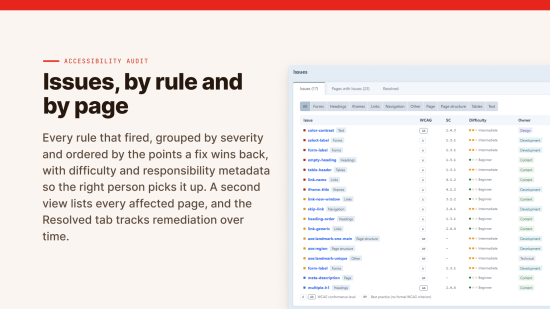
| Issue reports | Issues grouped by rule and by page, ordered by impact on the score, tagged with difficulty and responsibility. |
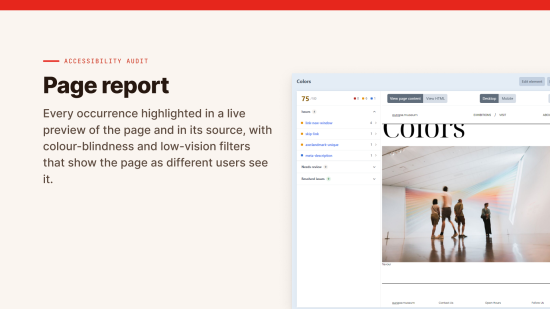
| Page inspector | Every occurrence highlighted in a live preview and in the page source, with colour-blindness and low-vision filters so you can see what a user actually gets. |
| Element sidebar | Latest score, issues by rule and a re-scan button on every element, right where the editing happens. |
| Human-review checks | Nine manual WCAG checks, asked as questions rather than guessed at. Answer them one at a time or rule on a page's worth in one go. Answers persist through re-scans. |
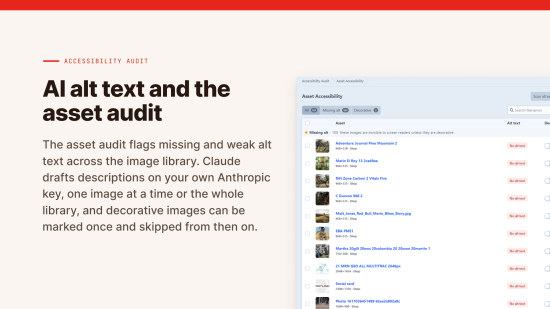
| AI alt text | Claude drafts alt text for images, using your own Anthropic API key. |
| Asset audit | Flags missing alt text, filename-as-alt and text too short to be useful, across the image library. Decorative images can be marked and skipped. |
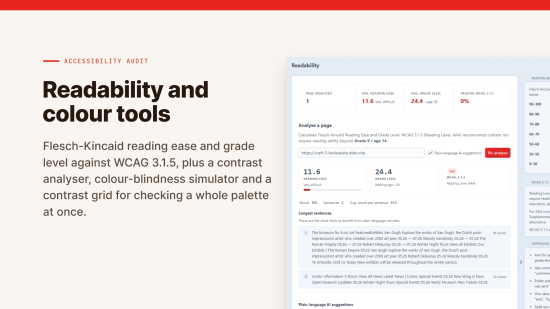
| Colour tools | Contrast analyser, colour-blindness simulator and a palette contrast grid. |
| Accessibility statement | Generates the public statement required in the EU and UK, built to your jurisdiction's model. |
| Translations | The control panel and the VPAT export in English, German, French, Spanish, Italian and Dutch. Scan findings are in English. |
| Scan control | Queue-based background scanning, scan on save, scheduled sweeps, and exclusions by URI pattern, CSS selector, asset volume or element type. Consent banners are excluded by default. An address that redirects is filed under the page it lands on, so a section landing page doesn't double your findings or your page count. |
Standard limits: up to 100 pages, primary site only, 30 days of history.
Pro (adds)
For when a client, a procurement team or a regulator wants to see the evidence.
| Feature | What it does |
|---|---|
| Unlimited pages | Removes the 100-page cap, so the audit covers the whole site rather than a sample. |
| Multi-site | Scans and reports on every site in the install. |
| Unlimited history | Keeps scan history for as long as you choose. |
| Resolved-issue record | A permanent, dated log of fixed issues, for when somebody asks what's been done. |
| Server-side browser scanning | Point it at a Chrome binary and every queued scan runs the full axe checks at desktop and mobile widths, so nobody has to visit a page for it to be tested properly. |
| Readability analysis | Flesch-Kincaid reading ease and grade level, measured against WCAG 3.1.5, with plain-language rewrite suggestions. A Readability preview on each entry marks the hard sentences, adverbs and passive voice as you write. English sites only. |
| VPAT / ACR report | Every criterion shows what the scans covered, over how many pages, and what no scanner can establish, so you can sign off a manual row in seconds instead of working out what's already been tested. AI drafts the remarks from real findings. Exported print-ready or through your own template. |
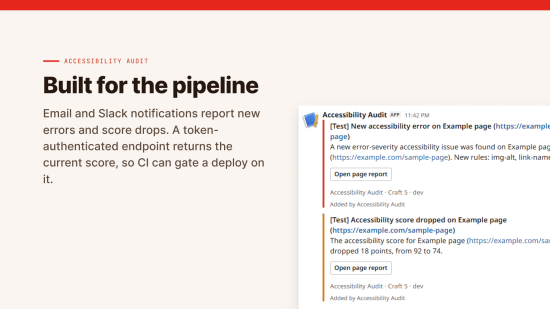
| Notifications | Email and Slack alerts for new errors and score drops. |
| CI/CD endpoint | A token-authenticated score endpoint, so a build pipeline can gate a deploy on your accessibility score. |
| Decoupled frontend overlay | Runs the admin overlay on headless and heavily cached frontends, Next, Nuxt, Astro or static, from a single script tag. |
You can try it free on any dev domain before you buy. It needs Craft CMS 5 and PHP 8.2 or later.
Accessibility
What's been checked, and anything that still needs work, is in the accessibility statement.
To install this plugin, copy the command above to your terminal.