 SEO & Accessibility
 AI
AI Localization
 Ecommerce
 Forms
Forms Fields
 Development
 Security
 Templating
 Performance
 Control Panel
 Widgets
 Assets
 Utilities
 Mailer Adapters
 Social Networking
 Integrations
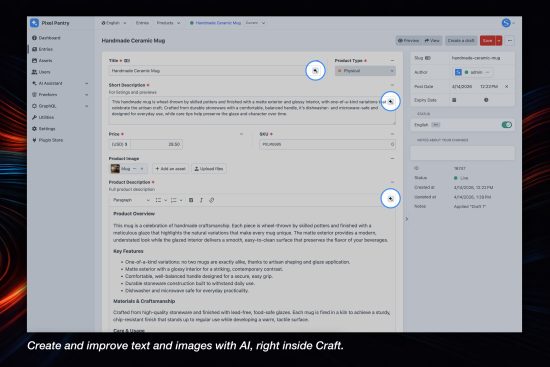
Generate smarter text and images directly in Craft CMS with flexible custom prompts and support for multiple AI models. Built to fit naturally into your content workflow, it helps you create, refine, and iterate without leaving the editor.
Use it to rewrite text, generate new content, translate languages, summarize long copy, or create images that save directly to Craft Assets. It works with most field types, so AI is always available where you edit your content.
Supported Providers
- Anthropic (Claude)
- Google Gemini
- OpenAI (ChatGPT)
- xAI (Grok)
- Replicate
- SolspaceAI (includes 1000 free credits)
AI for Everyday Content Tasks
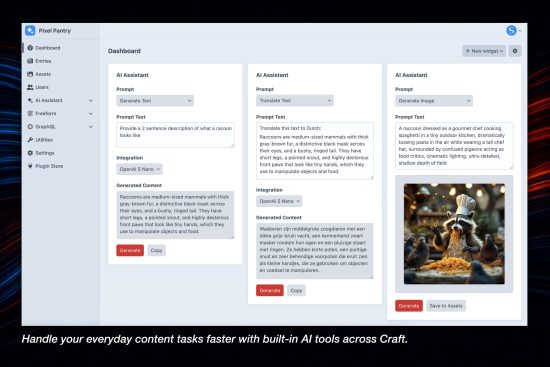
Handle your everyday content tasks faster with built-in AI tools across Craft.
- Generate Text
- Create high-quality content instantly for fields.
- Improve Content
- Refine existing text to be clearer, more engaging, and on-brand.
- Translate
- Quickly translate content into other languages with minimal effort.
- Create Images
- Generate detailed, high-quality images from a prompt or existing content.
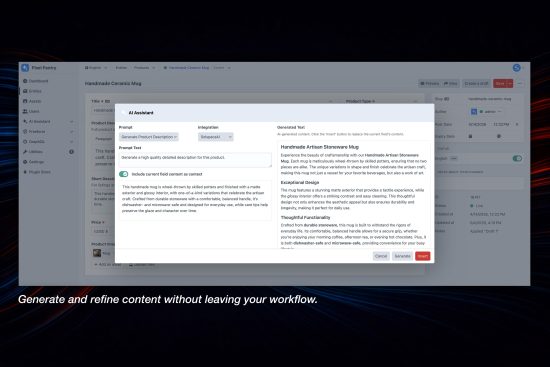
Generate and refine content without leaving your workflow.
The inline AI button appears inside supported fields, giving you instant access to text and image generation as you edit entries and other elements.
- Improve Content and Images
- Generate new content, refine existing text, translate across languages, and even create images — all in one place.
- Works with Any Craft Element
- Use AI Assistant across entries, categories, assets, and more, anywhere you work in Craft.
- Never Leave the Control Panel
- Work seamlessly inside the Craft control panel with AI tools built directly into your editing experience.
Integrations
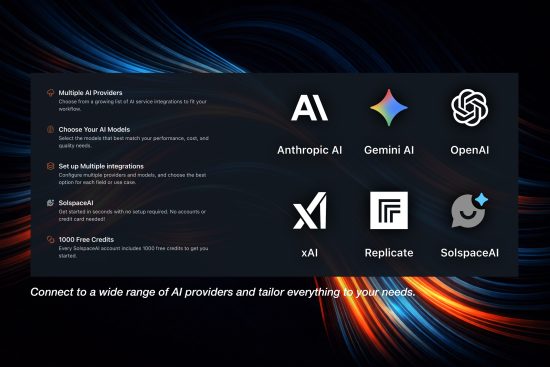
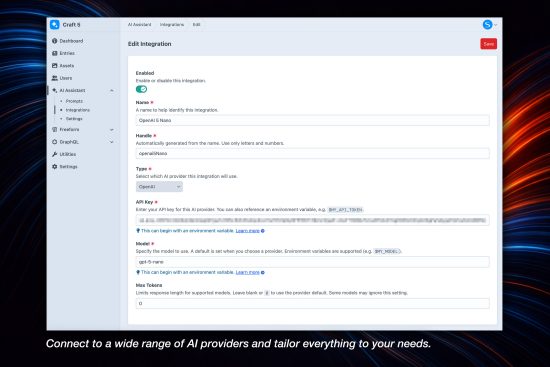
Connect to a wide range of AI providers and tailor everything to your needs.
- Multiple AI Providers
- Choose from a growing list of AI service integrations to fit your workflow.
- Choose Your AI Models
- Select the models that best match your performance, cost, and quality needs.
- Set up Multiple integrations
- Configure multiple providers and models, and choose the best option for each field or use case.
- SolspaceAI (coming soon!)
- Get started in seconds with no setup required. No accounts or credit card needed!
- 1000 Free Credits (coming soon!)
- Every SolspaceAI account includes 1000 free credits to get you started.
Choose Your Fields
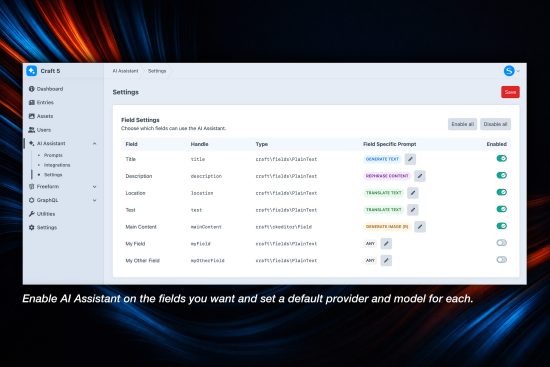
Enable AI Assistant on the fields you want and set a default provider and model for each.
- Field-Specific Prompts
- Create tailored prompts for each field, with automatic preselection in the modal for faster, more consistent content creation.
- Plain Text
- Use the inline AI button in the Title and Plain Text fields (single-line and multi-line) for quick, simple content generation.
- Rich Text
- Works seamlessly with rich text editors like CKEditor, Redactor, and TinyMCE, giving you AI assistance directly within your content editor.
Generate Images
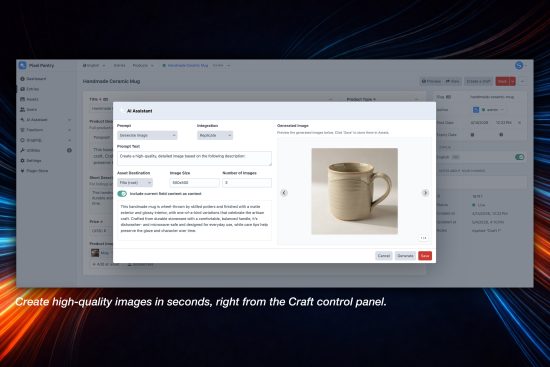
Create high-quality images in seconds, right from the Craft control panel.
- Create Images
- Enter a prompt to generate one or multiple images instantly.
- Generate Images from Content
- Use your existing element content as the prompt to quickly generate relevant visuals.
- Retry As Needed
- Not quite right? Regenerate images with a single click until you get the result you want.
Standard
Plus $9/year after one year.
To install this plugin, copy the command above to your terminal.
This plugin doesn't have any reviews.