 SEO & Accessibility
 AI
 Localization
 Ecommerce
 Forms
 Fields
 Development
 Security
 Templating
 Performance
 Control Panel
 Widgets
 Assets
 Utilities
 Mailer Adapters
 Social Networking
 Integrations

AI Hreflang
🌐 🔤 🤖 AI Hreflang
README · Getting started · How it works · Settings
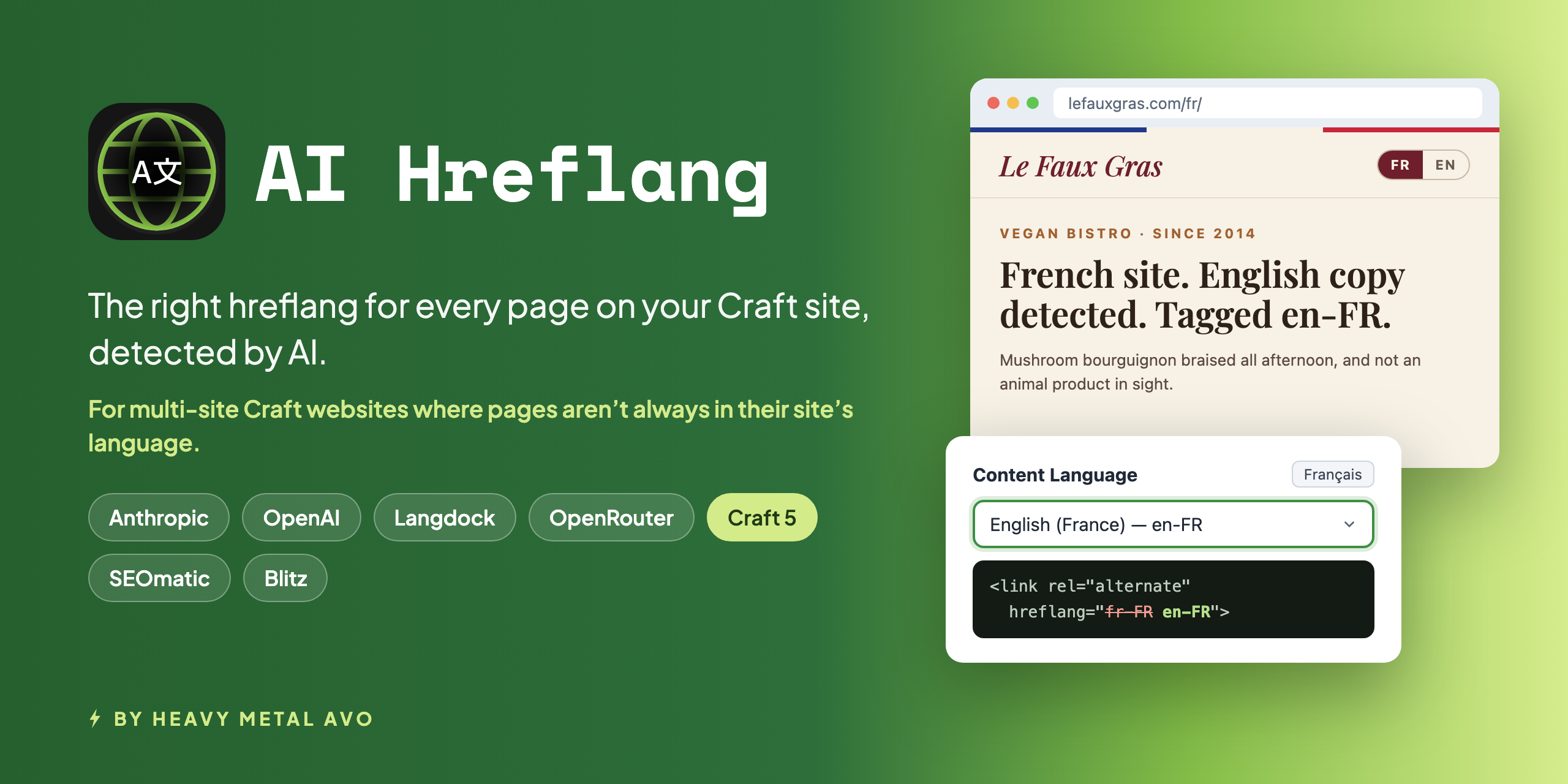
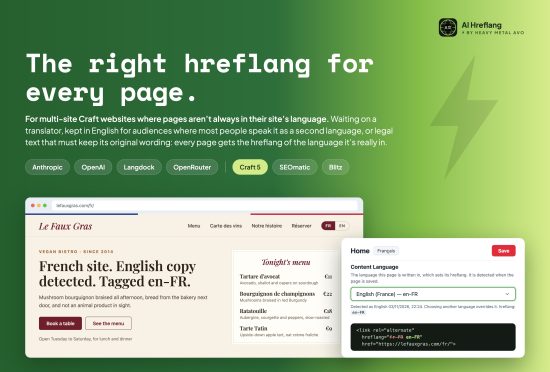
For multi-site Craft websites where pages aren't always in their site's language.
Some pages are waiting on a translator. Others stay in English on purpose: because most of their audience speaks it as a second language and translating every page isn't worth the budget, or because they're legal or regulatory text that must keep its original wording. Either way, AI Hreflang detects the language each page is really written in, and sets its hreflang to match.
Plugin Store | GitHub Repository
🤔 The problem
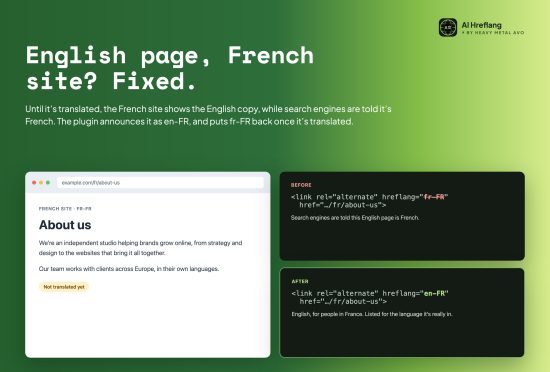
Multi-site launches rarely translate everything at once. Until a page is translated, the French site shows the English
copy, while SEOmatic tells search engines it's fr-FR. Google sees a French page in English, and French searchers get
the wrong result. AI Hreflang finds those pages and announces them as en-FR, so each page is listed for the
language it's actually in. Translated pages keep their site's hreflang, and nobody has to keep track by hand.
✨ What you get
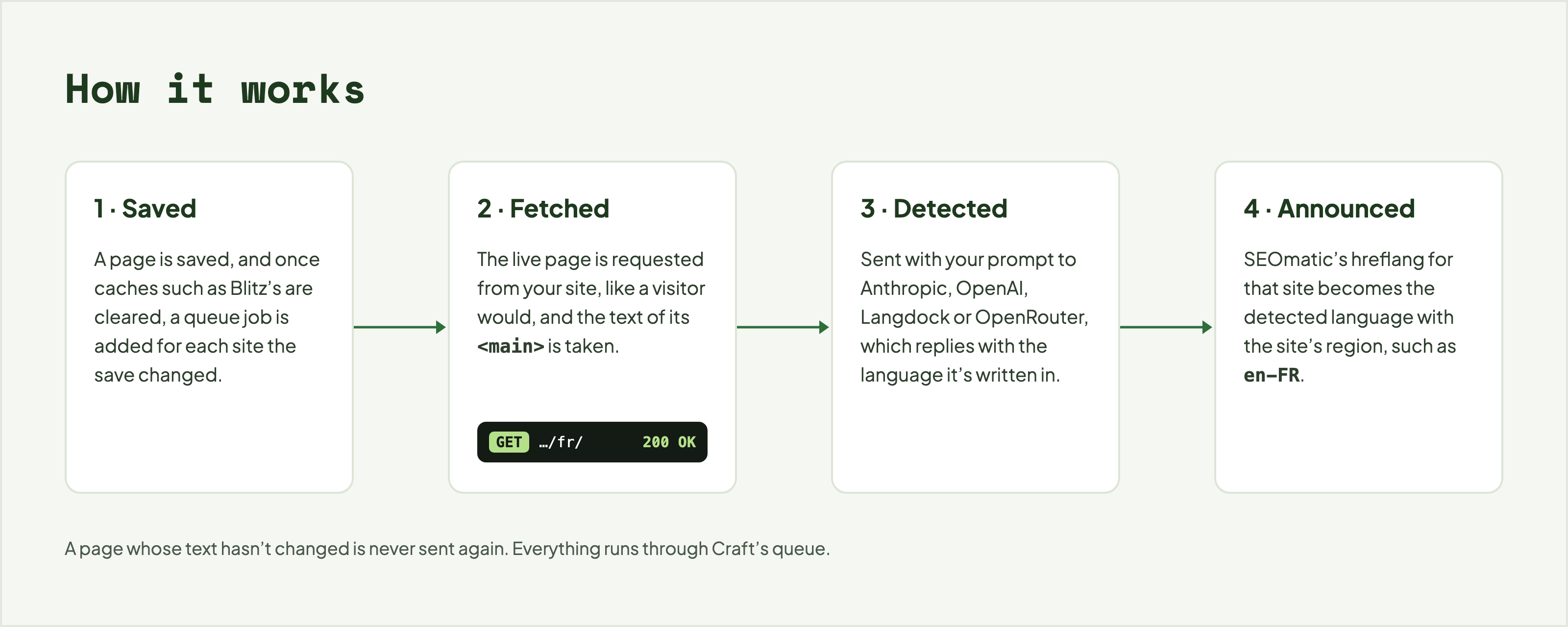
- Untranslated pages caught automatically. With Detect when a page is saved turned on, a page is detected after it's saved, on each site the save changed, once caches such as Blitz's are cleared. As soon as it's translated, the next save puts its hreflang back.
- Reach new audiences before everything's translated. Copy content across your sites, with Craft's propagation or a plugin such as Site Copy X, and go live. Each page's hreflang stays truthful while translation catches up.
- English on purpose, labelled honestly. In the Netherlands, 93% of people can hold a conversation in English; in
Sweden it's 90%, and in Denmark 87% (Special Eurobarometer 540,
2023). Pages you keep in English for those audiences are labelled
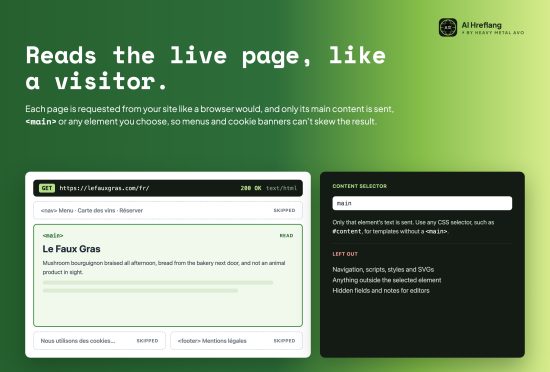
en-NL,en-SEoren-DK, so search engines know exactly who they're for. - Reads the live page, like a visitor. The plugin fetches the live page and reads its main content,
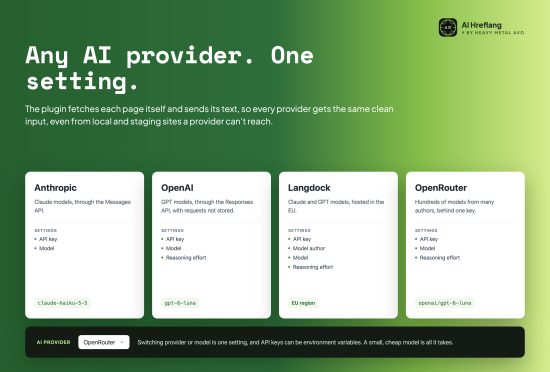
<main>or any element you choose, so hidden fields, notes for editors, menus and cookie banners can't skew the result. - Works with any AI provider. Use Anthropic or OpenAI directly, Langdock (hosted in the EU), or OpenRouter. The plugin sends the page's text itself, rather than its URL, so it works the same with every provider, and on local and staging sites the provider can't reach. See why.
- Costs next to nothing. A small model is all it takes, only the first 2,000 characters of a page are sent, and a page whose text hasn't changed is never sent again.
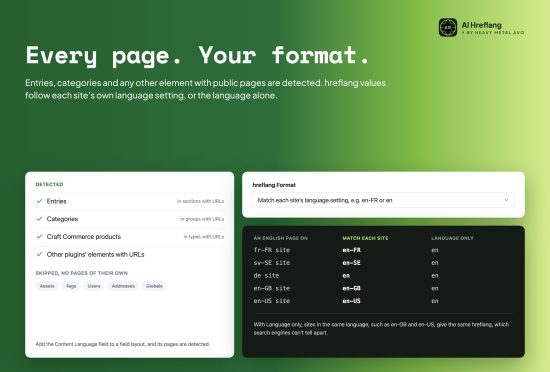
- Entries, categories and more. Entries and categories in sections and groups with URLs, Craft Commerce products, and other plugins' elements with their own URLs are supported. Add the field to a field layout and its pages are detected. Assets, tags, users, addresses and globals have no pages of their own, so they're skipped.
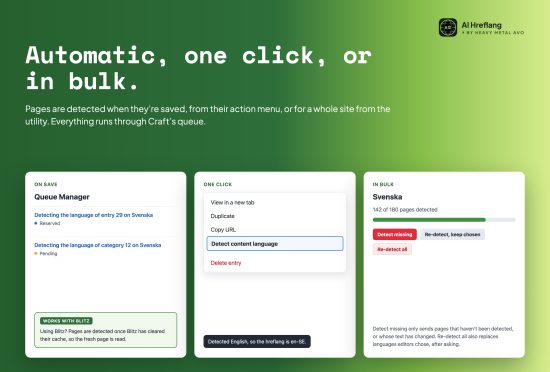
- Automatic, one click, or in bulk. On save, from an entry's or category's action menu, or for a whole site from the utility. Everything runs through Craft's queue.
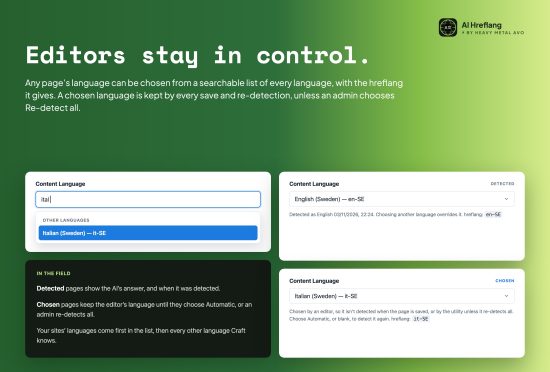
- Editors stay in control. Any page's language can be chosen from a searchable list of every language, and a chosen language is kept by every save and re-detection, unless an admin chooses Re-detect all.
- SEOmatic's hreflang tags, fixed. Alternate links are rewritten for every site, in your sites' own format, such as
en-GB, or as the language alone, such asen. - No duplicate hreflang values. Two URLs can't share an hreflang, so an untranslated page that would get the same
value as another site's page, such as an
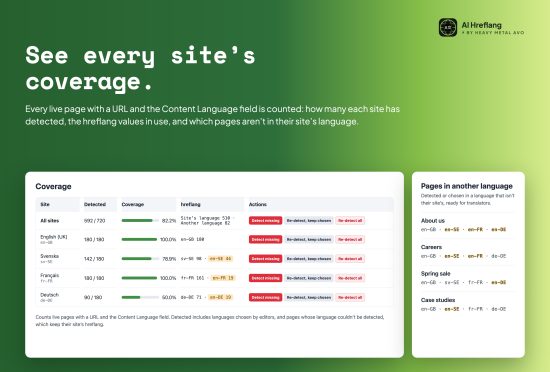
es-USpage still in English next to theen-USsite's, keeps its site's own hreflang. The clash is shown in the field and the utility. - See every site's coverage, and a free translation to-do list. The utility shows how many pages each site has detected, the hreflang values in use, and every page that's still in another language, ready to hand to translators.
🚀 Quick start
Craft CMS 5.0 or later, PHP 8.2 or later, and an API key for Anthropic, OpenAI, Langdock or OpenRouter. SEOmatic is recommended, as it outputs the hreflang tags for you.
composer require heavymetalavo/craft-ai-hreflang
./craft plugin/install ai-hreflang
- Choose a provider and add its API key under Settings → AI Hreflang.
- Add the Content Language field, created when the plugin is installed, to the field layouts of your entry types and category groups with public pages.
- Detect your existing pages from Utilities → AI Hreflang → Detect missing. To detect new and changed pages when they're saved too, turn on Detect when a page is saved in the plugin's settings.
Output the hreflang tags in your layout's
<head>, unless you use SEOmatic (see below):{% set alternates = craft.aiHreflang.alternates(entry) %} {% for alternate in alternates %} <link rel="alternate" hreflang="{{ alternate.hreflang }}" href="{{ alternate.url }}"> {% endfor %} {# x-default, for visitors whose language none of the alternates match, here the primary site's page #} {% for alternate in alternates|filter(a => a.site.primary) %} <link rel="alternate" hreflang="x-default" href="{{ alternate.url }}"> {% endfor %}craft.aiHreflang.alternates()gives the page's live copy on each site, with its URL and hreflang: the page's language with its site's region, such asen-FR, or the site's own hreflang when it hasn't been detected, is in the site's language, or would clash with another copy. It works for entries, categories and any other element with pages.
Using SEOmatic
There's nothing to add to your templates. SEOmatic outputs the hreflang tags as usual, and the plugin rewrites their
values for every site from each page's Content Language, with the same rules as craft.aiHreflang.alternates().
Skip step 4.
Using Blitz
There's nothing to set up. Pages are detected once Blitz has refreshed their cache, and the plugin's jobs run after Blitz's refresh and generate jobs by default. Blitz's Expire refresh modes are the exception, as they can serve an old copy while it's read. See Page caches.
📚 Documentation
- Getting started - requirements, installation, the Content Language field, page caches and detecting your first pages
- How it works - how pages are read and detected, how hreflang values are written, and limitations
- Settings - every setting, the AI providers, the prompt and the hreflang format
⚠️ Disclaimer
Each detection is a request to your AI provider, billed to your account. The defaults keep that cost down, with a small model, 2,000 characters per page and unchanged pages skipped, but we take no responsibility for API usage that results from mistakes, bugs or security vulnerabilities in this plugin, so use it at your own risk.
🙋 Support
If you have any issues or questions, please submit them on GitHub.
Standard
Plus $9/year after one year.
To install this plugin, copy the command above to your terminal.
This plugin doesn't have any reviews.