 SEO & Accessibility
 AI
AI Localization
 Ecommerce
 Forms
Forms Fields
 Development
 Security
 Templating
 Performance
 Control Panel
 Widgets
 Assets
 Utilities
 Mailer Adapters
 Social Networking
 Integrations
AI Image Editor
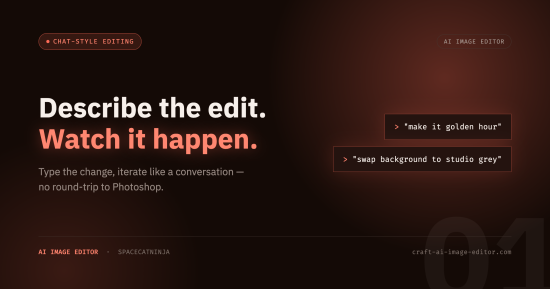
Edit and generate image assets in the Craft CMS control panel using natural language, powered by AI.
Open any image asset and tell the editor what you want in plain words — "make the background white", "remove the coffee cup", "make it look like golden hour" — then iterate in a chat-style loop until it's right and save the result, either as a new asset or back over the original. Need an image that doesn't exist yet? Describe it and generate one from scratch. No fixed one-click filters, no round-trips to a desktop editor, no leaving Craft.
Learn more at craft-ai-image-editor.com.
Highlights
- Natural-language editing, inside the control panel. Free-form instructions in a chat-style composer — not a fixed set of one-click filters. Editors never leave Craft, and never round-trip through a desktop image editor.
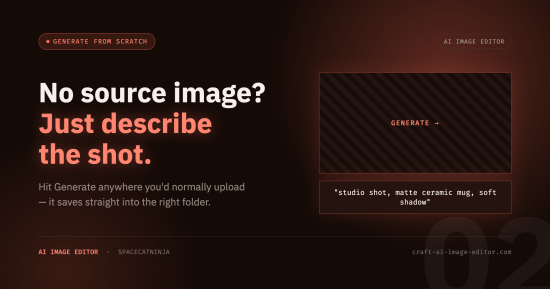
- Generate images from scratch, too. Beyond editing existing assets, describe an image in words and the plugin creates it as a new asset — straight from an asset index or an asset-selection modal.
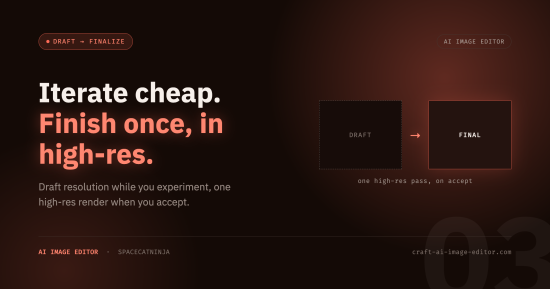
- Iterate cheaply, finalize sharp. Turns run as fast, low-resolution drafts while you refine the look; the full-resolution version is rendered only once you accept, with a side-by-side draft/final comparison so nothing changes behind your back.
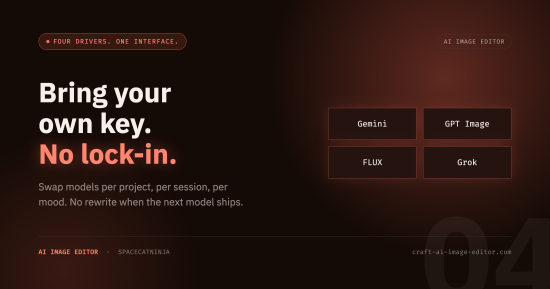
- Bring your own AI provider. Four drivers ship in the box — Gemini, OpenAI, FLUX, and Grok — chosen in your config file, a one-line change to swap. Requests go directly from your server to the provider with your own API key, and other plugins can register more drivers.
- Built to stay faithful. A "Precise edits" mode, multi-turn provider chaining, and automatic aspect-ratio pinning combine to change only what you asked for and stop quality from drifting across successive edits.
- Feels like part of Craft. Reuses the native image-editor interface and its two save actions — replace the original in place, or save as a new sibling asset — respects your volume permissions, auto-detects focal points, and names generated files from an AI description of what's in them.
- Ready for content-disclosure rules. An optional field flags every AI-edited or -generated asset so you can meet AI-labeling regulations, and it pairs with Imager X when you need a watermark burned into the pixels.
- Cloud- and cluster-friendly. Works unchanged on Craft Cloud and on load-balanced or ephemeral filesystems — working images live in Craft's temporary filesystem, never a hardcoded local path.
- Configured as code. No settings screen to click through: everything lives in a config file, so it's versioned and multi-environment by default.
- Extensible. Before/after events on every edit and save let you observe, adjust, or veto them, and you can register custom drivers for other providers.
How it works
- Edits during the chat loop are performed at a low working resolution — these draft versions are cheap and fast, good enough to judge whether an edit is right.
- When you accept, the last draft is regenerated once at a higher final resolution before it's saved. The editor shows a draft/final comparison so you can catch any drift, and lets you keep the draft if you prefer it.
- Two save actions, just like Craft's native image editor: Save replaces the original file in place (the asset and its relations stay intact), or Save as a new asset creates a sibling in the same folder — each respecting your volume permissions.
- On save, a focal point is detected and set on the asset, so transforms anchor to the subject from the very first render.
Generate new images from scratch
Besides editing existing assets, describe an image and the plugin creates it as a brand-new asset — from a Generate button on your asset indexes and inside asset-selection modals. It's the same chat-style editor without a source image: describe what you want, iterate in drafts, and accept to save it into the folder you're browsing, named after an AI description of the result.
Choose your AI provider
Pick the provider that fits your budget, quality bar, and data-handling needs — a one-line config change swaps between them. Four drivers ship in the box:
- Gemini (Google) — the Nano Banana Pro and Nano Banana 2 image models, resolutions up to 4K, 10 aspect ratios, and multi-turn chaining for low-drift iteration.
- OpenAI — the GPT Image models, with an input-fidelity control that maps to the "Precise edits" toggle for faithful edits.
- FLUX (Black Forest Labs) — the FLUX.2 models, handling both editing and text-to-image generation at high resolution.
- Grok (xAI) — the Grok Imagine models, doing both editing and generation with a built-in vision model.
Bring your own API key for whichever you choose; requests go straight from your server to the provider. Other plugins can register additional drivers, so the roster is open-ended.
Built to stay faithful
Generative editing can change more than you asked for, so the plugin works to keep edits faithful:
- A "Precise edits" mode (on by default) tells the model to change only what you requested — toggle it off for deliberately creative restyles.
- On providers that support it, consecutive edits reuse the provider's multi-turn state instead of re-uploading the previous result, so quality doesn't compound-degrade across turns.
- The output aspect ratio is pinned to the source by default, preventing unwanted recomposition — with an aspect-ratio picker for when you do want to change it.
Stay ahead of AI-disclosure rules
A growing number of jurisdictions require AI-generated or -manipulated content to be labeled — the EU AI Act's transparency obligations, China's labeling rules, and a wave of US state laws among them. The plugin can flag every asset it edits or generates on a field of your choosing, giving you a durable, queryable marker to build disclosures, filters, and audits around. And when you need a visible watermark composited into the pixels, it pairs with Imager X to burn one in as part of a transform. (What you must disclose, and how, varies by jurisdiction — the plugin gives you the building block, not legal advice.)
Ready for Craft Cloud
An edit session spans several requests, so the plugin keeps working images in Craft's temporary filesystem — which means it runs unchanged on Craft Cloud and on load-balanced, ephemeral-filesystem setups, with nothing written to a hardcoded local path and no risk of transient files being swept into a volume re-index. Intermediate results are cleaned up automatically once a session is finalized, discarded, or abandoned; finished results are saved as normal Craft assets.
Privacy first
Images and prompts are sent only to the AI provider(s) you configure, directly from your own server with your own key — nothing passes through us. The editor names the provider at the point of use, so your team always knows where data is going. Make sure this fits your project's data-handling obligations before enabling the plugin.
Bring AI image editing and generation right into the Craft control panel — on your terms, with your provider, ready for the cloud.
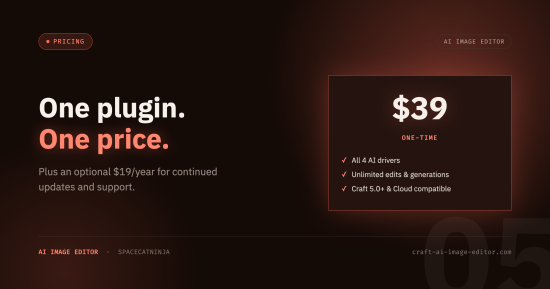
Standard
Plus $19/year after one year.
To install this plugin, copy the command above to your terminal.
This plugin doesn't have any reviews.