 SEO & Accessibility
 AI
AI Localization
 Ecommerce
 Forms
Forms Fields
 Development
 Security
 Templating
 Performance
 Control Panel
 Widgets
 Assets
 Utilities
 Mailer Adapters
 Social Networking
 Integrations
Craft gives entries, categories, and users a trash status you can restore from. Assets are the exception: deleting one removes the underlying file immediately, with no way back through the control panel.
Asset Vault closes that gap. Before Craft removes a deleted file, the plugin copies it into a protected .vault/ folder inside the same volume, together with the asset's title, alt text, focal point, and custom field data. Editors can browse vaulted files, restore them as new assets, or permanently delete them when recovery is no longer needed.
Works with local filesystem volumes and remote volumes (S3, DigitalOcean Spaces, and anything else Craft's filesystem abstraction supports) — the vault copy uses the same copyFile() / deleteFile() pipeline Craft already uses, so behaviour is consistent across storage backends.
Control panel workflow
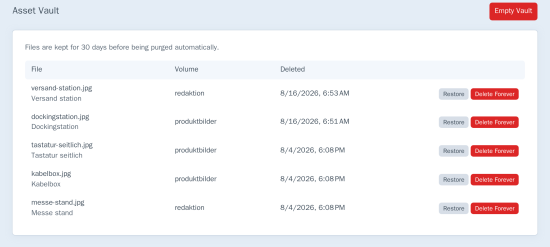
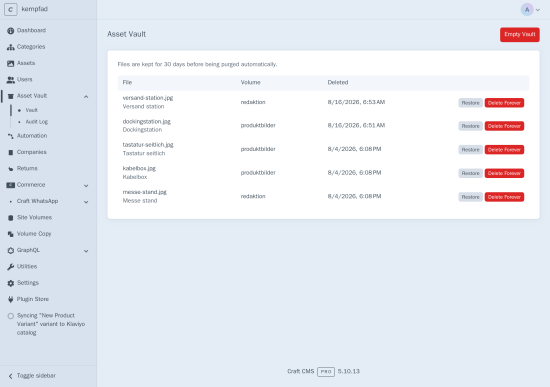
- A dedicated Asset Vault section lists every vaulted file with restore and permanent-delete actions.
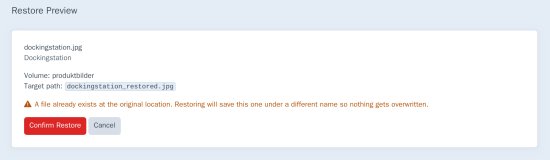
- Restore preview shows the exact path the file will land at before anything happens — and warns when a filename collision would force a rename (nothing is ever overwritten).
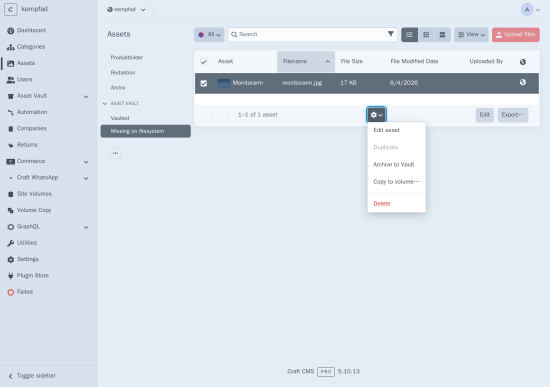
- Archive to Vault on the Assets index copies selected files into the vault without deleting them — useful before risky bulk edits. Progress runs through Craft's queue.
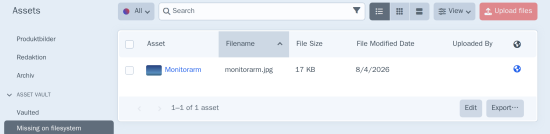
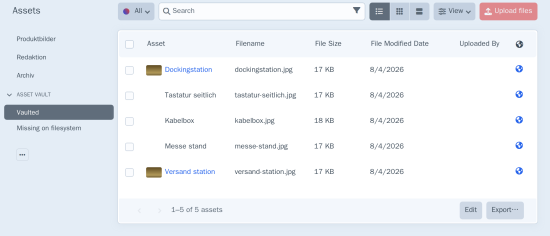
- Extra Asset Index sources: Vaulted (assets with an active vault copy) and Missing on filesystem (live assets whose file is gone from storage).
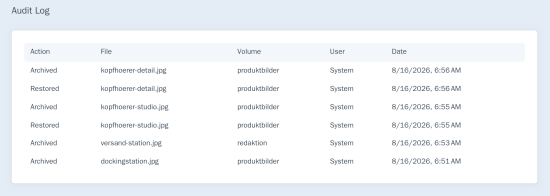
- An Audit Log tab records who archived, restored, or permanently deleted each file, and when — including automatic retention purges.
Settings & housekeeping
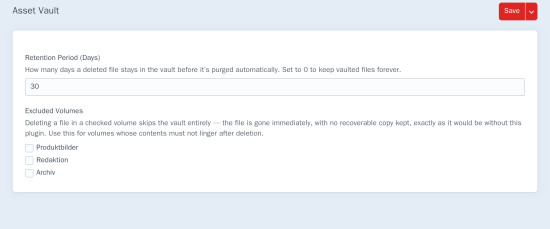
- Retention period (default 30 days): expired vault items are purged during Craft's garbage collection, or on demand via
php craft asset-vault/purge. - Excluded volumes: pick volumes whose deletions should skip the vault entirely — for content that must be gone for good.
- Permissions: a single Manage Asset Vault permission gates archive, restore, and permanent delete — assignable per user group.
Restored images get their named transforms warmed in a background job, so thumbnails are ready without a cold first request.
For developers
VaultService exposes cancelable before/after archive and restore events, so other plugins can veto vaulting or restoration, or react once either step completes.
Good to know
Asset Vault is a recycle bin, not an offsite backup. Vault copies live in the same volume as the originals. Pair it with real backups or object-storage versioning for disaster recovery.
Standard
Plus $15/year after one year.
To install this plugin, copy the command above to your terminal.
This plugin doesn't have any reviews.