 SEO & Accessibility
 AI
 Localization
 Ecommerce
 Forms
 Fields
 Development
 Security
 Templating
 Performance
 Control Panel
 Widgets
 Assets
 Utilities
 Mailer Adapters
 Social Networking
 Integrations

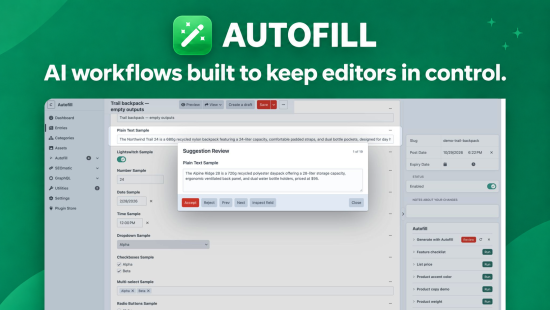
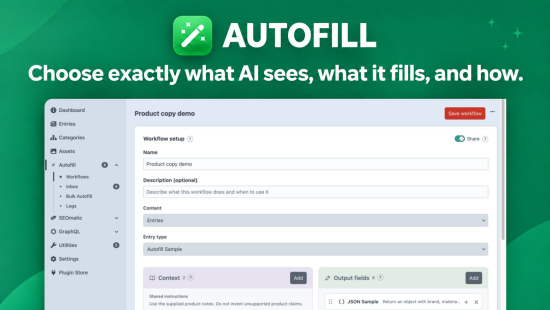
Autofill helps editors fill out Craft entries and assets with AI. Create a workflow for an entry type or asset volume, then run it from the sidebar or an inline Autofill field. Editors can review suggestions right where they work.
Build workflows for your content
Think of each workflow as a skill that teaches AI how to fill out a specific entry type or asset. Choose which fields and files the model can read, which fields it can fill, and what instructions it should follow. Turn product notes into descriptions and SEO fields, or use an image to suggest its alt text.
Review suggestions in Craft
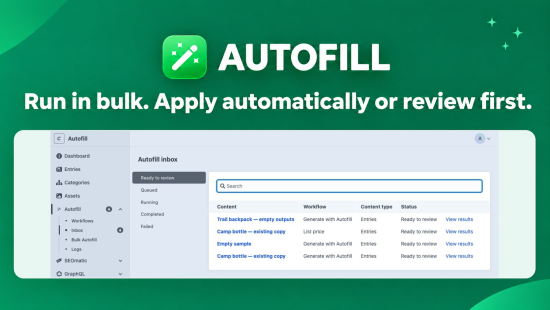
Start a workflow with a click and keep working while Autofill generates suggestions in the background. Return to the original entry or asset to edit supported suggestions and accept or reject them one field at a time. You choose which fields require review and which can be filled automatically.
Lite and Pro
Lite includes one saved workflow, background generation, and review on individual entries and assets.
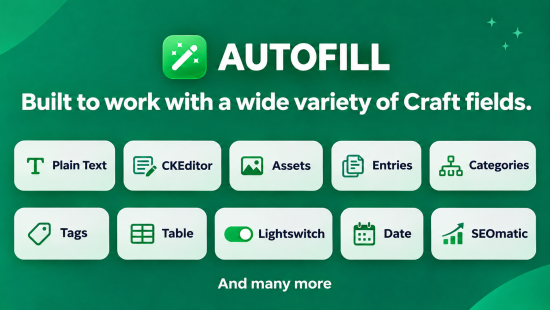
Pro adds multiple workflows, more supported field types, and bulk runs across entries or assets. The review inbox brings pending suggestions together and opens each item in its original editor.
Autofill supports OpenAI, Anthropic, DeepSeek, and Google Gemini.
Lite
Pro
Plus $29/year after one year.
To install this plugin, copy the command above to your terminal.
This plugin doesn't have any reviews.