 SEO & Accessibility
 AI
AI Localization
 Ecommerce
 Forms
Forms Fields
 Development
 Security
 Templating
 Performance
 Control Panel
 Widgets
 Assets
 Utilities
 Mailer Adapters
 Social Networking
 Integrations
Awesemo
Font Awesome, managed — for Craft CMS 5.
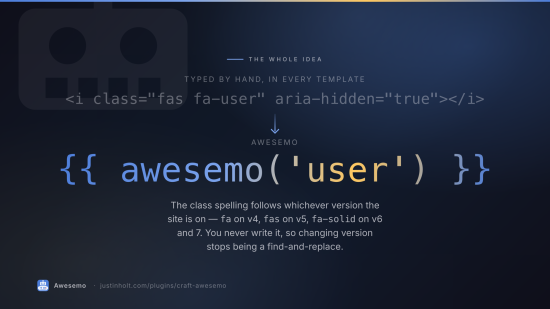
One place decides which version the site is on. Everyone who writes anything gets a searchable icon picker. Templates get one call that renders an icon properly, as a web font or as inline SVG, and switching between those is a setting rather than a find-and-replace.
Free. No editions, no licence key.
It is the Craft answer to WordPress's Better Font Awesome, and then the parts a shortcode plugin cannot do.
What it does
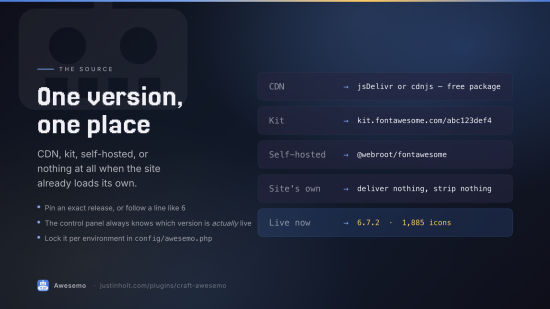
Chooses the version, once. CDN (jsDelivr or cdnjs), a Font Awesome kit, a self-hosted package,
or nothing at all when the site already loads its own. Pin an exact release or follow a line like
6; either way the control panel can tell you which version is actually live.
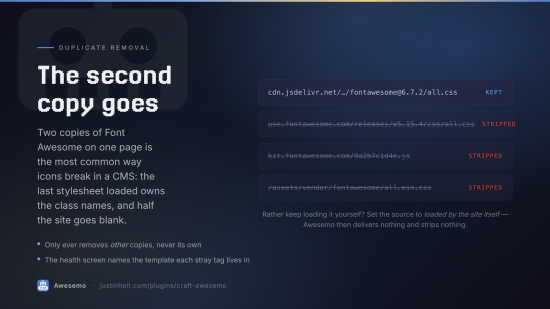
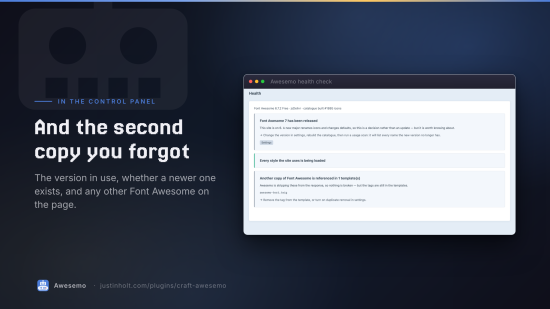
Removes the second copy. Two copies of Font Awesome on one page is the most common way icons break in a CMS: whichever stylesheet loads last owns the class names, and half the site goes blank. Awesemo strips Font Awesome stylesheets and kit scripts that something else put on the page, and never its own.
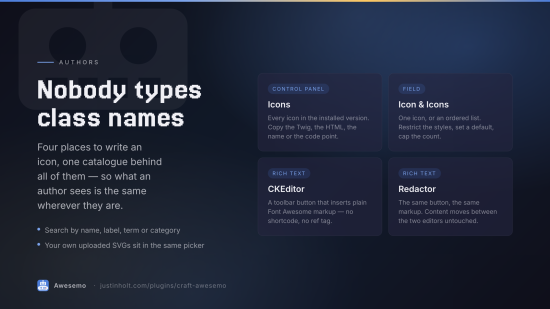
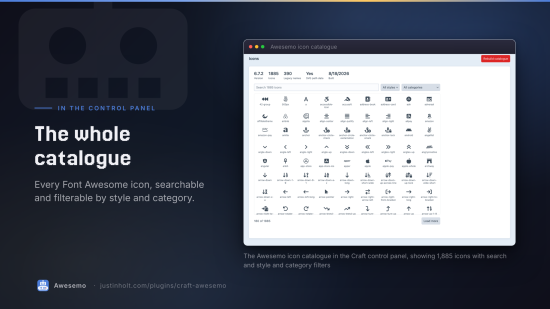
Puts a picker everywhere an author writes. A control-panel browser, an Icon field, a CKEditor toolbar button and a Redactor toolbar button — all four search the same catalogue, so what an author sees is the same wherever they are.
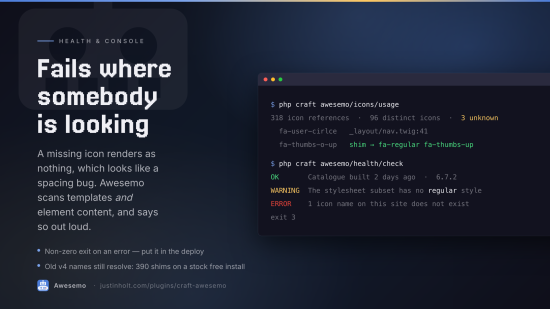
Keeps old names working. fa fa-thumbs-o-up renders as fa-regular fa-thumbs-up, through
Font Awesome's own v4 shim data. Nearly 400 retired names resolve on a stock free install.
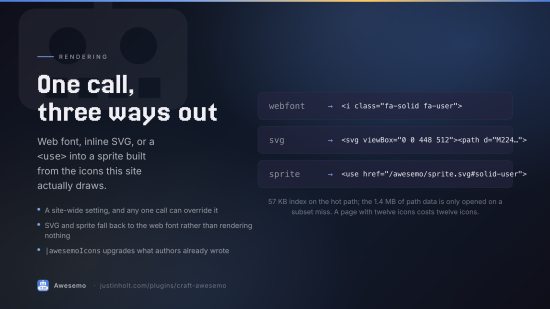
Renders three ways. Web font, inline SVG (no stylesheet, no font download), or a <use>
reference into a sprite built from the icons this site actually uses.
Says what is wrong. A health screen for the things that fail silently: names that no longer exist, a stylesheet subset that misses a style the content needs, a stale catalogue, an unreachable CDN, SVG mode with no path data, another copy of Font Awesome in a template.
Templates
{{ awesemo('user') }}                      {# fa-solid fa-user — the site default style #}
{{ awesemo('fa-regular fa-user') }}        {# any spelling of any version #}
{{ awesemo('brands:github') }}
{{ 'star'|awesemo({ size: '2x', fixedWidth: true }) }}
{{ awesemo('trash', { label: 'Delete this entry' }) }}   {# role=img + aria-label #}
{{ awesemo('spinner', { animation: 'spin' }) }}
{{ awesemo('star', { mode: 'svg' }) }}     {# this one inline, whatever the site default is #}

{{ entry.myIconField }}                    {# an Icon renders itself #}
{{ entry.myIconField.render({ size: 'lg' }) }}

{{ entry.body|awesemoIcons }}              {# upgrade icons already written in rich text #}
craft.awesemo has the rest: icon(), render(), exists(), search(), styles(),
categories(), head(), css(), version(), source(), spriteUrl(), unicode().
Every icon is aria-hidden="true" unless you give it a label, at which point it becomes
role="img" with that label. That is the right default: nearly every icon in a CMS sits beside
text that already says what it means.
Options
mode · size · fixedWidth · listItem · rotate · flip · animation · spinReverse ·
border · pull · swapOpacity · inverse · class · label · title · id · color ·
tag. Anything else you pass becomes an HTML attribute.
Fields
Icon — one icon. The value is an Icon, which renders itself.
Icons — an ordered list of them.
Both can be restricted to particular styles, given a default, and optionally let the author set size and fixed width per value.
Rich text
CKEditor and Redactor each get a toolbar button that opens the picker and inserts plain markup:
<i class="fa-solid fa-user" data-awesemo="solid:user" aria-hidden="true"></i>
No shortcode, no reference tag, nothing needed at render time — which means an icon written this
way survives the plugin being removed, and moves between editors untouched. (Redactor gets a
<span> rather than an <i>, because Redactor rewrites <i> to <em>. Font Awesome renders
from the classes and does not care which element carries them.)
If the site later switches to inline SVG, |awesemoIcons upgrades everything an author already
wrote, in all three elements.
Custom icons
Upload an SVG, give it a name, use it exactly like a Font Awesome one:
{{ awesemo('custom:acme-logo') }}
Uploads are sanitised on the way in — script, external references and event handlers removed —
and rendered inline, so they inherit color and font-size like every other icon.
The console
php craft awesemo/catalog/build          # download the icon list for the configured source
php craft awesemo/catalog/info           # what is installed, and where it came from
php craft awesemo/catalog/search coffee  # look a name up the way a template would
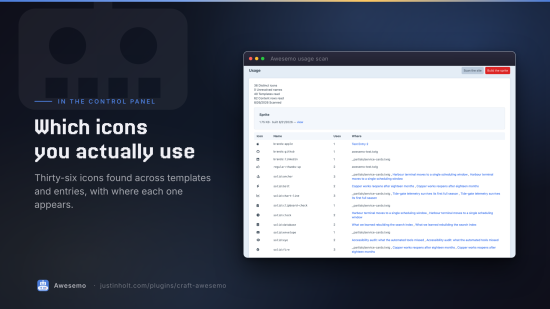
php craft awesemo/icons/usage            # every icon this site references, and the dead ones
php craft awesemo/icons/sprite           # build the subset sprite from that scan
php craft awesemo/health/check           # exits non-zero on an error; --strict for warnings too
awesemo/health/check in a deploy pipeline is the point: a build that would have shipped a page
of blank squares fails where somebody is looking.
How it stores things
One database table, for uploaded icons. Everything else is derived data in storage/awesemo/:
| File | What | Read by |
|---|---|---|
runtime-<key>.json | name → styles, aliases, shims | every render |
catalog-<key>.json | labels, search terms, categories | the control panel |
paths-<key>.json | SVG path data | only on a subset miss |
subset-<key>.json | the icons this site has actually drawn | every SVG render |
sprite-<key>.svg | the generated sprite | the browser |
usage.json | the last usage scan | the sprite builder, the health screen |
On a stock Font Awesome 6 free install that is a 57 KB file on the hot path and a 1.4 MB one that
a normal request never opens. <key> hashes the source config, so changing version or kit builds
a new catalogue beside the old one — and changing back is instant.
Rebuild after a deploy that wipes storage/; nothing is lost that a single download cannot
restore.
Requirements
Craft CMS 5.3+, PHP 8.2+. No runtime dependencies. CKEditor and Redactor integrations activate only when those plugins are installed.
Installation
composer require justinholtweb/craft-awesemo
php craft plugin/install awesemo
php craft awesemo/catalog/build
Licence
See LICENSE.md.
To install this plugin, copy the command above to your terminal.
This plugin doesn't have any reviews.