 SEO & Accessibility
 AI
AI Localization
 Ecommerce
 Forms
Forms Fields
 Development
 Security
 Templating
 Performance
 Control Panel
 Widgets
 Assets
 Utilities
 Mailer Adapters
 Social Networking
 Integrations
Chart Field
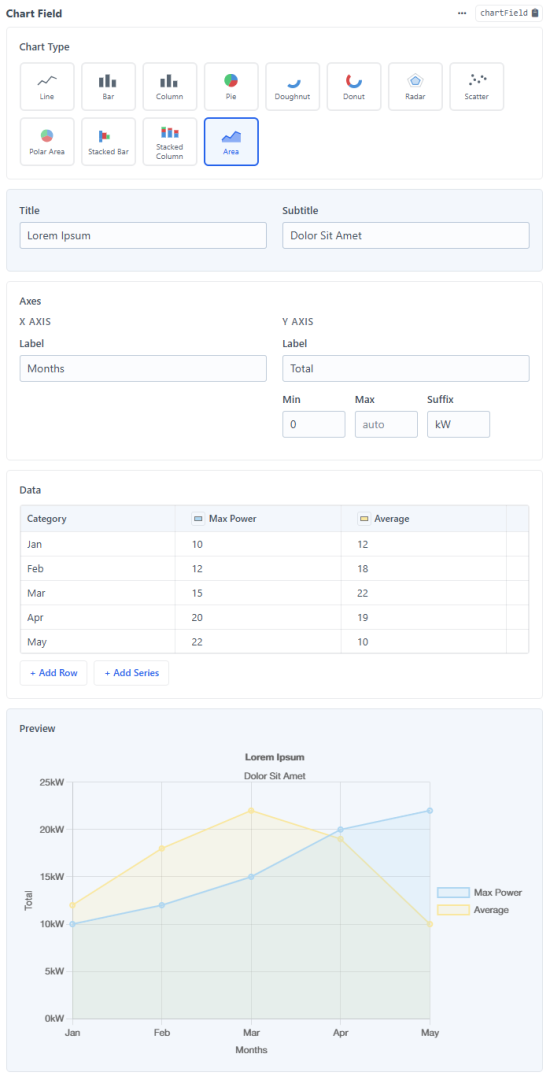
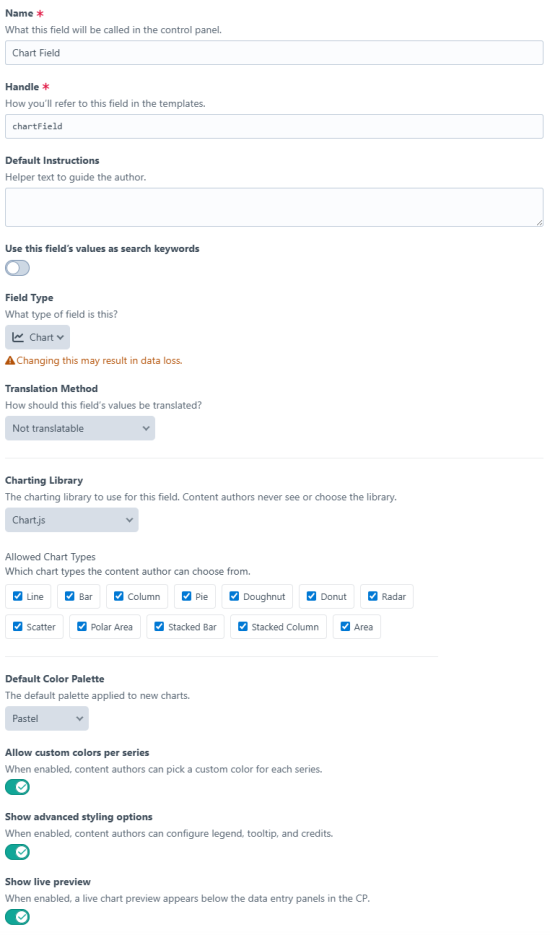
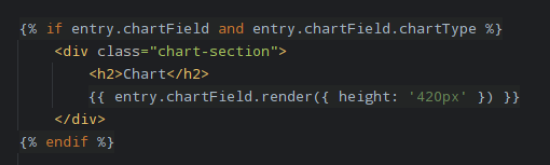
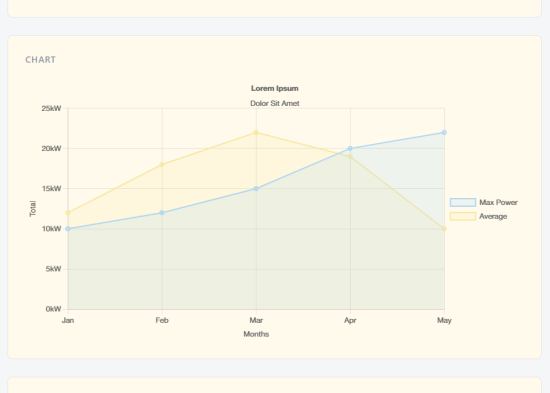
Chart Field
A Craft CMS 5 plugin that provides a Chart field type. Content editors enter data in a spreadsheet-style grid; the plugin stores it in a library-agnostic JSON format and renders it on the frontend using the charting library configured by the developer.
Supported libraries: Chart.js · HighCharts · ApexCharts
Features
- Spreadsheet-style data entry — editors fill in a familiar grid; no JSON, no code, no frustration.
- Three charting libraries, one field — choose Chart.js (free), HighCharts, or ApexCharts per field instance; swap without touching templates.
- 14 chart types — Line, Bar, Column, Area, Stacked variants, Pie, Donut, Scatter, Radar, Polar, Heatmap, and more.
- Combo / mixed charts — assign a different chart type per series (e.g. columns + line overlay) for all three libraries.
- Live CP preview — see the chart render in real time as data is entered, before the entry is saved.
- Excel / Google Sheets paste — paste a copied range directly into the grid; rows and columns are created automatically.
- Per-series custom colours — pick a colour for each data series directly in the column header; colour pickers for pie/donut slices too.
- Configurable colour palettes — ship with five built-in palettes (Default, Warm, Cool, Monochrome, Pastel) and define your own in
config/chart-field.php. - HighCharts optional modules — enable Exporting, Export Data, Accessibility, Drilldown, Data, and Annotations modules from plugin settings; each loads its CDN script automatically.
- Library-agnostic storage — data is saved as clean, portable JSON; switch charting libraries or go headless without re-entering data.
- One-line frontend rendering —
{{ entry.myChart.render() }}outputs the container, script tag, and initialisation in a single call. - Developer-friendly config — override CDN URLs, add license keys, and customise palettes via a plain PHP config file with
.envvariable support.
Requirements
- Craft CMS 5.0 or later
- PHP 8.2 or later
Installation
composer require frontend-services/craft-chart-field
php craft plugin/install chart-field
Plugin Settings
Go to Settings → Plugins → Chart Field to configure global options.
License Keys
HighCharts requires a commercial license. Enter your key here so charts render without a watermark.
Auto-load JS
When enabled (default), the plugin automatically includes the charting library <script> tag when render() is called in your template. Disable this if you prefer to include the library yourself.
HighCharts Modules
Optional HighCharts modules that can be enabled individually. When enabled and Auto-load JS is on, each module's script is included automatically after the core library.
| Module | Description |
|---|---|
| Exporting | Adds export and print buttons to charts |
| Export Data | Export chart data as CSV or XLSX (requires Exporting) |
| Accessibility | Screen reader support and keyboard navigation |
| Drilldown | Click data points to reveal sub-categories |
| Data | Load data from HTML tables, CSV, or Google Sheets |
| Annotations | Add text labels and shapes to charts |
CDN URL Overrides
Override the default CDN URL for any library or module — useful for self-hosting, GDPR compliance, or pinning a specific version.
Field Settings
Each Chart field instance can be configured independently in the field's settings screen.
| Setting | Description |
|---|---|
| Charting Library | Which library to use for this field. Content authors never see this choice. |
| Allowed Chart Types | Which chart types the editor can pick from. |
| Default Color Palette | The palette applied when no custom colors are set. |
| Allow custom colors | Lets editors pick a custom color per series. |
| Show advanced styling options | Exposes legend and tooltip controls to the editor. |
| Show live preview | Renders a live chart preview in the CP as the editor enters data. |
Supported Chart Types per Library
| Type | Chart.js | HighCharts | ApexCharts |
|---|---|---|---|
| Line | ✅ | ✅ | ✅ |
| Spline | ✅ | ||
| Bar (horizontal) | ✅ | ✅ | ✅ |
| Column (vertical) | ✅ | ✅ | ✅ |
| Area | ✅ | ✅ | ✅ |
| Stacked Bar | ✅ | ✅ | ✅ |
| Stacked Column | ✅ | ✅ | ✅ |
| Stacked Area | ✅ | ✅ | ✅ |
| Pie | ✅ | ✅ | ✅ |
| Donut | ✅ | ✅ | ✅ |
| Scatter | ✅ | ✅ | ✅ |
| Radar | ✅ | ✅ | |
| Polar | ✅ | ||
| Polar Area | ✅ | ||
| Heatmap | ✅ |
Twig Usage
Render a chart
The simplest usage — outputs the container element, the library <script> tag (if auto-load is on), and the initialisation script:
{{ entry.myChartField.render() }}
With null safety:
{% if entry.myChartField and entry.myChartField.chartType %}
    {{ entry.myChartField.render() }}
{% else %}
    <p>No chart data available.</p>
{% endif %}
With options:
{{ entry.myChartField.render({
    id:     'revenue-chart',
    class:  'my-chart',
    height: '500px',
    width:  '100%',
}) }}
JSON only
If you want to initialise the chart yourself:
<div id="my-chart"></div>
<script src="https://cdn.jsdelivr.net/npm/chart.js"></script>
<script>
    new Chart(document.getElementById('my-chart'), {{ entry.myChartField.json | raw }});
</script>
Manual script management
Get the resolved CDN URL(s) for the configured library:
{% for url in entry.myChartField.jsAssets %}
    <script src="{{ url }}"></script>
{% endfor %}
Config File
Create config/chart-field.php in your Craft project to override any plugin setting without touching the database.
<?php
// config/chart-field.php

return [
    // License key for HighCharts (reads from .env)
    'licenseKeys' => [
        'highcharts' => '$HIGHCHARTS_LICENSE_KEY',
    ],

    // Self-host the charting libraries
    'autoLoadJs' => true,
    'cdnOverrides' => [
        'highcharts' => '/dist/highcharts.js',
    ],

    // Enable HighCharts optional modules
    'highchartsModules' => ['exporting', 'export-data', 'accessibility'],

    // Override CDN URLs for individual HighCharts modules
    'highchartsModuleCdnOverrides' => [
        'exporting' => '/dist/modules/exporting.js',
    ],

    // Define your own color palettes
    // Keys are the handle shown in the field settings dropdown
    // Omitting the built-in keys removes them from the dropdown
    'palettes' => [
        'brand'      => ['#FF6B35', '#004E89', '#1A936F', '#C6D8AF', '#F7B731'],
        'default'    => ['#4A90D9', '#D94A4A', '#50C878', '#FFB347', '#9B59B6'],
        'monochrome' => ['#2C3E50', '#34495E', '#7F8C8D', '#95A5A6', '#BDC3C7'],
    ],
];
Default palettes
The plugin ships with these palettes (all overridable via config):
| Handle | Preview |
|---|---|
default | Blue, Red, Green, Orange, Purple, Teal, … |
warm | Reds, oranges, and yellows |
cool | Blues, greens, and purples |
monochrome | Greys and dark blues |
pastel | Soft, light tones |
Standard
Plus $19/year after one year.
To install this plugin, copy the command above to your terminal.
This plugin doesn't have any reviews.