 SEO & Accessibility
 AI
AI Localization
 Ecommerce
 Forms
Forms Fields
 Development
 Security
 Templating
 Performance
 Control Panel
 Widgets
 Assets
 Utilities
 Mailer Adapters
 Social Networking
 Integrations
Compare — Craft CMS Plugin
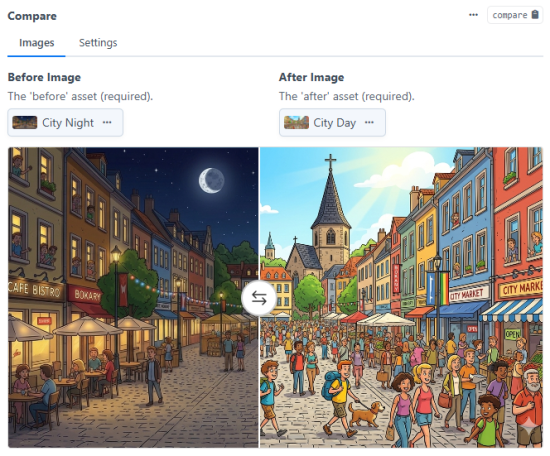
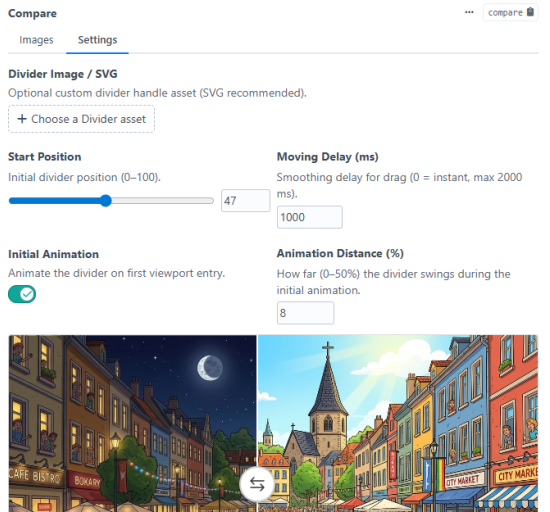
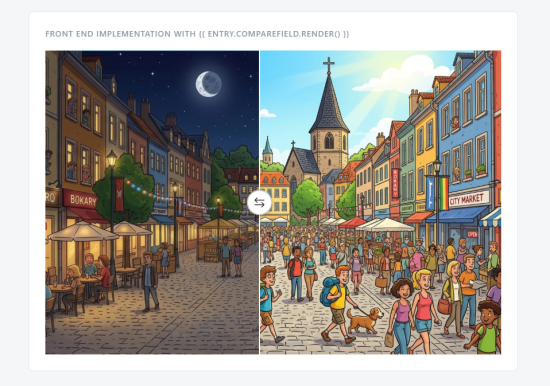
Before/after image comparison slider field for Craft CMS 5. Editors pick two assets and configure a draggable divider. It also includes a custom web component for rendering the comparison on the frontend out of the box, with support for responsive images, retina displays, and lazy loading.
Twig Usage
The simplest way to output the comparison component:
{{ entry.compareField.render() }}
Pass a config array to control image transforms and other options:
{{ entry.compareField.render({
    transforms: {
        0:  { width: 600, height: 384, mode: 'crop', quality: 85 },
        768: { width: 768, height: 512, mode: 'crop', quality: 85 },
        1200: { width: 1200, height: 800, mode: 'crop', quality: 85 },
    },
    retina: true,
    lazy: true,
    class: 'my-compare',
    id: 'hero-compare',
}) }}
Config options
| Key | Type | Default | Description |
|---|---|---|---|
transforms | array | {} | Breakpoint → transform map. Keys are min-width values in px; Craft image transforms as values. Generates <picture>/<source> elements. |
retina | bool | true | When true, doubles transform dimensions for a 2x srcset descriptor. |
lazy | bool | true | Adds loading="lazy" to <img> elements. |
class | string | '' | CSS class added to the <craft-compare> element. |
id | string | '' | id attribute added to the <craft-compare> element. |
Manual output
Access the raw data model to build your own markup:
{% set compare = entry.compareField %}

{% if compare %}
    <craft-compare
        position="{{ compare.startPosition }}"
        delay="{{ compare.movingDelay }}"
        {% if compare.initialAnimation %}
            animate
            animate-distance="{{ compare.initialAnimationDistance }}"
        {% endif %}
    >
        <img slot="before" src="{{ compare.beforeUrl }}" alt="{{ compare.before.alt }}">
        <img slot="after"  src="{{ compare.afterUrl }}"  alt="{{ compare.after.alt }}">
    </craft-compare>
{% endif %}
Standard
Plus $9/year after one year.
Installation Instructions
To install this plugin, copy the command above to your terminal.
Reviews
This plugin doesn't have any reviews.
Active Installs
1
License
Craft
Last release
April 2, 2026
Activity (30 days)
0
Closed Issues
0
Open Issues
0
Merged PRs
0
Open PRs