 SEO & Accessibility
 AI
AI Localization
 Ecommerce
 Forms
Forms Fields
 Development
 Security
 Templating
 Performance
 Control Panel
 Widgets
 Assets
 Utilities
 Mailer Adapters
 Social Networking
 Integrations
Comparer for Craft CMS
Side-by-side comparison for Craft CMS 5. Visitors build a list of products — or entries, or categories — and see them in a comparison table you define once in the control panel.
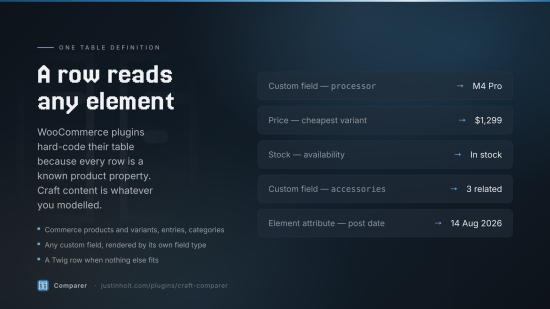
WooCommerce shops have had this for years, via plugins like WPC Smart Compare. Craft has not, and the reason those plugins do not translate is that they compare products: their table is a fixed list of known product properties. Craft's content is whatever you modelled it to be.
Comparer's answer is that a table row is a resolver, not a column. A row knows how to read
itself off whatever element it is handed. So one mechanism draws a laptop's processor and
ramGb, a sofa's price and stock, and a case study's industry and duration — and the
difference highlighting works the same way for all of them.
What it does
- Compare anything. Commerce products and variants, entries, categories. One element type per comparison set; as many sets as you need.
- A table you define in the CP. Drag rows into order: the title, an image, any custom field, element attributes, price, SKU, stock, an add-to-cart button, a link — or a Twig template when none of those fit.
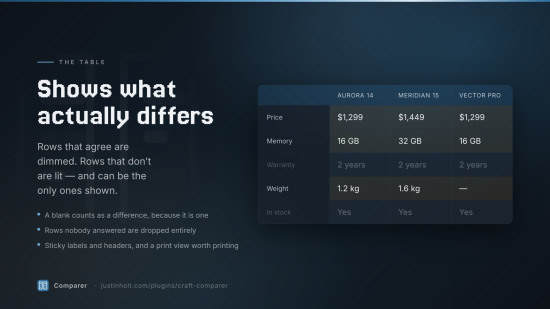
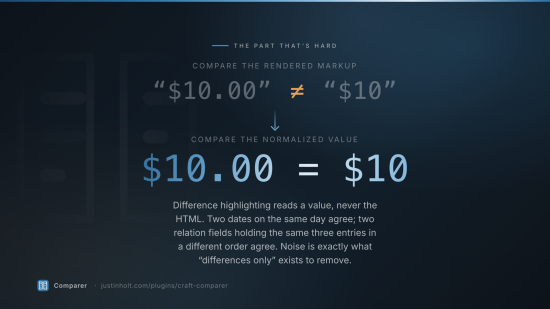
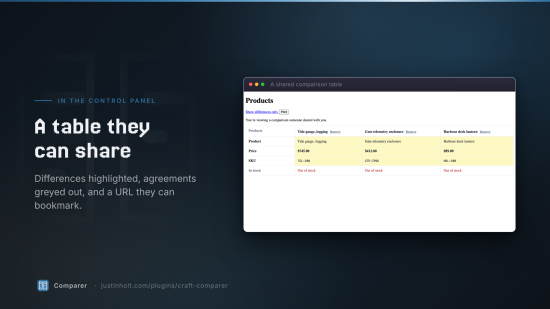
- Difference highlighting that means something. Rows whose values agree are greyed out and can
be hidden entirely. Comparison happens on normalized values, not rendered markup, so
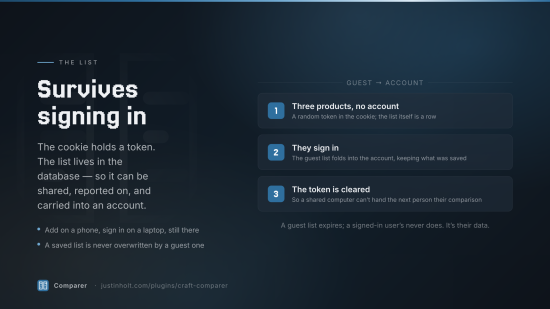
$10.00and$10are the same price and two relation fields holding the same three entries in a different order are the same answer. - Lists that survive. A guest's comparison lives in the database under a cookie token, not in the cookie. Sign in and it merges into your account. Come back on your laptop and it is there.
- A comparison bar and a modal, both zero-dependency, both progressively enhanced from real forms that work with JavaScript switched off.
- A real page at
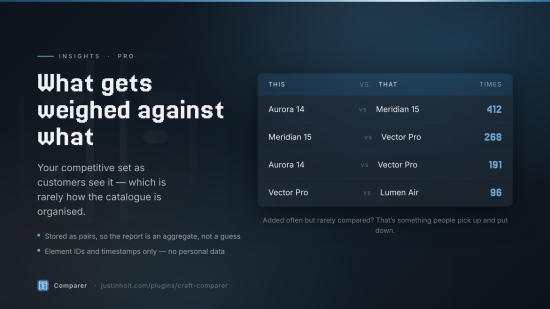
/comparethat can be bookmarked, printed and — on Pro — shared by link. - Insights (Pro): which products your customers put next to each other. That is your competitive set as they see it, which is rarely how your catalogue is organised.
Commerce is a soft dependency. Comparer works perfectly well on a content site with no shop.
Requirements
| Craft CMS | 5.3+ |
| PHP | 8.2+ |
| Craft Commerce | 5.0+, optional — needed only for product, price, SKU, stock and cart rows |
Installation
composer require justinholtweb/craft-comparer
php craft plugin/install compare
Getting started
1. Create a comparison set
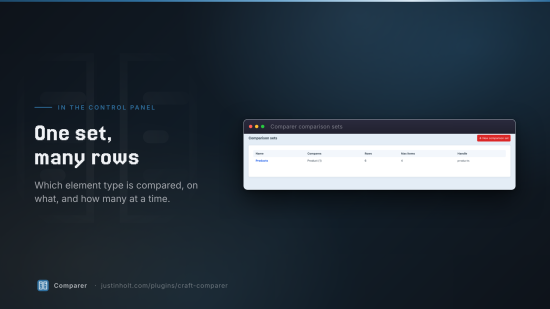
Settings → Comparer → Sets → New comparison set.
- Name and handle — the handle is what templates and endpoints use.
- What does this set compare? — Entries, Categories, or (with Commerce) Products or Variants.
- Which ones? — tick the sections, category groups or product types in the set. Tick nothing to include all of them.
- Maximum items — how many go side by side. Three fits a phone; ten is the Pro ceiling.
- Table rows — the point of the screen. Add rows, choose a type, set a label, drag to reorder.
2. Put a compare button on your product cards
{{ craft.comparer.button(product) }}
That is the whole integration. It renders a real form posting to Comparer's toggle action, and the bundled runtime turns it into a fetch. Add the bar once in your layout:
{{ craft.comparer.bar() }}
3. That is it
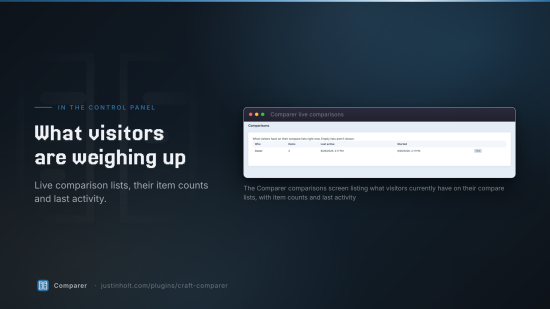
Visitors add things, the bar appears, "Compare (3)" opens the table. /compare shows the same
table as a page.
Templating
Every method takes an optional set handle. With one set — every Lite install and most Pro ones — you can leave it out.
{# state #}
{{ craft.comparer.count() }}                  {# how many are on the list #}
{{ craft.comparer.has(product) }}             {# is this one on it? #}
{{ craft.comparer.isFull() }}
{{ craft.comparer.items() }}                  {# the elements, in list order #}
{{ craft.comparer.list() }}                   {# the CompareList model #}
{{ craft.comparer.url() }}                    {# the comparison page #}
{{ craft.comparer.setFor(product) }}          {# which set this element belongs to #}
{{ craft.comparer.sets }}

{# ready-made markup #}
{{ craft.comparer.button(product) }}
{{ craft.comparer.button(product, { text: 'Add to compare', addedText: 'Added', class: 'btn' }) }}
{{ craft.comparer.bar() }}

{# the table #}
{{ craft.comparer.render() }}                                  {# the visitor's own list #}
{{ craft.comparer.render(products) }}                          {# these elements, right now #}
{{ craft.comparer.render(null, { differencesOnly: true }) }}

{# or build it and draw it yourself #}
{% set table = craft.comparer.table() %}
{% for row in table.getVisibleRows(true) %}
    <tr class="{{ row.isUniform() ? 'same' : 'differs' }}">
        <th>{{ row.getLabel() }}</th>
        {% for cell in row.cells %}
            <td>{{ cell.isEmpty() ? '—' : cell.html }}</td>
        {% endfor %}
    </tr>
{% endfor %}
Rolling your own buttons
Any element with the right data attributes is picked up, including ones added to the page later by your own JavaScript:
<button data-comparer-toggle="{{ product.id }}" data-comparer-set="products">Compare</button>
<span data-comparer-count="products">0</span>
<a href="{{ craft.comparer.url() }}" data-comparer-open="products">Compare now</a>
<button data-comparer-clear="products">Clear</button>
<button data-comparer-remove="{{ product.id }}" data-comparer-set="products">Remove</button>
The runtime fires comparer:changed and comparer:toggled on document, and exposes
window.craftComparer.refresh(), .open(setHandle) and .state().
Overriding the markup
| To replace | Create |
|---|---|
| The comparison table | templates/comparer/_table.twig |
| The comparison page | templates/comparer/index.twig |
| One set's table only | set a Custom table template on the set |
Table templates get table, set, differencesOnly, settings and plugin.
Row types
| Row | What it reads | Needs |
|---|---|---|
| Title | The element's title, optionally linked | |
| Image | An asset field, or the first one it finds | |
| Custom field | Any field, rendered and normalized by type | |
| Element attribute | Post date, expiry, created, updated, slug, ID, status, author | |
| Link | A "View" button | |
| Price | Cheapest variant, default variant, or a range | Commerce |
| SKU | The purchasable's SKU | Commerce |
| Stock | In stock / out of stock, or the count | Commerce |
| Add to cart | A real Commerce add-to-cart form | Commerce |
| Twig template | Whatever you render | Pro |
A field handle that is not on a particular element gives that cell a blank rather than an error — which is the normal case for a set spanning two entry types, not a mistake.
Plugins can register their own:
Event::on(Rows::class, Rows::EVENT_REGISTER_ROW_TYPES, function(RegisterComponentTypesEvent $e) {
    $e->types[] = MyRatingRow::class;
});
The JSON API
Every endpoint the bundled runtime uses is public and documented, so you can turn off Load the bundled front end and drive it from your own build.
| Method | Endpoint | Body |
|---|---|---|
GET | /comparer/session.json | — |
POST | compare/list/add | elementId |
POST | compare/list/remove | elementId |
POST | compare/list/toggle | elementId |
POST | compare/list/clear | set |
POST | compare/list/reorder | set, ids[] |
GET | compare/list/table | set, optional ids, differencesOnly, format=json |
POST | compare/list/share | set (Pro) |
session.json is the one to start with. It returns a fresh CSRF token and the current state of
every set:
{
  "csrfTokenName": "CRAFT_CSRF_TOKEN",
  "csrfToken": "…",
  "loggedIn": false,
  "mayCompare": true,
  "sets": {
    "products": { "count": 2, "max": 4, "full": false, "items": [ … ] }
  }
}
Why that endpoint exists
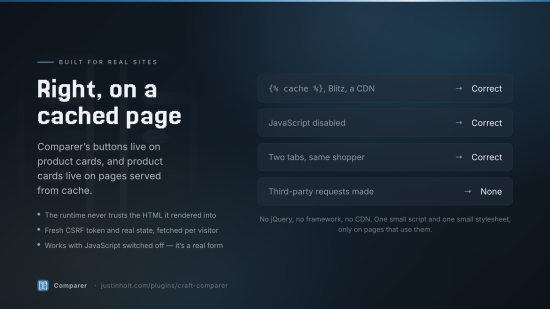
Comparer’s buttons live on product cards, and product cards live on cached pages — {% cache %},
Blitz, a CDN. On a cached page the CSRF token is stale and the button does not know whether the
visitor already added this product. So the runtime never trusts the HTML it was rendered into: it
fetches the session, takes the token from there, and reconciles the buttons. Cached and uncached
pages then behave identically.
A refusal — a full list, or "please sign in" — comes back as 200 with success: false and a
human-readable error. It is an answer, not a fault.
Settings
| Setting | Default | |
|---|---|---|
| Comparison page URI | compare | Must not clash with an entry URI |
| Comparison bar position | Bottom | Or top, or none |
| Open when full | Off | A modal nobody asked for is an interruption |
| Load the bundled front end | On | Off if you are driving the API yourself |
| Require login | Off | |
| Guest list lifetime | 30 days | Signed-in users' lists never expire |
| Cookie name | CraftComparerToken | Holds a token, never the list |
| Record insights | On | Pro. Element IDs only — no personal data |
| Keep insights for | 90 days | Swept by Craft's garbage collection |
| Share link lifetime | Forever | Pro |
Console
php craft comparer/maintenance         # what Comparer currently holds
php craft comparer/maintenance/prune   # drop abandoned guest lists and expired events
Editions
| Lite | Pro | |
|---|---|---|
| Price | Free | $79, then $29/year |
| Comparison sets | 1 | Unlimited |
| Items per comparison | 3 | Up to 10 |
| All core row types | ✓ | ✓ |
| Guest + user lists, merged on login | ✓ | ✓ |
| Bar, modal, standalone page, print | ✓ | ✓ |
| Twig API + JSON endpoints | ✓ | ✓ |
| Custom table templates | ✓ | ✓ |
| Difference highlighting and "differences only" | — | ✓ |
| Twig template rows | — | ✓ |
| Shareable comparison links | — | ✓ |
| Insights | — | ✓ |
Lite is a complete comparator, not a demo. A shop with one catalogue and a three-up table — which is what almost every comparison table on the web actually is — never meets a paywall.
A lapsed Pro licence narrows rather than breaks: the table drops to three columns and the Twig rows are skipped, but the page keeps working and nothing stored is changed. Renewing brings it all back.
Privacy
Comparer stores element IDs, a random guest token, and — for signed-in visitors — a user ID. It records no IP addresses, no user agents, and makes no outbound requests of any kind. Insights are element IDs and timestamps.
Guest lists are deleted after their configured lifetime. Signed-in users' lists are their data and are deleted with their account.
Licence
Proprietary. See LICENSE.md.
Standard
Pro
Plus $29/year after one year.
To install this plugin, copy the command above to your terminal.
This plugin doesn't have any reviews.