 SEO & Accessibility
 AI
AI Localization
 Ecommerce
 Forms
Forms Fields
 Development
 Security
 Templating
 Performance
 Control Panel
 Widgets
 Assets
 Utilities
 Mailer Adapters
 Social Networking
 Integrations
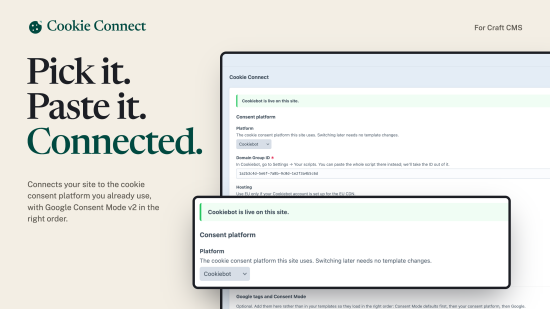
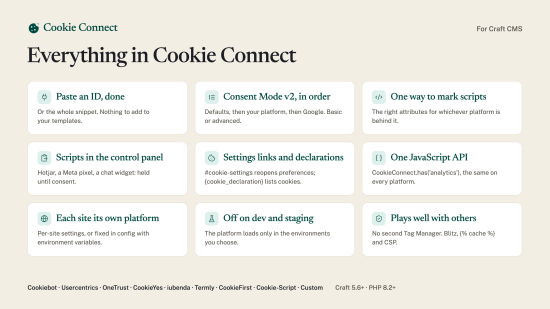
Connect your Craft site to the cookie consent platform you already pay for. Choose it in the control panel, paste its ID, and Cookie Connect loads it first in every page, sets up Google Consent Mode v2 in the right order, and holds back anything that needs consent until the visitor allows it.
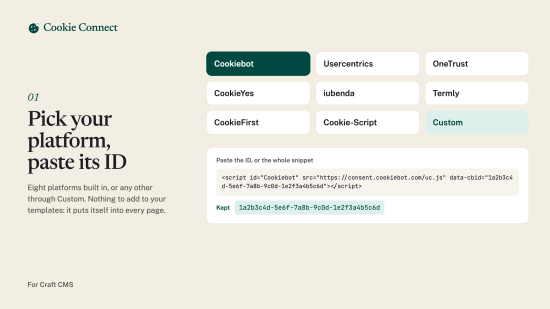
It works with Cookiebot, Usercentrics, OneTrust, CookieYes, iubenda, Termly, CookieFirst and Cookie-Script, or any other platform through Custom. It doesn't draw a banner of its own: your platform does that. Switch platform later without touching a template.
Paste an ID, done
Pick the platform, paste the ID or the whole snippet your platform gives you (Cookie Connect takes the ID out of it), and save. Nothing to add to your templates: it puts itself into every page, like SEOmatic does.
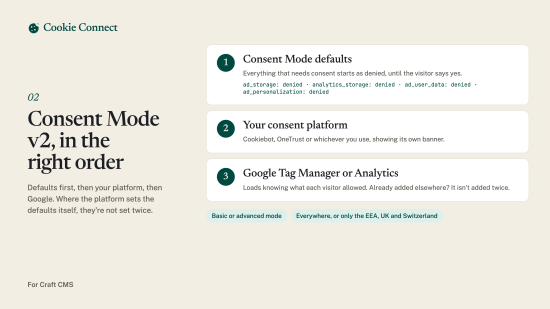
Google Consent Mode v2, in the right order
Consent Mode defaults (denied until the visitor says yes) first, then your consent platform, then Google Tag Manager or Google Analytics. Where the platform sets the defaults itself (iubenda, Termly), they aren't set twice. Basic or advanced mode, everywhere or only in the EEA, UK and Switzerland.
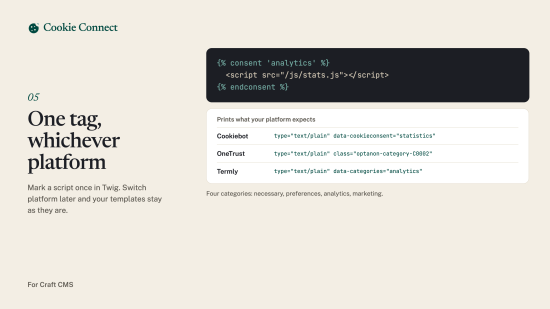
One way to mark scripts and embeds
{% consent 'analytics' %}…{% endconsent %} prints Cookiebot's data-cookieconsent, OneTrust's optanon-category-… classes, Termly's data-categories and so on, whichever platform the site uses. Four categories: necessary, preferences, analytics and marketing.
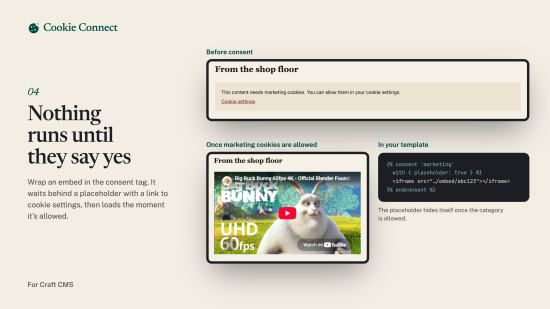
Placeholders for embeds
Wrap a video or map in the consent tag and add a placeholder: visitors see a message with a link to their cookie settings, and the embed loads the moment it's allowed.
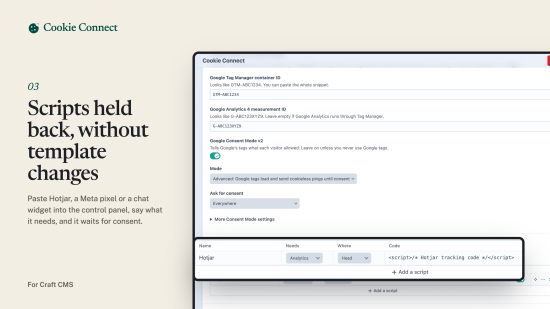
Scripts without template changes
Paste Hotjar, a Meta pixel or a chat widget into the control panel, say what it needs, and it waits for consent.
Cookie settings links and the cookie declaration
Any link to #cookie-settings (in a navigation, a footer, a rich text field) reopens the platform's preferences. Type {cookie_declaration} into a page and your platform's cookie list appears there.
One JavaScript API
CookieConnect.has('analytics'), CookieConnect.on('change', …) and a cookieconnect:change event, the same whichever platform fired it.
Each site its own platform
Per-site settings on multi-site installs, kept in the database so they can be changed on a live site, or fixed in config/cookie-connect.php with environment variables.
Off on dev and staging
The platform only loads in the environments you choose. Elsewhere, content that needs consent stays blocked (or runs, to test your tags).
Plays well with others
If SEOmatic (or anything else) already adds Google Tag Manager, Cookie Connect doesn't add it again when it adds itself to pages, and says so in the control panel. Works with Blitz and {% cache %}, and with a Content Security Policy (nonces or hashes).
Requirements
- Craft CMS 5.6 or later
- PHP 8.2 or later
- An account with a cookie consent platform
Standard
Plus $19/year after one year.
To install this plugin, copy the command above to your terminal.
This plugin doesn't have any reviews.