 SEO & Accessibility
 AI
AI Localization
 Ecommerce
 Forms
Forms Fields
 Development
 Security
 Templating
 Performance
 Control Panel
 Widgets
 Assets
 Utilities
 Mailer Adapters
 Social Networking
 Integrations
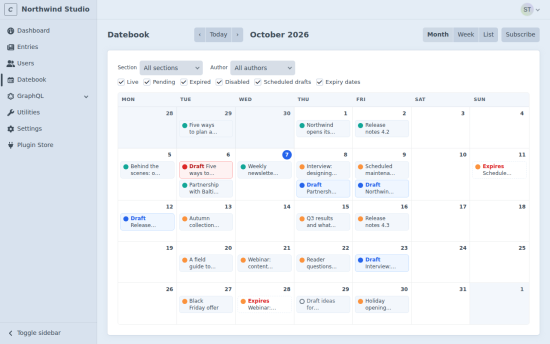
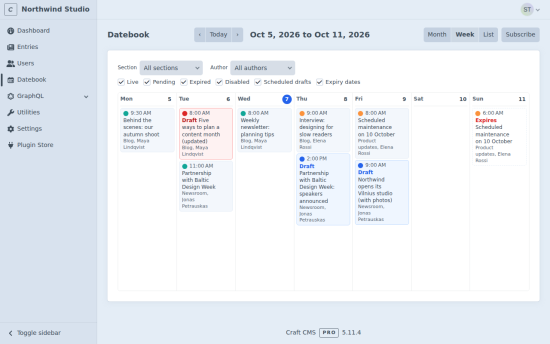
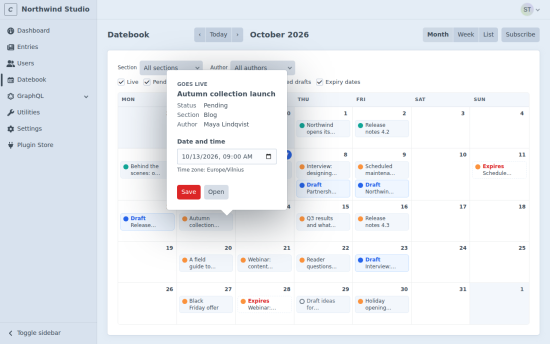
Datebook puts your content on a calendar. See when entries go live, when they expire and when drafts will be published, all in one place. Drag an item to another day to reschedule it, or schedule a draft of a live entry and let Datebook publish it on time.
Plan your content at a glance
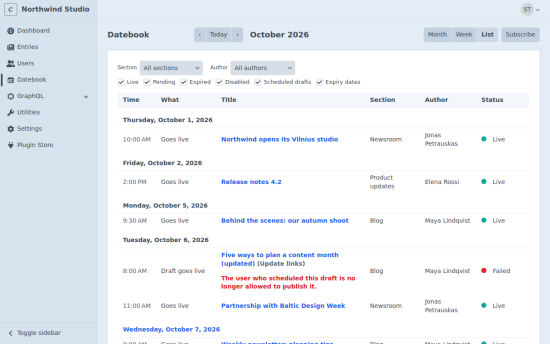
- Month, week and list views of entries by post date and expiry date.
- Scheduled drafts on the day they will be published. Failed drafts show the reason.
- Filters by site, section, author and status.
- Weeks start on each user's chosen day. On Craft 5.10 and later, times follow each user's own time zone.
Reschedule by drag and drop
Drag an item to another day and its time of day stays the same, even across a daylight saving change. Click an item's menu to set an exact date and time. Datebook asks before a live entry would disappear from your site or a pending one would go live early, and every move is saved as a new revision.
Publish drafts on time
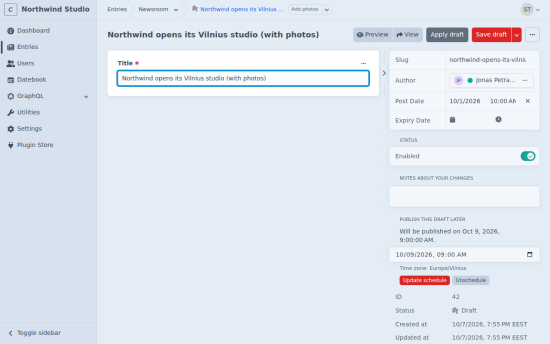
Make changes to a live entry in a draft, pick a date and time in the draft sidebar, and Datebook applies the draft for you, just like pressing "Apply draft". Use it for a price change at midnight, a corrected article or a morning announcement.
Before a draft goes live, Datebook checks that the person who scheduled it may still publish it and that the draft is valid in every site. If anything is wrong, nothing is published, the calendar shows why, and an email can tell you.
Drafts are published by Craft's queue, or to the minute with a cron command.
Stay on top of what is coming
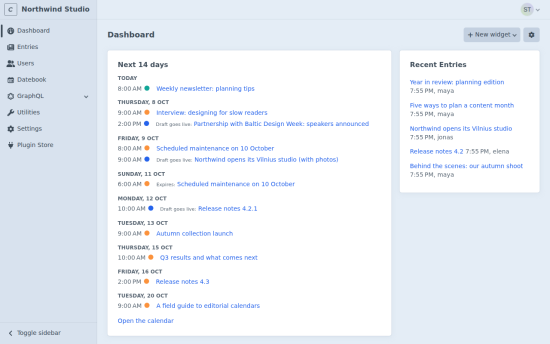
- An "Upcoming content" dashboard widget for the next 14 days.
- A private calendar feed for Google Calendar, Outlook and Apple Calendar, with a link each person can reset.
- Optional emails when a scheduled draft is published or cannot be published.
Built for teams
- Datebook respects Craft's own permissions for sections, sites and peer entries.
- Separate permissions to reschedule items, schedule drafts and use calendar feeds.
- Works with multi-site installs, MySQL and PostgreSQL.
- Sends no data anywhere. Licensing is handled by Craft.
Requires Craft CMS 5.5 or later and PHP 8.2 or later.
Standard
Plus $39/year after one year.
To install this plugin, copy the command above to your terminal.
This plugin doesn't have any reviews.