 SEO & Accessibility
 AI
 Localization
 Ecommerce
 Forms
 Fields
 Development
 Security
 Templating
 Performance
 Control Panel
 Widgets
 Assets
 Utilities
 Mailer Adapters
 Social Networking
 Integrations

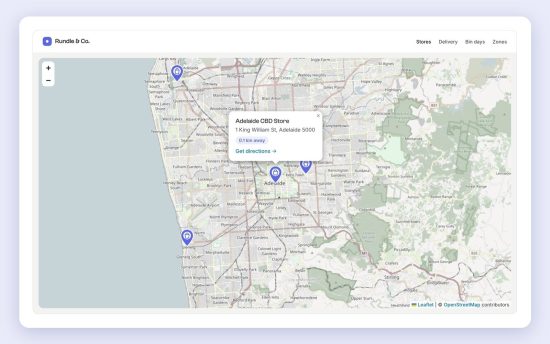
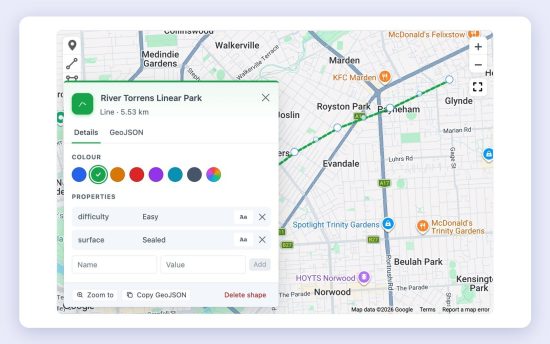
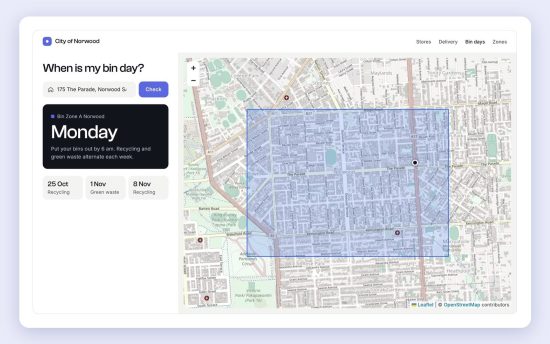
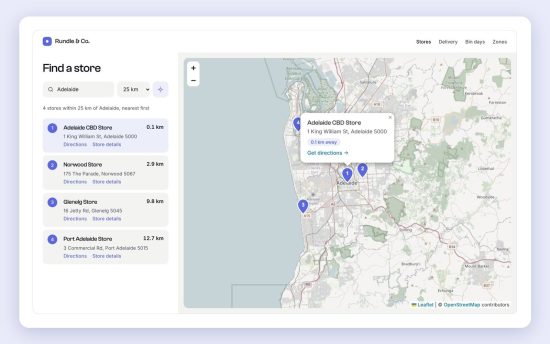
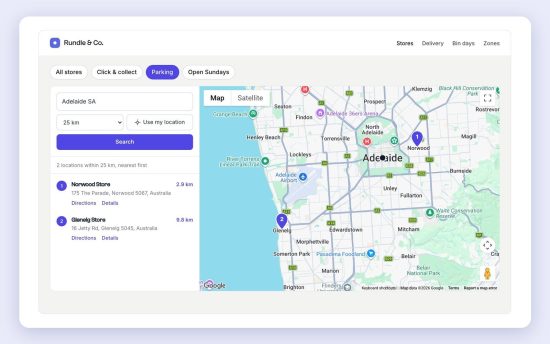
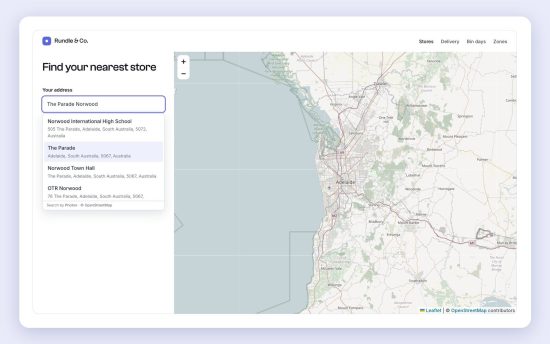
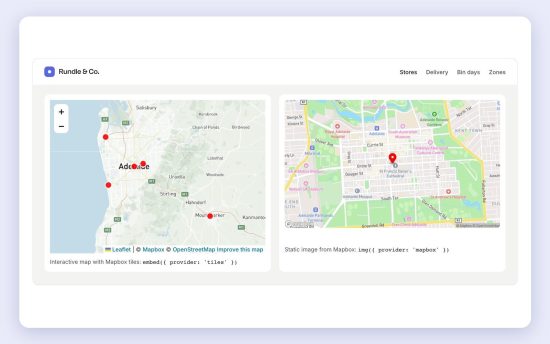
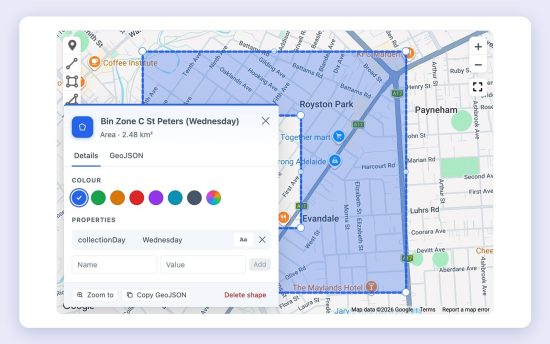
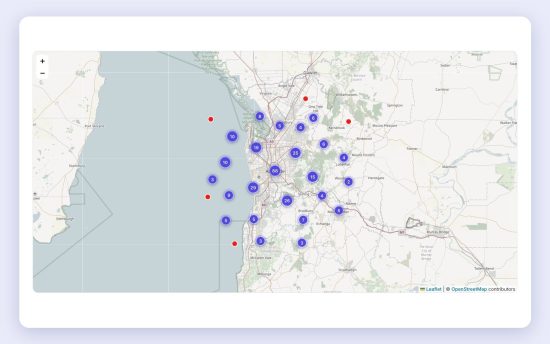
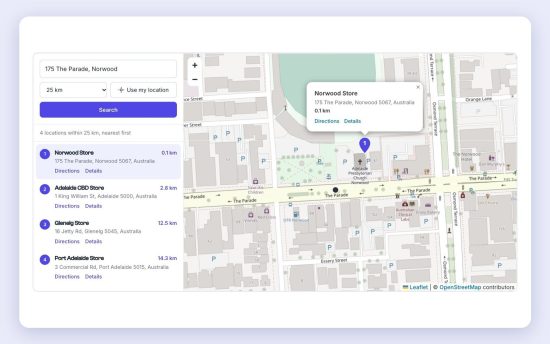
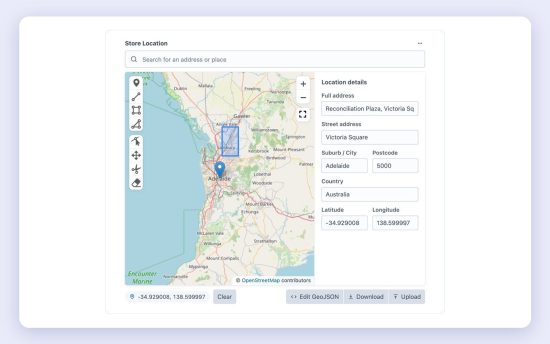
Geo Maps adds a location field to Craft CMS. Pin an address, draw zones and trails, and find the nearest entries, or the zone that contains an address. It works with OpenStreetMap out of the box, with no API key, or with Mapbox or Google Maps when you add a key.
Features
- Fast location entry. Search for an address, click the map or drag the pin. Street, suburb, postcode, country and coordinates fill in automatically.
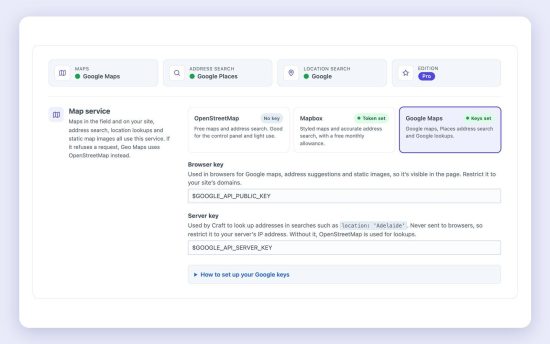
- No API key needed. OpenStreetMap maps and address search work straight away. Add a Mapbox token for Mapbox map styles, or Google keys for Google maps and Places search, plus static map images with either.
- Zones and trails. Draw markers, lines, rectangles and polygons with holes. Click a shape to name it, pick its colour and see its area or length.
- Nearest-first search. Find entries within a distance of an address, coordinates or another entry, sorted nearest first, with the distance on every result.
- "Which zone?" search. Find the delivery area, sales territory or bin collection zone that contains an address.
- Front-end maps. Interactive maps with custom pins, info windows and coloured shapes, plus static map images, from one line of Twig.
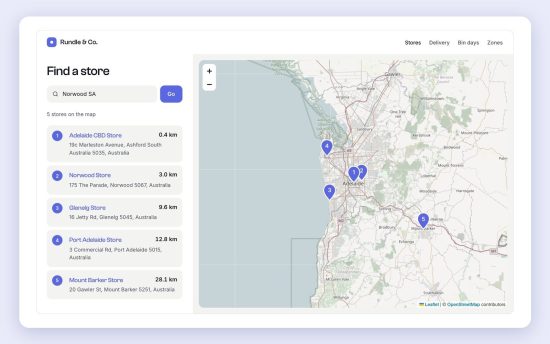
- Store locator in one tag. An address search, “Use my location”, a distance filter, a numbered results list and a map for any element query.
- Address autocomplete for your forms. An address box with suggestions for front-end forms, from one Twig tag.
- Lengths and areas. Get a trail's length in km or miles, or a zone's area in km², hectares or acres.
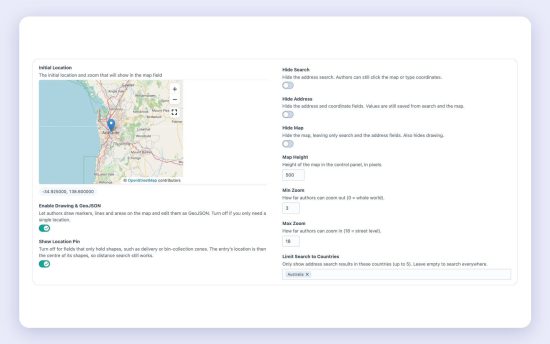
- Flexible field settings. Hide the pin, drawing tools, search, address fields or map; set zoom limits; limit search to chosen countries.
- GraphQL and Feed Me. Query, search and save locations in headless projects, and import them from feeds.
- Easy switching. Already using another map plugin? Convert its fields in place from Utilities → Geo Maps Import. Content and common template code carry over.
Geo Maps Pro
Everything above is in Geo Maps Lite, which is free. Pro adds features that save time on bigger builds:
- Marker clustering. Nearby pins group into numbered bubbles, so maps with hundreds of locations stay readable.
- Missing coordinates. Coordinates are looked up for imported locations that only have an address.
- Search within an area. Find entries inside the visible map or a drawn shape, for “search as the map moves”.
- Search endpoint. JSON search for headless sites and apps, set up in the config file.
- Import and export. Locations, zones and trails as CSV, GeoJSON, KML or GPX.
- Structured data. schema.org local business data for location pages, with opening hours.
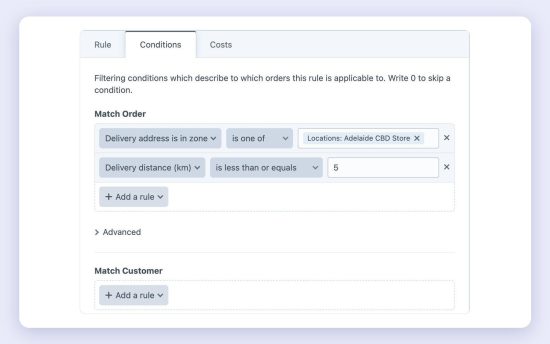
- Delivery zones for Craft Commerce. Price shipping and discounts by zones drawn on a map or by distance from your store.
Try Pro free on local and staging sites.
Find the nearest stores
{% set stores = craft.entries()
  .section('stores')
  .storeLocation({ location: 'Glenelg SA', radius: 25, unit: 'km' })
  .all() %}

{% for store in stores %}
  {{ store.title }}: {{ store.storeLocation.distance|number_format(1) }} km
{% endfor %}
Find the zone that contains an address
{% set zone = craft.entries()
  .section('binZones')
  .zoneArea({ contains: '175 The Parade, Norwood SA 5067' })
  .one() %}
Ready-made examples
Store locator, location page, bin collection zones, map of zones, trail maps, custom pins and info windows, Mapbox maps, address autocomplete, locator with filters, opening hours, delivery fee checker and live map search, each with complete Twig code. Pro examples include search as the map moves and Commerce delivery zones.
Documentation
Guides and examples: plugins.geomaps.suprim.com.au
Requirements
Craft CMS 5.10 or later, and PHP 8.2 or later.
Lite
Pro
Plus $19/year after one year.
To install this plugin, copy the command above to your terminal.
This plugin doesn't have any reviews.