 SEO & Accessibility
 AI
AI Localization
 Ecommerce
 Forms
Forms Fields
 Development
 Security
 Templating
 Performance
 Control Panel
 Widgets
 Assets
 Utilities
 Mailer Adapters
 Social Networking
 Integrations
Google OAuth
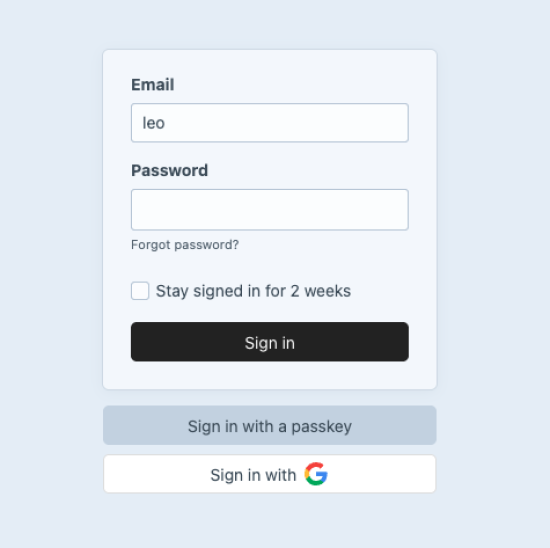
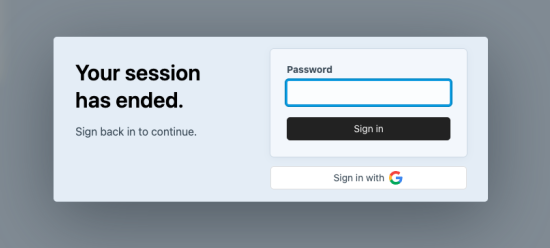
Google OAuth plugin for Craft
A minimal Craft plugin to provide Google OAuth login
Installation
composer require "leowebguy/google-oauth" -w && php craft plugin/install google-oauth
Credentials
Gather the necessary info from Google Console Cloud
Go to https://console.cloud.google.com/auth/clients
- Select a Project
- Create client
- Pick "Web application"

- Give it a name
- Add "Authorized JavaScript origins" i.e. https://myapp.ddev.site
- Add "Authorized redirect URIs" i.e. https://myapp.ddev.site/oauth/g/auth
The URI has to be "/oauth/g/auth"
Added to your Craft App URL i.e. https://myapp.ddev.site/oauth/g/auth

- Copy Client ID and Secret (blue arrow)
- Paste into .env OR /admin/settings/plugins/google-oauth
### OAUTH
GOOGLE_CLIENT_ID=111-xxx.apps.googleusercontent.com
GOOGLE_CLIENT_SECRET=AAA-123qwe


Composer
Craft 4
"require": {
   "leowebguy/google-oauth": "^1.0",
}
Craft 5
"require": {
   "leowebguy/google-oauth": "^2.0",
}
Standard
Plus $10/year after one year.
Installation Instructions
To install this plugin, copy the command above to your terminal.
Reviews
This plugin doesn't have any reviews.
Active Installs
0
License
Craft
Last release
May 15, 2026
Activity (30 days)
0
Closed Issues
0
Open Issues
0
Merged PRs
0
Open PRs