 SEO & Accessibility
 AI
AI Localization
 Ecommerce
 Forms
Forms Fields
 Development
 Security
 Templating
 Performance
 Control Panel
 Widgets
 Assets
 Utilities
 Mailer Adapters
 Social Networking
 Integrations
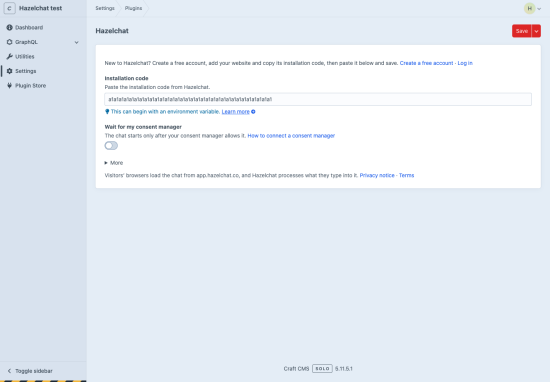
Hazelchat puts an AI chat agent on your Craft site. It answers visitors' questions from the pages and documents you approve, shows the source under every answer, and passes on enquiries when someone wants to talk to you. When your content has no answer, it says so instead of guessing.
How it works
- Create a free Hazelchat account at hazelchat.co and add your website. Pick the pages it should answer from and try a few questions.
- Install this plugin and paste the installation code from Hazelchat under Settings → Plugins → Hazelchat. An environment variable such as
$HAZELCHAT_KEYworks too. - In Hazelchat, click Publish and switch on.
What the plugin does
- Adds one script,
https://app.hazelchat.co/widget.jswith your public widget key, before</body>on the pages of your sites. - Several sites: each uses the same code, or switch the chat off for a site or give it its own code.
- Optional: wait for your consent manager before the chat starts.
- No database tables, no requests from Craft to Hazelchat. The control panel, previews and the console never load the chat.
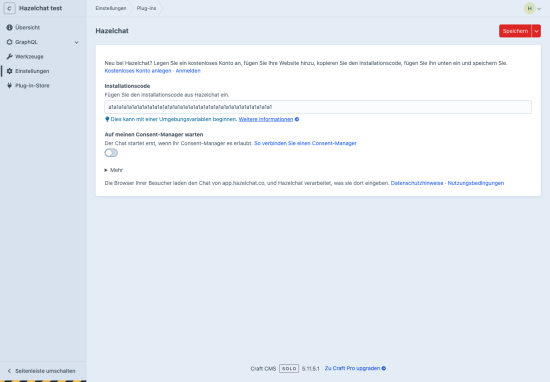
- Settings in English and German.
Visitors' browsers load the chat from app.hazelchat.co; their questions and any enquiry details they send are processed by Hazelchat (privacy notice). A Hazelchat account is needed; the Free plan covers one website and stays free.
Craft is a trademark of Pixel & Tonic. Hazelchat is not affiliated with or endorsed by it.
Installation Instructions
To install this plugin, copy the command above to your terminal.
Reviews
This plugin doesn't have any reviews.
Active Installs
0
License
MIT
Last release
October 21, 2026