 SEO & Accessibility
 AI
AI Localization
 Ecommerce
 Forms
Forms Fields
 Development
 Security
 Templating
 Performance
 Control Panel
 Widgets
 Assets
 Utilities
 Mailer Adapters
 Social Networking
 Integrations
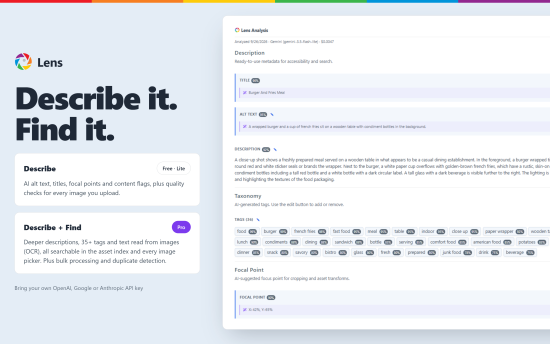
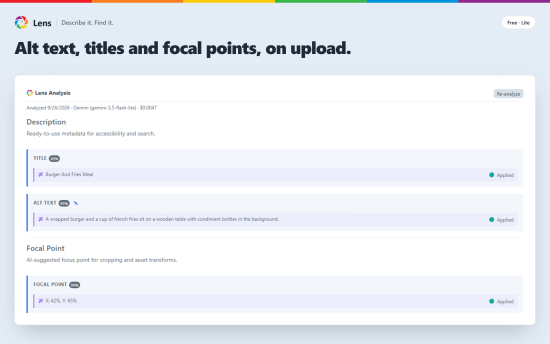
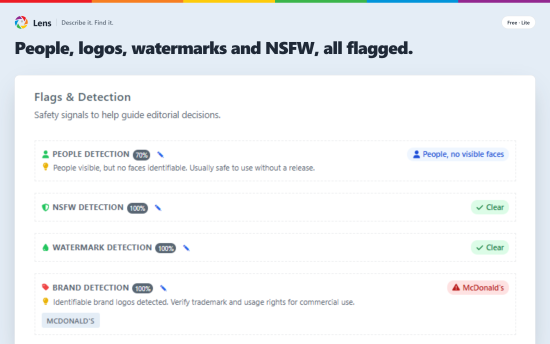
Lens is an alt text generator, image auto-tagging, and image search plugin for Craft CMS. It runs each image through an AI model and writes alt text in every language your site uses, a proper title, and a focal point on the subject. It also flags NSFW content, watermarks, brand logos, and people in the shot. This happens on upload, or on demand for images already in the library, and all of it is in the free Lite edition.
Most asset libraries look the same. Files are called IMG_4823.jpg, the alt text field is blank because writing it is tedious, and nobody sets a focal point, so Craft's transforms crop heads off. Lens takes care of all three.
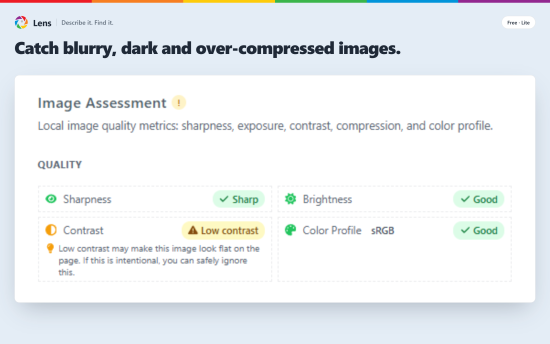
Lens can also check image quality, once you enable it in settings. It measures sharpness, exposure, contrast, compression, and color profile. Soft photos, dark or washed-out ones, files compressed too hard, and images saved in a color space browsers don't render properly all get flagged, each with a short note on what to do about it. A blurry photo gets caught before it ends up on the homepage.
Everything Lens writes can be edited on the asset page, and there is a revert button if you want the AI version back. Lens only fills in Craft's own title, alt text, and focal point when they are empty or still the filename, and re-analyzing an asset never overwrites what you have written yourself.
You can also give Lens custom instructions about your site and your style guide, such as tone, spelling, or terms to avoid. It follows them in everything it writes, translations included.
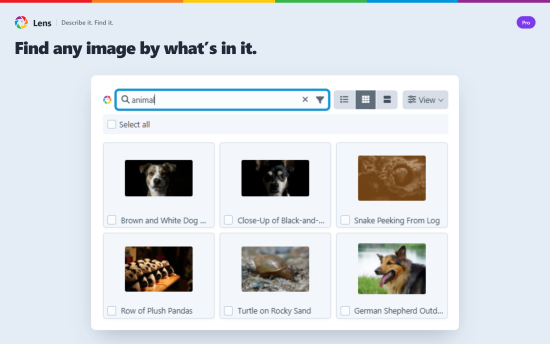
Pro makes the library searchable by what is in the picture. Lens writes a long description, a few dozen tags, and any text it can read in the image, then feeds all of it into Craft's asset search and every image picker. Type "team meeting" or a word from a sign in the background and the photo comes up, even if it was uploaded years ago under a name that means nothing to anyone.
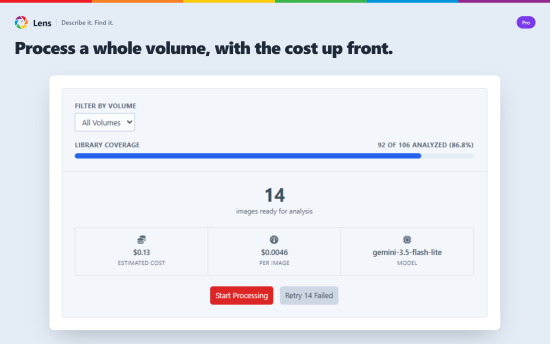
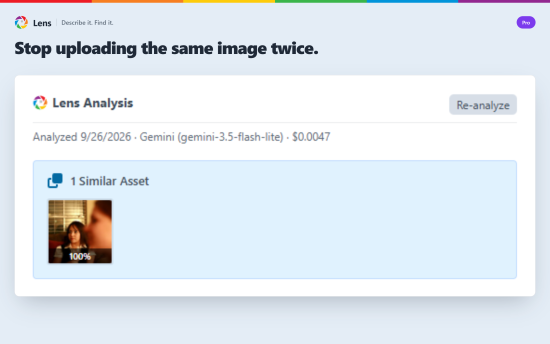
Pro also covers the housekeeping. Point Lens at a volume and it works through every image, showing progress as it goes, with a cost estimate up front and a retry for anything that failed. Duplicate uploads get flagged on the asset page. Spend is tracked by month and provider, so you can see what each model costs you.
Lens uses your own OpenAI, Gemini, or Anthropic API key. You pay the provider directly, and you can change providers at any time.
Editions
Lite (free)
- Generates alt text, descriptive titles, and focal points for every uploaded image
- Analysis panel on the asset editor to review, edit, or revert any AI-generated field inline
- Follows your custom instructions for site context and style guide rules, including in translations
- Detects what's in the image: people and faces, unsafe content, watermarks, and named brand logos
- Audits image quality: blur, exposure, low contrast, heavy compression, and non-sRGB color profiles, with a recommendation per issue
- Multisite-ready: each site gets alt text and titles in its own language
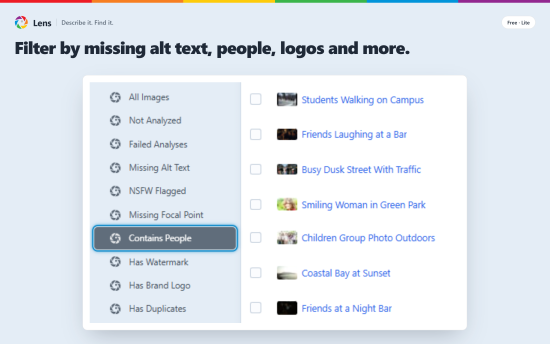
- Adds 9 pre-built views and 11 condition rules to Craft's native asset library
- Bring your own API key: OpenAI, Google Gemini, or Anthropic Claude
Pro
- Searches across alt text, long descriptions, tags, and OCR text in Craft's asset library and every image picker
- Generates long descriptions and 35+ semantic tags per image
- Extracts text from screenshots, signs, and document images
- Inline tag editing on the analysis panel to add or remove tags
- Bulk-processes entire volumes with progress, cost estimates, and retry for failed assets
- "Analyze with Lens" bulk action in the asset index for queueing analysis on selected images
- Detects duplicate images via perceptual hashing
- Tracks AI spend by month and provider/model, with token usage and per-asset averages
- Adds 1 more view and 7 more condition rules to Craft's native asset library
Lite
Pro
Plus $29/year after one year.
To install this plugin, copy the command above to your terminal.
This plugin doesn't have any reviews.