 SEO & Accessibility
 AI
AI Localization
 Ecommerce
 Forms
Forms Fields
 Development
 Security
 Templating
 Performance
 Control Panel
 Widgets
 Assets
 Utilities
 Mailer Adapters
 Social Networking
 Integrations
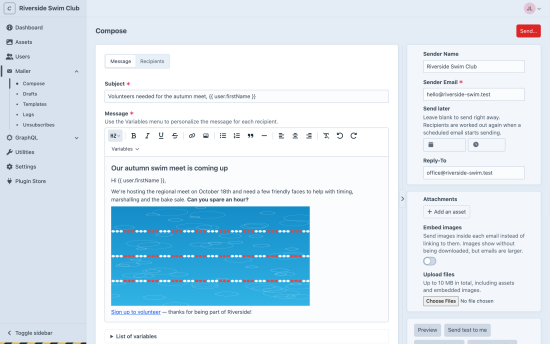
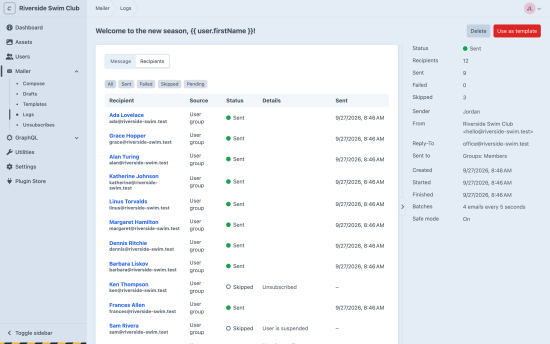
Mailer lets your team write and send emails from the Craft control panel: announcements to members, notices to a user group, or a one-off message to a few addresses. There’s no third-party newsletter service to set up. It uses the email settings you already have.
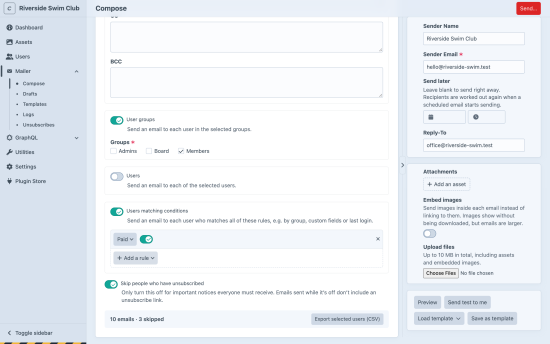
Send to exactly the right people
- User groups: everyone in one or more groups.
- Individual users: pick them from a list.
- Users matching conditions: Craft’s condition builder, e.g. “Paid is on” or “last logged in over a year ago”.
- Any address: with To, CC and BCC.
Combine them freely. Each person gets one email, even if they’re selected twice. Suspended, pending and unsubscribed users are skipped automatically, and the reason is logged.
Personal, not generic
- Personalize subjects, messages and links with
{{ user.firstName }}, your custom user fields, and more. - Write in a clean editor with headings, lists, links and images from your assets.
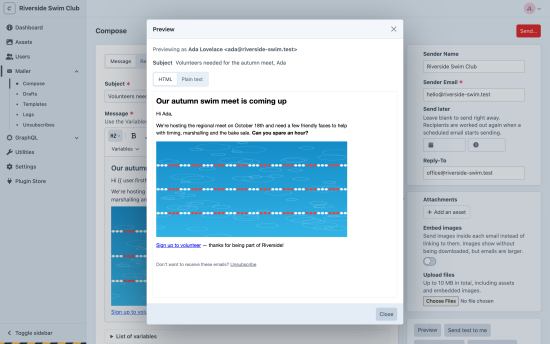
- Preview as a real recipient before you send, with a warning when a variable would be empty. Or send a test to yourself.
Built for real sends
- Schedule for later, or send now.
- Send in batches at your mail provider’s pace, in the background.
- If your mail server has a problem, the send pauses instead of failing everyone, and can be resumed.
- Retry just the recipients that failed.
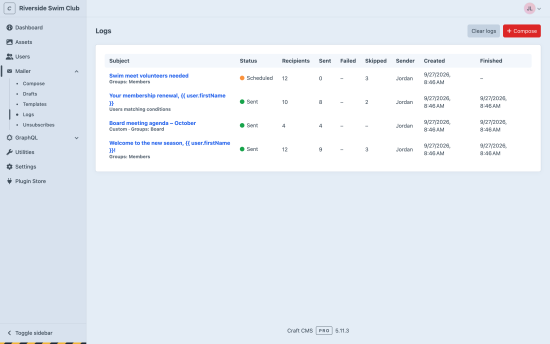
- Detailed logs show every recipient’s status and the mail server’s actual error.
Unsubscribes handled
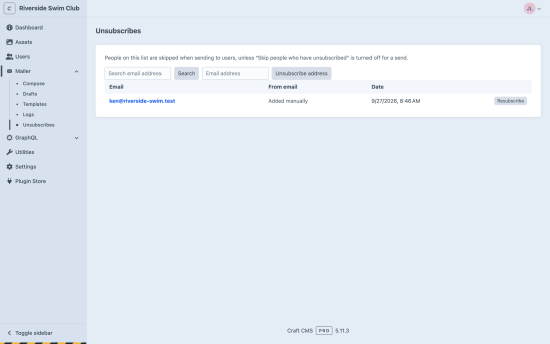
Emails to users include an unsubscribe link and the one-click unsubscribe headers Gmail and Yahoo expect for bulk email. The unsubscribe list is managed in the control panel.
Also included
- Autosaved drafts and reusable templates
- Attachments, uploaded or from your assets
- Your site’s HTML email template, plus an automatic plain-text version
- Safe mode, so editors can only use approved variables
- User permissions for sending, changing the sender, templates and logs
- A dashboard widget for recent sends
- CSV export of selected users
Requires Craft CMS 5.6+ and a queue runner.
Standard
Plus $19/year after one year.
To install this plugin, copy the command above to your terminal.
This plugin doesn't have any reviews.