 SEO & Accessibility
 AI
AI Localization
 Ecommerce
 Forms
Forms Fields
 Development
 Security
 Templating
 Performance
 Control Panel
 Widgets
 Assets
 Utilities
 Mailer Adapters
 Social Networking
 Integrations
Manager Connector
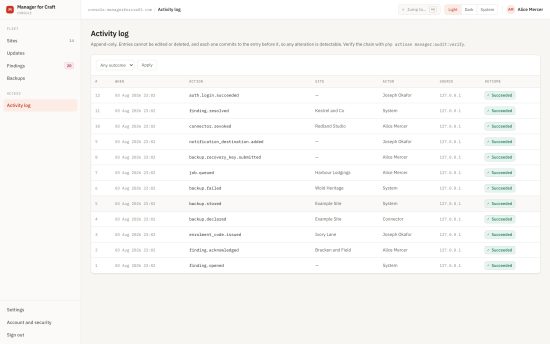
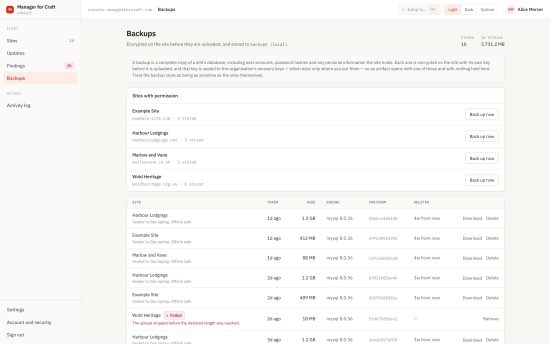
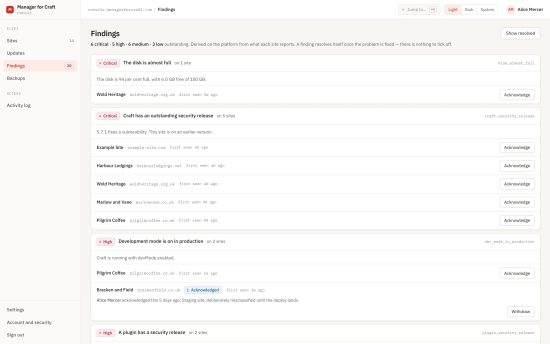
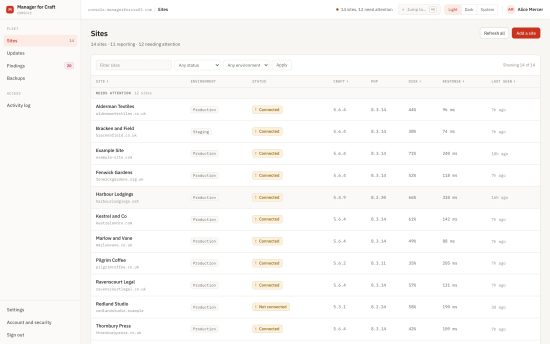
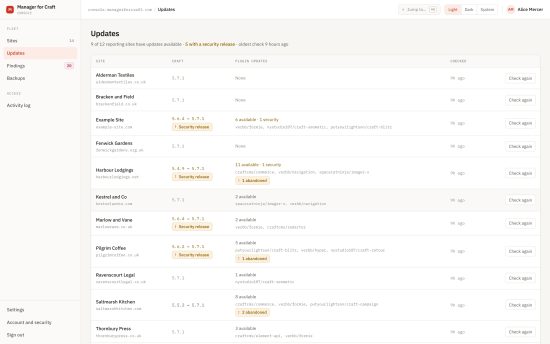
Manager for Craft
This plugin reports operational metadata from a Craft CMS 4 or 5 installation to Manager for Craft over signed, outbound-only requests. This plugin works if you are self-hosting Manager for Craft or using the hosted edition.
It requires PHP 8.1+ and Craft CMS 4.4+ or 5.0+.
What this plugin does
- Generates a keypair on your server.
- Signs every request it sends, so the platform can prove it came from this installation.
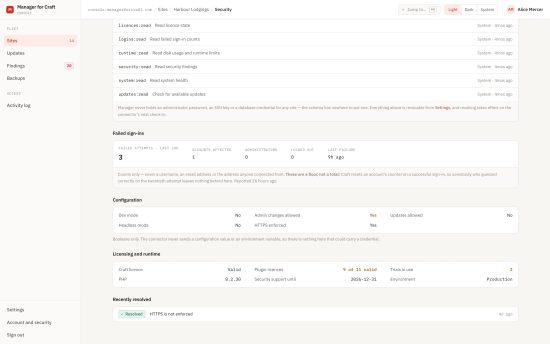
- Reports version numbers, update availability, licence state and all other operational metadata.
What it cannot do
| No inbound endpoint | The plugin registers no site or control-panel route that accepts management input. Every exchange is started by this plugin, outbound. It works from behind NAT with no inbound firewall rules. |
| No remote execution | There is no console-command runner, no PHP evaluation, no SQL, no shell, no arbitrary file access. Jobs come from a closed registry, and this plugin refuses any type it does not itself implement - so a compromised platform cannot make your site do something new. |
| No credentials held | Manager never receives an administrator password, an SSH credential or a database password. There is nowhere in its schema to put one. |
| No site content | What may be transmitted is fixed by a shared schema. The platform rejects anything outside it rather than quietly discarding the extra. |
What it reports
Version numbers, plugin and Composer package names and versions, a handful of safe configuration booleans, queue and migration counts, locally-computed licence state, and an environment classification.
Never entries, assets, user records, password hashes, sessions, logs, environment-variable values, security keys, licence keys, API credentials, database credentials or configuration file contents.
Documentation
Full documentation is at managerforcraft.com/docs
Requirements
- Craft CMS 4.4 or later, or Craft CMS 5.0 or later
- PHP 8.1 or later (Craft 4 itself runs on 8.0.2+, but this plugin does not - see the changelog for why)
- A Manager installation to report to, self-hosted or Manager Cloud
Installation
composer require coysh-digital/craft-manager-connector
php craft plugin/install manager-connector
Installing does not create a config file, and the plugin runs without one - you are asked for the platform address on the pairing screen instead. Creating it is optional and recommended:
// config/manager-connector.php
return [
    'platformUrl' => 'https://manager.example.org',
];
Copy vendor/coysh-digital/craft-manager-connector/src/config.php if you want the commented version
of every option.
Kept in version control rather than in the database on purpose: pointing a site at a different Manager platform should take a deployment. With it set, the pairing screen shows the address as fixed, so this site cannot be repointed from the control panel. It is also the only place a recovery key fingerprint can be pinned - see Backups.
Console commands
| Command | Purpose |
|---|---|
manager-connector/pair <code> | Pair with a platform |
manager-connector/heartbeat | Report liveness |
manager-connector/report | Send an inventory report |
manager-connector/updates | Check for updates and report what is available |
manager-connector/jobs | Ask the platform whether there is anything to do, and do it |
manager-connector/preview | Print what would be sent, without sending it |
manager-connector/status | Show the current connection |
manager-connector/disconnect | Delete this site's signing key |
Pairing and disconnection are console commands rather than buttons. Both are deliberate acts by someone with server access, and behind a button a hijacked control-panel session could hand a platform access to your site, or take it away.
Disconnecting
php craft manager-connector/disconnect
The keypair is deleted outright rather than flagged, so there is nothing to reactivate. Reconnecting needs a new enrolment code. Revoke the connector in Manager as well, so the platform stops expecting it.
To install this plugin, copy the command above to your terminal.
This plugin doesn't have any reviews.