 SEO & Accessibility
 AI
AI Localization
 Ecommerce
 Forms
Forms Fields
 Development
 Security
 Templating
 Performance
 Control Panel
 Widgets
 Assets
 Utilities
 Mailer Adapters
 Social Networking
 Integrations
MenuBuilder
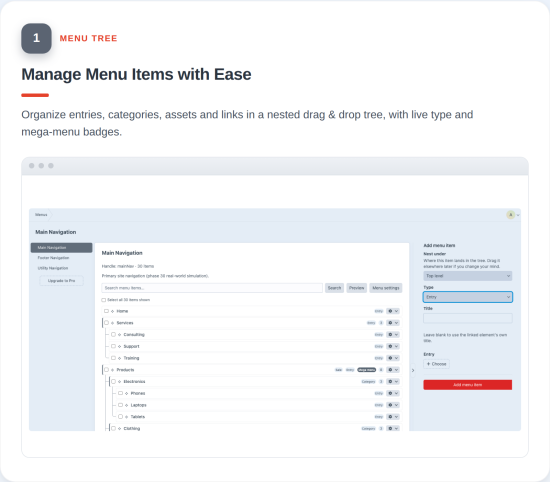
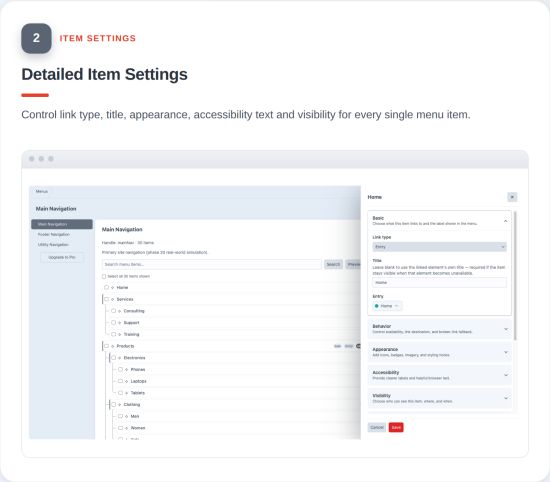
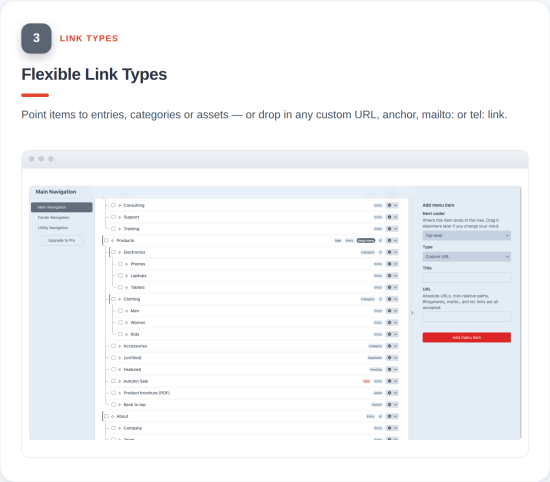
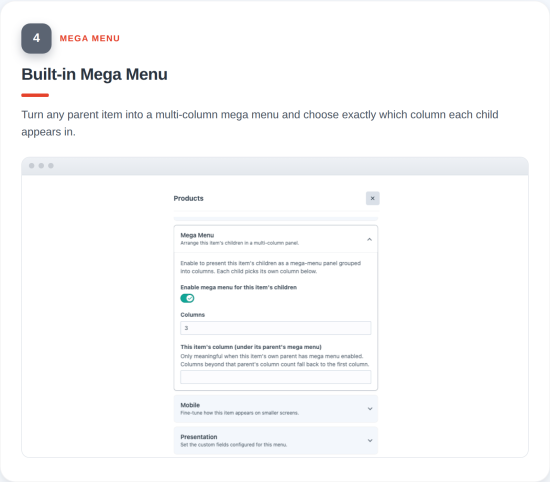
MenuBuilder for Craft CMS
MenuBuilder is an advanced menu management plugin for Craft CMS 5 that gives content editors a powerful way to build, organize, and manage website menus while giving developers flexible tools for rendering and integrating those menus.
Create hierarchical menus with drag-and-drop editing, mega menus, dynamic menus, custom fields, visibility rules, multisite support, mobile presentation settings, previews, link health checks, Twig, GraphQL, and REST API support.
Why MenuBuilder?
MenuBuilder is built for Craft CMS projects that need more than a basic list of links.
Give editors a visual menu-building experience while keeping the menu structure flexible for developers. Build complex menu structures with custom fields, visibility rules, mega menus, dynamic menus, multisite support, previews, and APIs without locking your frontend to a fixed rendering system.
Menu Management
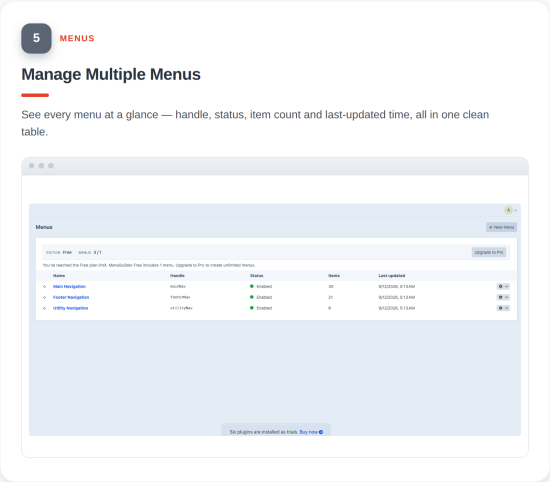
- Create named menus with handles and descriptions.
- Build hierarchical menu structures with configurable nesting depth.
- Reorder menus and menu items using drag-and-drop or keyboard controls.
- Duplicate complete menus and menu-item trees.
- Enable or disable menus and menu items.
- Configure menus for specific sites.
- Add custom CSS classes and validated HTML attributes.
- Configure menu-specific settings while keeping menu data manageable from the Craft control panel.
Flexible Menu Items
MenuBuilder supports multiple menu item types:
- Entries
- Categories
- Assets
- Custom URLs
- Anchors
- Non-clickable headings
- Separators
- Dynamic menus
Menu items can also include:
- Icons
- Badges
- Descriptions
- Images
- Featured status
- CSS classes
- HTML IDs
- Custom HTML attributes
- ARIA labels
- Title attributes
- New-tab behavior
relpresets and customrelvalues
MenuBuilder also provides configurable fallback behavior when a linked Craft element is unavailable, allowing an item to be hidden, rendered without a link, or use a fallback URL.
Custom Fields
Add Craft custom fields directly to menu items using a real Craft field layout.
Use installed Craft field types, including relational and Matrix fields, while keeping menu-item content associated with the corresponding MenuBuilder item.
Custom fields can be organized into multiple tabs and use Craft's field conditions, making MenuBuilder suitable for structured menu items that need more than a title and URL.
Mega Menus
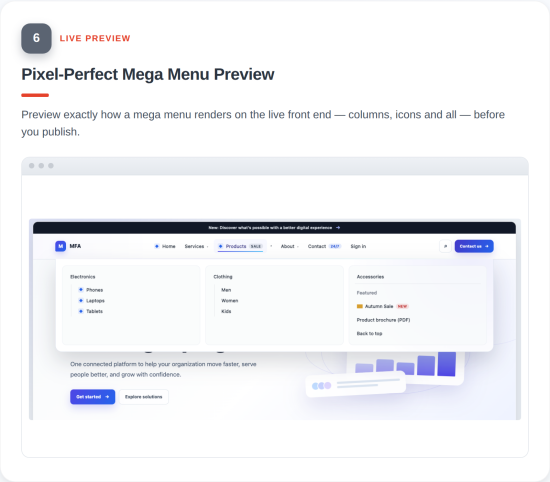
Create multi-column mega menus directly within your menu structure.
Configure:
- 1–6 columns
- Child-item placement
- Mega-menu behavior
- Mobile presentation
Mega menus use native HTML disclosure behavior for accessible interaction and can be configured as part of the same MenuBuilder menu structure.
Visibility Rules
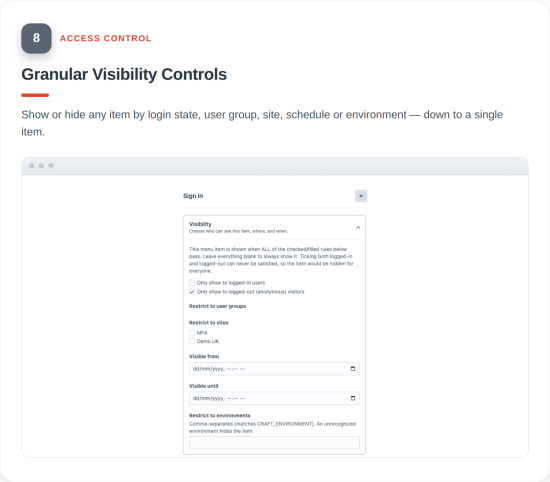
Control when individual menu items should appear.
MenuBuilder supports visibility rules based on:
- Logged-in or logged-out users
- User groups
- Sites
- Date ranges
- Environment
- Always-visible conditions
Rules can be combined using AND logic and are evaluated for the current request. Visibility decisions are kept separate from cached menu resolution so personalized menu output is not incorrectly shared between users.
Dynamic Menus
Generate menu items dynamically from Craft content.
Supported sources include:
- Entries by section
- Categories by group
- Assets by volume
Dynamic menus support configurable limits and supported ordering options, allowing content-driven menus to be generated without manually creating every menu item.
Multisite Support
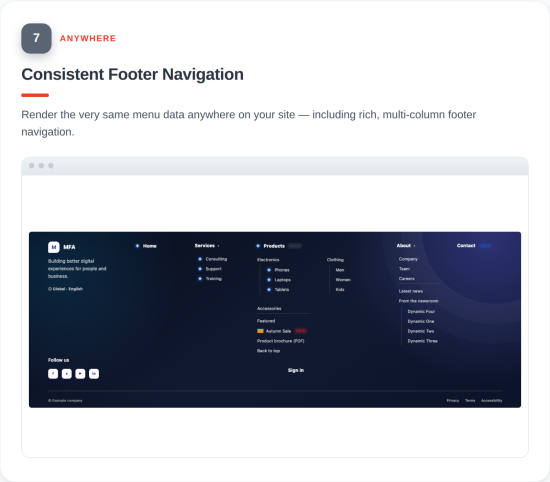
Build site-aware menus for Craft CMS multisite projects.
Menu resolution respects the current site and supports site-specific menu configuration where required.
This allows a MenuBuilder setup to work across localized or multi-site Craft installations while keeping menu structures manageable.
Mobile Menu Settings
Configure mobile presentation behavior for menu items without maintaining a separate mobile menu.
MenuBuilder supports:
- Mobile ordering
- Collapsible children
- Mobile viewport behavior
- Mega-menu mobile behavior
One menu can adapt its presentation for different contexts instead of requiring separate desktop and mobile menu structures.
Preview
Preview saved MenuBuilder structures before integrating them into your frontend.
Preview menus for different:
- Sites
- Audiences
- Regions
- Devices
Rendered markup can also be inspected directly from the preview interface.
Preview uses saved menu data and the same production rendering approach used by the frontend.
Link Health
MenuBuilder can identify problems with internal menu links and provide a menu-wide summary so editors can quickly find and fix affected items.
External URLs are not automatically crawled.
Orphaned internal links can be surfaced for review rather than silently removed from the menu.
Active States & Breadcrumbs
MenuBuilder provides request-aware active states for menu items and supports menu-based breadcrumbs.
Active states are resolved from the current request rather than stored as permanent menu data.
Breadcrumbs are derived from the MenuBuilder menu hierarchy rather than relying on URL segments, making them suitable for structured website menus.
Developer API
MenuBuilder is designed for both traditional Twig templates and headless or API-driven Craft CMS projects.
Twig
Use the MenuBuilder Twig API to retrieve menus, menu items, breadcrumbs, groups, and related assets.
{% set menu = craft.menuBuilder.get('main') %}
{% set breadcrumbs = craft.menuBuilder.breadcrumbs('main') %}
{% set group = craft.menuBuilder.getGroup('main') %}
{% set item = craft.menuBuilder.getItem(42) %}
The public Twig API includes:
craft.menuBuilder.get()craft.menuBuilder.breadcrumbs()craft.menuBuilder.getGroup()craft.menuBuilder.getItem()craft.menuBuilder.iconAsset()
MenuBuilder exposes MenuBuilderNode as the stable public object for templates, including active states, ancestors, children, links, presentation settings, accessibility attributes, mega-menu information, mobile settings, and custom-field values.
GraphQL
MenuBuilder provides read-only GraphQL queries for retrieving menu data.
GraphQL access can be scoped through Craft's schema permissions so only selected menus are exposed to a schema.
REST API
MenuBuilder provides read-only REST endpoints for retrieving menu data.
The REST API supports:
- ETags
- CORS allowlists
- Request rate limiting
- Failed-authentication rate limiting
The REST API is disabled until explicitly enabled in the plugin configuration.
MenuBuilder Field
Use the MenuBuilder field integration to associate a menu with Craft content and field layouts.
This allows Craft content structures such as entries, Matrix blocks, categories, and users to reference MenuBuilder menus while retaining the menu's UID.
Extensibility
MenuBuilder provides extension events for developers who need to integrate custom behavior.
Developers can register:
- Custom menu link types
- Custom visibility rules
These extension points allow MenuBuilder to be adapted to project-specific requirements without modifying the plugin core.
Permissions & Security
MenuBuilder integrates with Craft's permission system so teams can control who can view, create, edit, delete, and manage menu settings.
Protected control-panel actions use server-side permission checks and Craft's CSRF protection.
MenuBuilder validates URLs, HTML attributes, IDs, CSS classes, and other configurable values to prevent unsafe or executable content from being stored or rendered.
Custom HTML attributes are validated when saved and filtered again during rendering.
Performance
MenuBuilder uses caching, targeted cache invalidation, and batch loading to keep menu resolution efficient.
Resolved menu data can be cached per menu and site while request-specific visibility and active-state decisions are evaluated when needed.
Menu, item, element, container, and site changes can trigger targeted cache invalidation where required.
Element links and custom-field content are batch loaded to reduce unnecessary database queries when rendering larger menu structures.
Accessibility
MenuBuilder is designed with accessible menu output and editor interactions in mind.
The bundled rendering macros provide:
- Semantic
<nav>landmarks - Semantic lists
aria-current="page"for active links- Semantic
<hr>separators - Accessible hints for links that open in a new tab
- Native
<details>disclosures for expandable menus - Keyboard alternatives to drag-and-drop menu management
Custom HTML attributes are filtered during rendering as well as validated during saving.
Free and Pro Editions
MenuBuilder provides Free and Pro editions using Craft's commercial plugin licensing system.
Free
$0
The Free edition includes the full MenuBuilder feature set with a limit of one menu.
Pro
$19
The Pro edition includes the full MenuBuilder feature set with unlimited menus.
Pro renewal is $5/year for continued access to updates after the initial license period.
Existing menus and data are preserved if Pro access expires or a project is downgraded. MenuBuilder does not remove existing menu data when Pro access is unavailable.
Built for Craft CMS 5
MenuBuilder is built specifically for Craft CMS 5 and follows Craft's plugin architecture, permissions, security, caching, and commercial licensing conventions.
It is suitable for websites, multisite installations, content-heavy projects, agency builds, and developer-driven or API-powered Craft CMS applications.
For installation, configuration, Twig usage, API documentation, architecture, testing, and troubleshooting, see the MenuBuilder documentation.
Feedback & Bug Reports
Found something unexpected? Please let me know. No software is perfect, and your feedback helps make MenuBuilder better.
If you find a bug or issue, please contact me with the details and I’ll do my best to investigate, reproduce, and fix it.
Your feedback helps MenuBuilder become better with every release.
Standard
Pro
Plus $5/year after one year.
To install this plugin, copy the command above to your terminal.
This plugin doesn't have any reviews.