 SEO & Accessibility
 AI
AI Localization
 Ecommerce
 Forms
Forms Fields
 Development
 Security
 Templating
 Performance
 Control Panel
 Widgets
 Assets
 Utilities
 Mailer Adapters
 Social Networking
 Integrations
Concepts
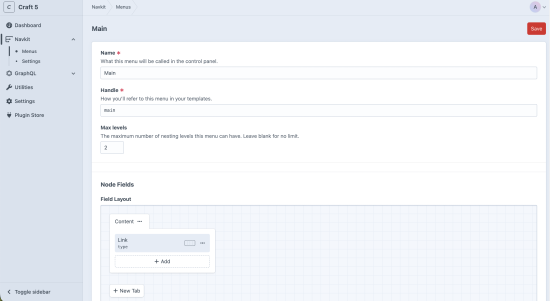
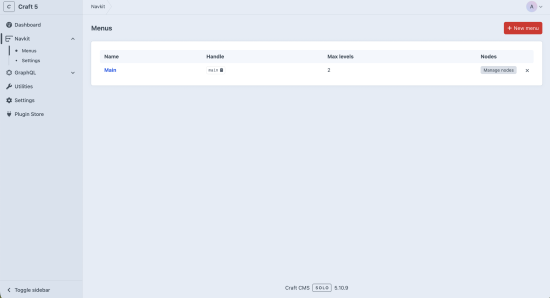
- Menu — a container definition (name, handle, max nesting levels, site settings, and an optional custom field layout for its nodes). Stored in project config so it deploys across environments.
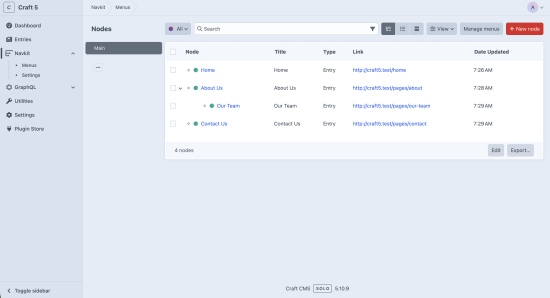
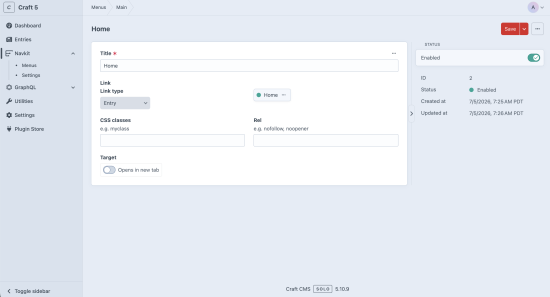
- Node — an item within a menu, living in a Craft Structure (so nodes nest as a drag-and-drop tree). Each node links somewhere via a link type.
Link types
A node points somewhere through one of the built-in link types — URL, Entry, Category, Asset, Product (when Craft Commerce is installed), or Passive (a label with no link). Element links resolve their URL live at render time, so when a linked entry's slug or URI changes, the menu updates automatically.
Add your own link types by listening for LinkTypes::EVENT_REGISTER_LINK_TYPES.
Rendering
The quickest path is the render() helper, which outputs a complete nested <nav>:
{{ craft.navkit.render('main') }}
Options:
{{ craft.navkit.render('main', {
    class: 'site-nav',
    navClass: 'primary',
    maxDepth: 2,
    template: 'nav/custom',
}) }}
The default markup is unstyled but carries hook classes — navkit-nav, navkit-item, navkit-item--has-children, is-active, is-active-trail — plus aria-current="page" on the current item, so you style it in CSS.
To customize the markup, either pass a template path, or copy the plugin's templates into your own project at templates/navkit/_nav/menu.twig and templates/navkit/_nav/nodes.twig — your copies take precedence.
Raw access
For full control over the markup, query nodes directly and let the {% nav %} tag walk the tree. craft.navkit.nodes('handle').all() returns the nodes in structure order, and each node exposes isCurrent() (this node matches the current URL), isActive() (this node or a descendant is current), newWindow, and linkUrl:
{% set nodes = craft.navkit.nodes('main').all() %}

<nav aria-label="Main navigation">
    <ul>
        {% nav node in nodes %}
            <li class="{{ node.isActive() ? 'is-active' }}{{ node.isCurrent() ? ' is-current' }}">
                {% if node.linkUrl %}
                    <a href="{{ node.linkUrl }}"
                       {%- if node.isCurrent() %} aria-current="page"{% endif %}
                       {%- if node.newWindow %} target="_blank" rel="noopener noreferrer"{% endif %}>{{ node.title }}</a>
                {% else %}
                    <span>{{ node.title }}</span>
                {% endif %}

                {% ifchildren %}
                    <ul>{% children %}</ul>
                {% endifchildren %}
            </li>
        {% endnav %}
    </ul>
</nav>
Don't add .level(1) when using {% nav %} — the tag needs the full structure-ordered list to build the nesting.
Mega-menus & custom node fields
render() outputs the standard menu — link text, hierarchy, and active states. It works from a lightweight cached tree (id, title, url, type, target, newWindow, classes, rel, children), which deliberately does not include a node's custom field values. So any richer, custom-field-driven output — mega-menu panels, promo columns, images, descriptions — will not appear through render().
To render that content, use the raw craft.navkit.nodes() accessor instead, which returns full Node elements. Any field you've added to the menu's node field layout is then available as node.<fieldHandle>:
{% set nodes = craft.navkit.nodes('main').all() %}

{% nav node in nodes %}
    <li>
        <a href="{{ node.linkUrl }}">{{ node.title }}</a>

        {# custom fields from the menu's node field layout, e.g. a field you added with handle "megaMenu" #}
        {% if node.megaMenu is defined and node.megaMenu %}
            <div class="mega-menu">{{ node.megaMenu }}</div>
        {% endif %}

        {% ifchildren %}<ul>{% children %}</ul>{% endifchildren %}
    </li>
{% endnav %}
In short: render() for the standard menu; craft.navkit.nodes() in your own template for mega-menus and anything driven by custom node fields.
Caching
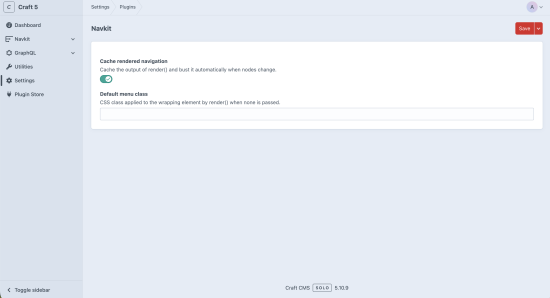
Rendered menu trees are cached per menu + site (enabled by default; toggle under Settings → Plugins → Navkit). The active-trail is computed per request, so the cache doesn't fragment by URL. Caches invalidate automatically when a node changes — or when an element a node links to changes — so a linked entry's slug change refreshes the menu with no manual clear.
GraphQL
Query a menu as a nested tree with resolved URLs:
{
  navkitMenu(handle: "main") {
    id
    title
    nodeUrl
    nodeType
    newWindow
    children {
      title
      nodeUrl
    }
  }
}
Arguments: handle (required), and optionally site (site handle) or siteId.
Permissions
- Manage menu nodes (
navkit:manageNodes) — create/edit/reorder nodes. - Manage menus (
navkit:manageMenus) — create/edit/delete menu definitions and their field layouts.
To install this plugin, copy the command above to your terminal.
This plugin doesn't have any reviews.