 SEO & Accessibility
 AI
AI Localization
 Ecommerce
 Forms
Forms Fields
 Development
 Security
 Templating
 Performance
 Control Panel
 Widgets
 Assets
 Utilities
 Mailer Adapters
 Social Networking
 Integrations


See our complete documentation for more details!
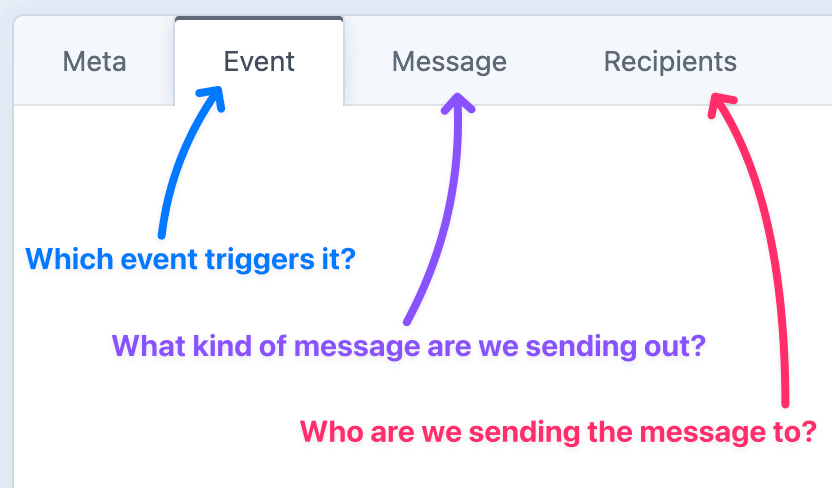
Notifier supports a wide variety of event and message types.
For example, you can:
- Email admins about pending users.
- Send a welcome email to new users.
- Post to Slack when an order is placed.
- Text customers when new products are added.
- Tweet when a new blog post goes live.
- Get an alert if a critical update is available.
- Get a daily summary of site activity.
Mix & match to build a Notification
Message Types
Send notifications via a broad range of message types:
| Message Types | |
|---|---|
| Craft Native | Email, Announcement, Flash Message |
| Push Notifications | SMS, Pushover, ntfy |
| Chat Platforms | Slack, Discord |
| Social Media | Facebook, Instagram, X (Twitter), Bluesky, Mastodon, LinkedIn |
| Internet of Things | MQTT |
Event Types
Trigger notifications through a variety of event types:
| Trigger Types | |
|---|---|
| Native Elements | Entries, Assets, Users |
| Plugin Elements | Craft Commerce, Digital Products, Solspace Calendar |
| Other Data Sources | RSS/JSON Feed, System Snapshot, Dynamic Data |
Write Custom Messages in Twig
Compose every message with normal Twig, including a set of special variables available at runtime.
Add custom fields, and include them in your message.
<p>Welcome {{ recipient.firstName }},</p>

<div>{{ notification.welcomeMessage }}</div>

<p>Here are some helpful links to get you started...</p>

<ul>
  {% for resource in notification.additionalResources.all() %}
    <li>
      <a href="{{ resource.url }}">{{ resource.title }}</a>
    </li>
  {% endfor %}
</ul>
Further Reading
If you haven't already, flip through the complete plugin documentation.
And if you have any remaining questions, feel free to reach out to us.
On behalf of Double Secret Agency, thanks for checking out our plugin! 🍺

Standard
Plus $49/year after one year.
Installation Instructions
To install this plugin, copy the command above to your terminal.
Reviews
This plugin doesn't have any reviews.
Active Installs
64
License
Craft
Last release
October 16, 2026
Activity (30 days)
1
Closed Issues
1
Open Issues
0
Merged PRs
0
Open PRs