 SEO & Accessibility
 AI
AI Localization
 Ecommerce
 Forms
Forms Fields
 Development
 Security
 Templating
 Performance
 Control Panel
 Widgets
 Assets
 Utilities
 Mailer Adapters
 Social Networking
 Integrations


First-class Notifications for Craft 4 and 5
It can best be explained with the following formula:
When an [EVENT] occurs,
send a [MESSAGE]
to designated [RECIPIENTS].
Notifier currently supports 11 event types and 15 message types. Combine them however you'd like, for example...
- Email admins about pending users
- Send welcome email to new users
- Post to Slack when an order is placed
- Text customers when products are added
- Tweet when a new blog post goes live
- Daily summary of site activity
- Alert if critical update is available
To see what else Notifier can do, check out the complete documentation ➡️
How It Works
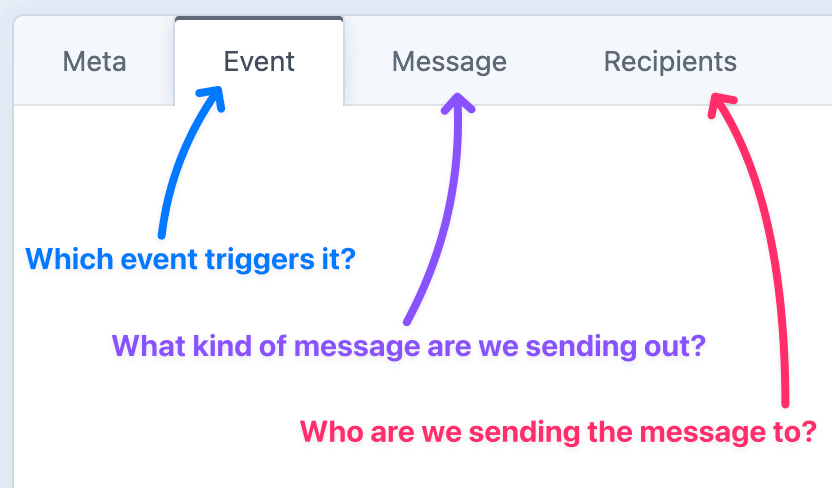
Event Types
Trigger notifications from a variety of events across native Craft elements, third-party plugins, and other data sources.
| Group | Sources |
|---|---|
| Native Elements | Entries, Assets, Users |
| Plugin Elements | Craft Commerce, Digital Products, Solspace Calendar |
| Other Data Sources | RSS/JSON Feed, System Snapshot, Dynamic Data |
Message Types
Send to a broad selection of message types, regardless of how the message was triggered.
| Category | Channels |
|---|---|
| Native Pings | Email, Announcement, Flash Message |
| Push Notifications | SMS, Pushover, ntfy |
| Chat Platforms | Slack, Discord |
| Social Media | Facebook, Instagram, X (Twitter), Bluesky, Mastodon, LinkedIn |
| Internet of Things | MQTT |
Recipient Types
Target different recipients based on the selected message type. Specify one or more Craft users when relevant.
Highly Flexible Notifications System
In addition to the core EVENT / MESSAGE / RECIPIENTS architecture, Notifier is an extremely flexible tool for delivering the right message, to the right person, at the right moment. You can monitor individual fields, write custom messages in Twig, dynamically determine the target of a message, and see a complete log record of what's been sent out.
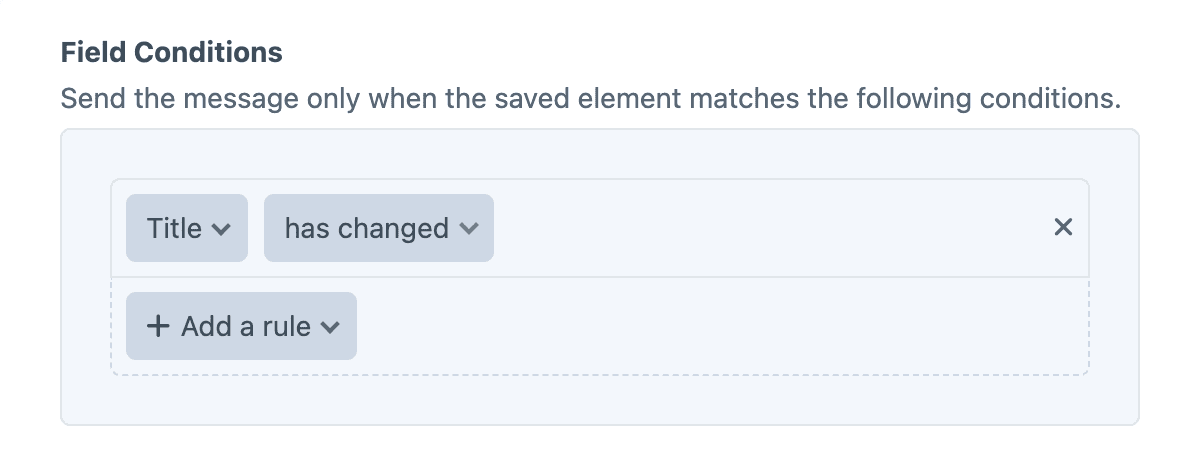
Field-Level Conditions
Detect changes to specified fields, and only send a notification when those fields have changed (or match a specific value).
Write Messages in Twig
Compose every message with normal Twig, including a set of special variables available at runtime. Each message renders through a configurable Twig sandbox.
Personalize the message
Hi {{ recipient.firstName }}, the entry "{{ entry.title }}" was just updated.
Show what changed
The title changed from "{{ original.title }}" to "{{ entry.title }}".
Dynamic Recipients
When the recipient depends on the triggering event, Dynamic Recipients allows you to pass the target into the {% setRecipients %} tag. For example, to message the author of a published entry:
{% setRecipients entry.author %}
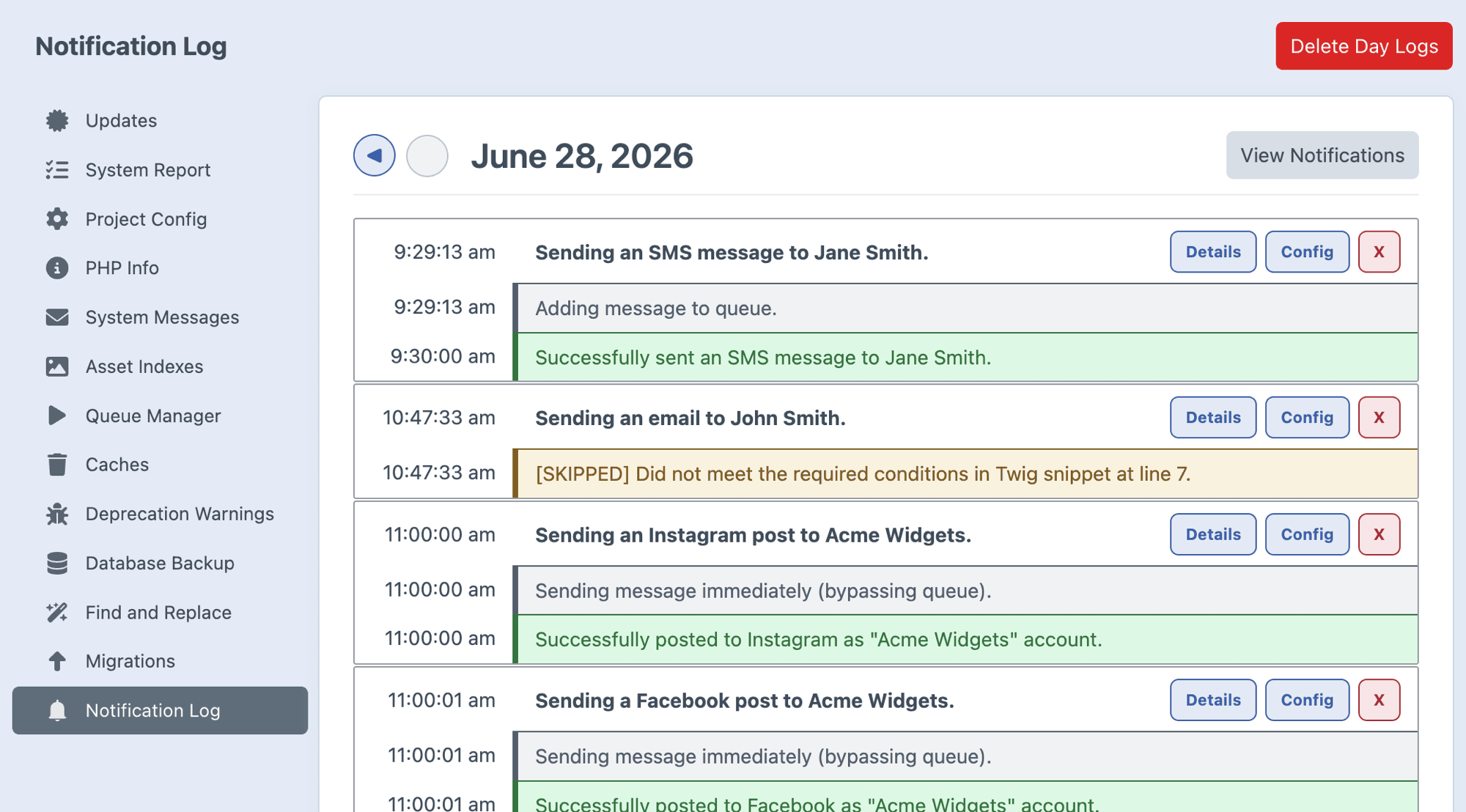
Notification Log
Every outgoing message is logged, giving you a clear view of how each one was handled. Keep the log size in check with the logRetentionDays and logRetentionRecords settings.
Further Reading
If you haven't already, flip through the complete plugin documentation ➡️
Standard
Plus $49/year after one year.
To install this plugin, copy the command above to your terminal.
This plugin doesn't have any reviews.