 SEO & Accessibility
 AI
AI Localization
 Ecommerce
 Forms
Forms Fields
 Development
 Security
 Templating
 Performance
 Control Panel
 Widgets
 Assets
 Utilities
 Mailer Adapters
 Social Networking
 Integrations
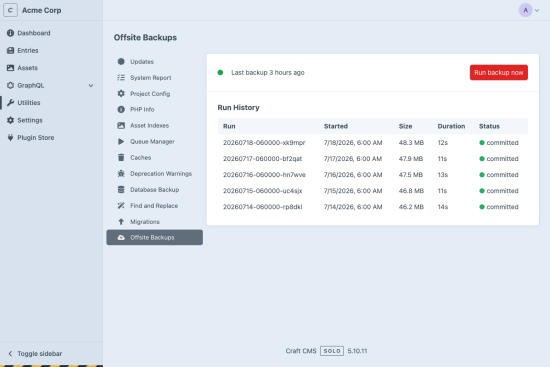
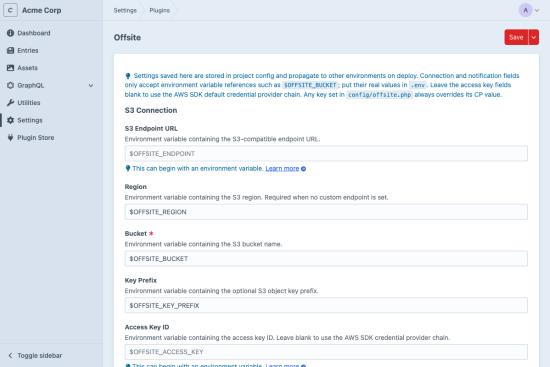
Offsite is a database backup plugin built for disaster recovery — not just archiving. Every backup is integrity-verified, every failure is reported, and restoring works even when the server is gone. Point it at an S3-compatible bucket, set a cron schedule, and you’re covered in minutes.
What you get
Integrity verification, a remote catalog, CLI restore, and dead-man’s switch monitoring — all built in.
- Never restore a corrupt backup — Every upload is SHA-256 checksummed, with read-back verification where the provider lacks a checksum API. A backup only counts once it’s proven intact.
- Restore from the bucket alone — The remote catalog is the single source of truth. Spin up a fresh Craft install, point it at the bucket, and recover — no local state required.
- Dry-run before you touch the database —
offsite/restore/dbshows exactly what will change. Maintenance mode is enforced automatically; a pre-restore dump is kept for rollback. - Get paged when backups stop — Dead-man’s switch integrates with healthchecks.io or any ping-based monitor. If backups go silent, you find out — not your client.
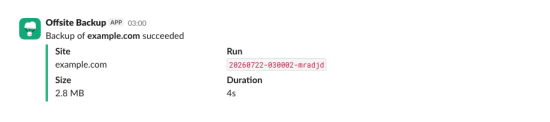
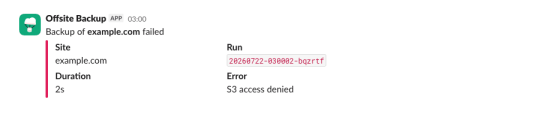
- Slack and email notifications — Failures always notify. Successes optionally. No silent failures, ever.
- Retention that won’t run away — Keeps the last N backups and prunes the rest automatically, so storage costs stay flat. Orphan cleanup is guarded against deleting the wrong thing.
Under the hood it’s just mysqldump / pg_dump — the same tools Craft’s own backup utility already uses. No extra server dependencies, no OAuth SDKs, no fragile provider integrations. Backups are uploaded over TLS to your bucket; enable server-side encryption (SSE) on the bucket for encryption at rest. Client-side encryption is planned for a future release.
Offsite backs up your database on a single-host deployment. For full disaster recovery (codebase, .env, project config), see the restore runbook.
Works with AWS S3, Cloudflare R2, and Backblaze B2 — smoke-tested against each live service. Documentation →
Standard
Plus $19/year after one year.
To install this plugin, copy the command above to your terminal.
This plugin doesn't have any reviews.