 SEO & Accessibility
 AI
AI Localization
 Ecommerce
 Forms
Forms Fields
 Development
 Security
 Templating
 Performance
 Control Panel
 Widgets
 Assets
 Utilities
 Mailer Adapters
 Social Networking
 Integrations
Phosphor Icons
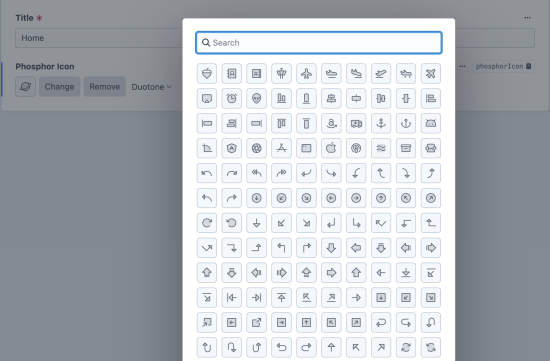
Phosphor Icons
This plugin aims to replicate most of the functionality of the native Craft icon field, but using the Phosphor Icons library instead of Font Awesome.
All styles are supported and can be configured per field. The plugin bundles the full icon library, so you do not need to do include any external style sheets or import extra dependencies at the front end.
Usage
Add a Phosphor Icon field to your entry type with your desired configuration - you can elect to allow choosing from the full set of styles (Duotone, Regular, etc), or narrow the list.
Development
A helper is exposed for rendering the icon, supposing your field is called phosphorIcon, you could do something like this:
<div class="w-16 h-16 text-indigo-600 [&>svg]:w-full [&>svg]:h-full">
  {{ craft.phosphorIcons.icon(entry.phosphorIcon.name, entry.phosphorIcon.weight)|raw }}
</div>
The example above uses Tailwind utility classes.
Credits
All credit due to the Phosphor Icons team for making such a great set of icons available under the MIT license, please consider donating to them if you find their icons useful.
Visit phosphoricons.com for more information.
GraphQL
The field resolves to an object with the icon's name, its chosen weight, and the rendered SVG:
{
  entry(section: "home") {
    ... on article_Entry {
      phosphorIcon {
        name    # "heart"
        weight  # "duotone"
        svg     # "<svg xmlns=\"http://www.w3.org/2000/svg\" …"
      }
    }
  }
}
svg is read only when you ask for it, so a query selecting just name costs nothing extra. An empty field resolves to null.
Because svg gives you drawable markup, a front end can render icons without bundling the Phosphor library or making a second request.
To install this plugin, copy the command above to your terminal.
This plugin doesn't have any reviews.