 SEO & Accessibility
 AI
AI Localization
 Ecommerce
 Forms
Forms Fields
 Development
 Security
 Templating
 Performance
 Control Panel
 Widgets
 Assets
 Utilities
 Mailer Adapters
 Social Networking
 Integrations
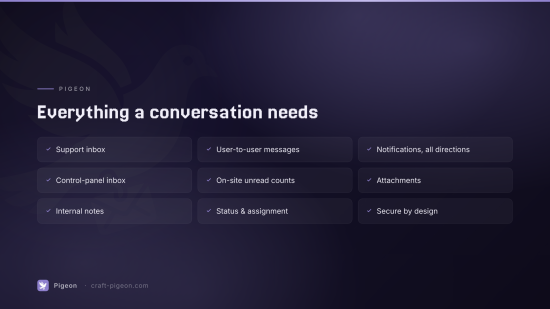
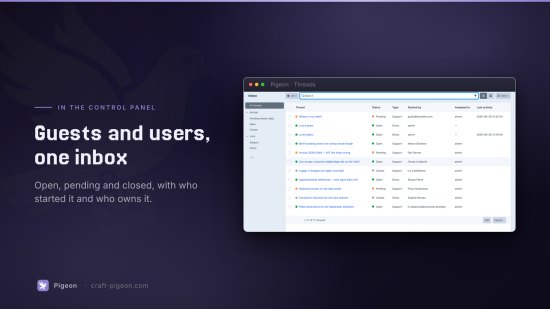
Two-way threaded messaging for Craft CMS 5. Pigeon gives your site a conversation inbox: customers ask a question, your team is notified and replies, and the customer is notified back — with the whole thread saved for both sides. It also supports private user-to-user direct messages between logged-in Craft users.
- Guest ↔ admin support threads — visitors message you without an account and return via a private, expiring link emailed to them.
- User ↔ user direct messages — logged-in users start conversations with each other.
- Three notification channels — queued email, a control-panel dashboard widget + nav badge, and on-site unread counts.
- Built on a
Threadelement — filterable CP inbox, search, statuses, and Trash for free. - Attachments, internal notes, assignment, statuses, read receipts.
Concepts
- Thread — a conversation. Either
support(guest/customer ↔ staff) ordirect(user ↔ user). Has a status:open,pending(awaiting staff), orclosed. - Participant — a party on a thread. A Craft user (by
userId) or a guest (byemail+ a hashed access token). Each participant tracks its own read state. - Message — an entry in a thread. May be a normal message, an internal note (visible to staff only), or a system event.
Notifications
Every new message fans out from one place. Other participants who opted in receive a queued email — staff get a control-panel link, users get a front-end link, and guests get a freshly minted token link. Run the queue to deliver:
Staff also see a Pigeon Inbox dashboard widget and a nav badge counting threads that need a reply.
Front-end
Pigeon exposes craft.pigeon for logged-in users:
{{ craft.pigeon.unreadCount() }}            {# unread thread count #}
{% for thread in craft.pigeon.threads() %}
    <a href="{{ url('pigeon/threads/' ~ thread.id) }}">{{ thread.title }}</a>
{% endfor %}
{{ craft.pigeon.isUnread(threadId) }}
Built-in routes (self-contained example templates — copy and restyle as you like):
| Route | Who | Purpose |
|---|---|---|
pigeon/threads | logged-in user | List your threads + start one |
pigeon/threads/<id> | logged-in user | View & reply |
pigeon/t/<token> | guest | View & reply via emailed link |
Public "contact support" form
Drop this anywhere (or copy templates/_front/contact-form.twig):
<form method="post" enctype="multipart/form-data">
    {{ csrfInput() }}
    {{ actionInput('pigeon/guest/start') }}
    <input type="text" name="name">
    <input type="email" name="email" required>
    <input type="text" name="subject">
    <textarea name="body" required></textarea>
    <input type="file" name="attachments[]" multiple>
    <button type="submit">Send</button>
</form>
The guest is emailed a private link to follow the conversation; your support recipients are alerted to the new thread.
Action endpoints
| Action | Login | Purpose |
|---|---|---|
pigeon/guest/start | anonymous | Guest starts a support thread |
pigeon/guest/reply | anonymous (token) | Guest replies |
pigeon/guest/request-link | anonymous | Re-email an expired link |
pigeon/threads/start | user | Start a support or direct thread |
pigeon/messages/reply | user | Reply to a thread you're in |
pigeon/admin/reply · /status · /assign | staff | Control-panel actions |
Permissions
- Access Pigeon (
pigeon:accessPlugin) — read the inbox. - Manage threads (
pigeon:manageThreads) — reply, add notes, change status.- Assign threads (
pigeon:assignThreads).
- Assign threads (
- Manage settings (
pigeon:manageSettings).
Anti-spam
Guest forms are protected by a per-IP fixed-window rate limit and an optional honeypot field, both configurable in settings.
To install this plugin, copy the command above to your terminal.
This plugin doesn't have any reviews.