 SEO & Accessibility
 AI
AI Localization
 Ecommerce
 Forms
Forms Fields
 Development
 Security
 Templating
 Performance
 Control Panel
 Widgets
 Assets
 Utilities
 Mailer Adapters
 Social Networking
 Integrations
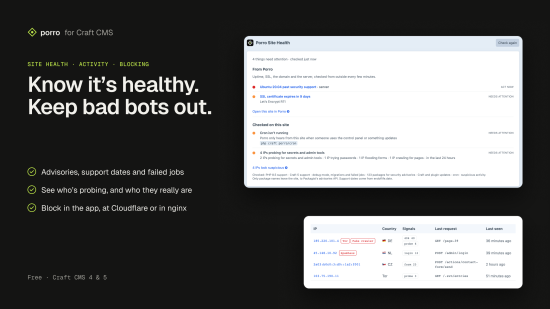
Porro Site Health checks your Craft site for the things that quietly go wrong between projects, and helps you deal with the traffic that's trying its luck. It's free, works on its own, and keeps what it sees on the site.
Site health
- Security advisories in your Composer packages, checked against Packagist's advisories API. Only package names leave the site.
- PHP and Craft versions running out of security support, with the dates.
- Updates waiting for Craft and your plugins, with critical ones flagged.
- The basics: dev mode left on in production, migrations not run, failed queue jobs and a queue that's stuck.
Each finding comes with what fixes it, and the last result shows on a dashboard widget.
Suspicious activity
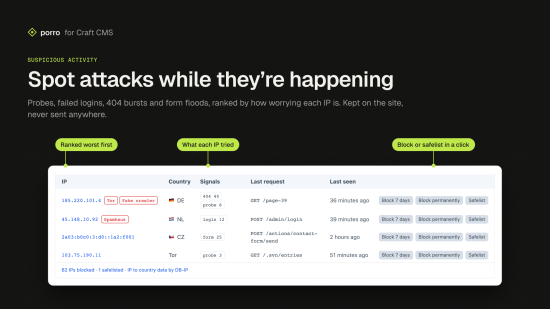
- What it watches: scanner probes for
.env,.git, backups and admin tools, failed control panel sign-ins, 404 bursts and form floods. IPs are kept on the site for 48 hours and never sent anywhere. - Ranked by how worrying each IP is, with badges for Tor exits, Spamhaus DROP, hosting networks and research scanners.
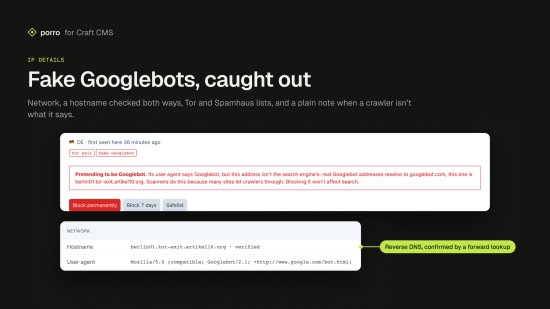
- IP details: network, a verified hostname, what it did here, and a plain note when a visitor claiming to be Googlebot isn't Google.
Blocking
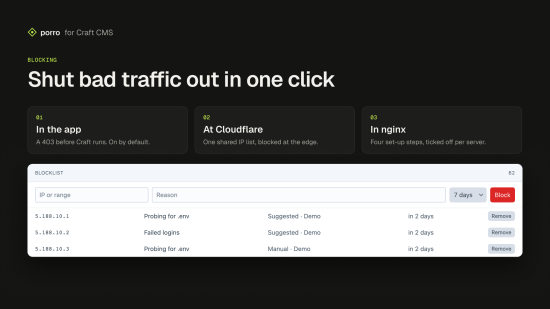
- Block in Craft, with a 403 before Craft handles the request, on the front end and in the control panel. Every block asks first, in a confirmation that says what will happen and for how long.
- Block at Cloudflare's edge through one shared IP list, or in nginx, with a setup page that tracks each server.
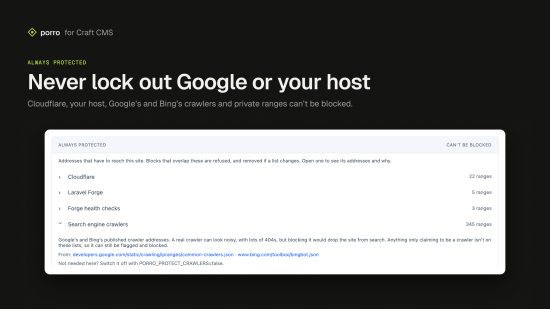
- Never blocks what has to get through: Cloudflare, Laravel Forge, Google's and Bing's verified crawlers, and private ranges are always protected, and each says why.
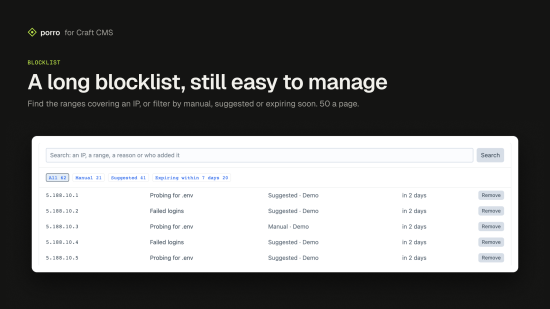
- Search and filter the blocklist and safelist, however long they get.
- Its own Porro section in the control panel, with separate permissions for viewing and for blocking.
Even more with Porro
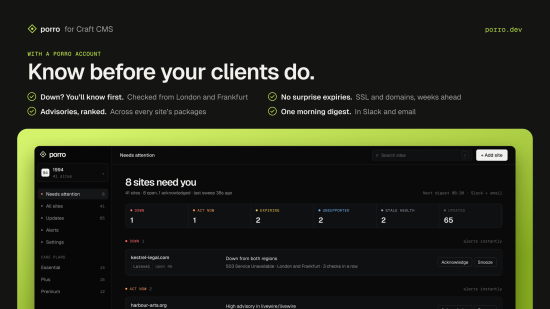
Connect the site to Porro to add what can only be seen from outside: uptime from several regions, SSL and domain expiry, and the server's operating system, alongside every other site you look after. Connected sites send Porro one signed, read-only report every 15 minutes; Porro never connects in, and only production reports unless you say otherwise.
Install
composer require porro/craft-connector
php craft plugin/install porro
Then open Porro in the control panel. To connect Porro later: php craft porro/connect <site key>.
Requirements
Craft CMS 4 or 5, PHP 8.2+.
Price
Free.
To install this plugin, copy the command above to your terminal.
This plugin doesn't have any reviews.