 SEO & Accessibility
 AI
AI Localization
 Ecommerce
 Forms
Forms Fields
 Development
 Security
 Templating
 Performance
 Control Panel
 Widgets
 Assets
 Utilities
 Mailer Adapters
 Social Networking
 Integrations
Short.io for Craft CMS
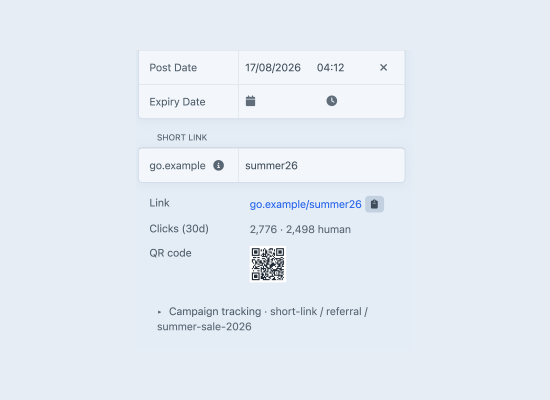
Short.io for Craft creates a short link for every entry you publish, keeps it pointing at the right place as slugs change, and retires it when the entry comes down. Editors get a short URL and a QR code in the entry sidebar without leaving Craft, and without anyone having to remember to go and tidy up Short.io afterwards.
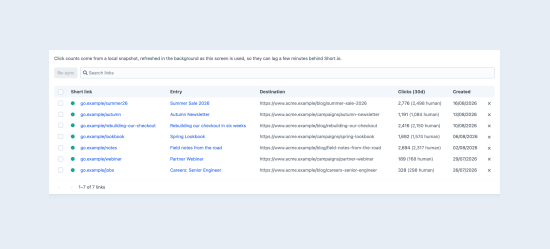
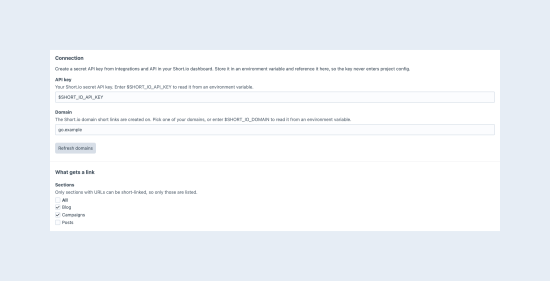
It is deliberately small. There is no new element type and no new field type - just a panel in the entry sidebar, a Links screen in the control panel, and a handful of Twig functions. The plugin hangs off the entry save lifecycle, so a link follows its entry through publishing, renaming, unpublishing, deleting and restoring on its own.
What it does
- Links that follow your entries. Publish an entry and it gets a short link. Change the slug and the link repoints itself. Unpublish and it stops working; publish again and the same short URL comes back.
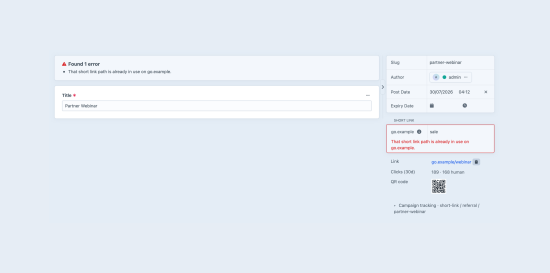
- Custom paths, safely. Type a path in the sidebar to claim it. If it is already taken by something else, the save is blocked with a readable message rather than a stack trace, and if the existing link is one of yours the plugin adopts it instead of creating a duplicate.
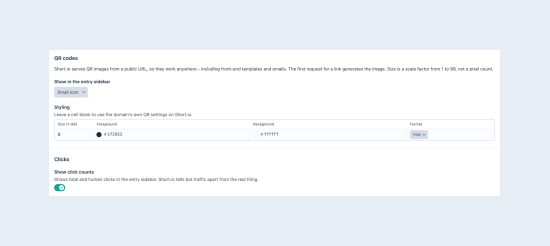
- QR codes. Short.io serves QR images from a public URL, so one line of Twig puts a QR code on any page or in any email, cached by browsers and CDNs like any other image.
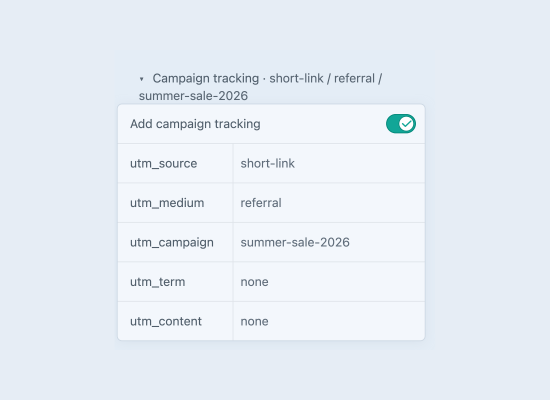
- Campaign tracking. Set default UTM parameters once and override them on any entry, or
switch them off for a link that shouldn't be tagged. Defaults can be object templates, so
utm_campaigncan be the entry slug without touching a single entry. - Human clicks, told apart. Short.io separates bot traffic from real visitors, so the sidebar and the Links screen show both.
Documentation
Full documentation is published at coysh.digital/plugins/craft-short-io/docs
To install this plugin, copy the command above to your terminal.
This plugin doesn't have any reviews.