 SEO & Accessibility
 AI
AI Localization
 Ecommerce
 Forms
Forms Fields
 Development
 Security
 Templating
 Performance
 Control Panel
 Widgets
 Assets
 Utilities
 Mailer Adapters
 Social Networking
 Integrations
Site Canary
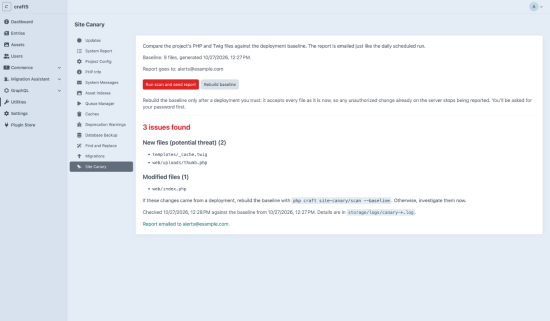
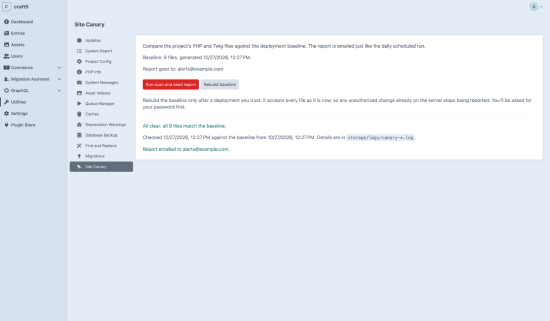
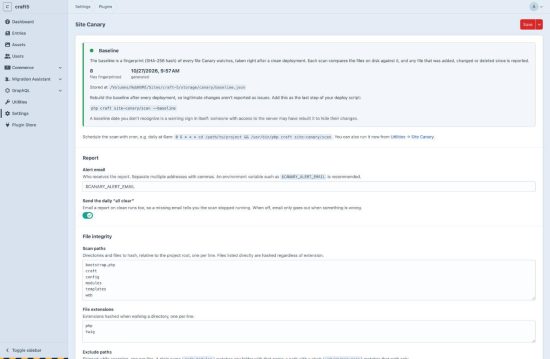
Site Canary watches your Craft site for signs that it has been tampered with, and emails you a report every day.
After each deployment, Site Canary takes a fingerprint (SHA-256 hash) of your project's PHP and Twig files. A daily scan compares the files on disk against that baseline and reports any file that was added, modified or deleted, such as a PHP shell dropped into an uploads folder or an injected line in index.php.
By default the report goes out every day, including an "all clear" when nothing is wrong. If the email stops arriving, you know the scan stopped running.
Server health checks
On Linux servers, Site Canary also looks for common signs of compromise:
- Processes running from
/tmp,/var/tmpor/dev/shm - Executable files sitting in those temp directories
- Processes using more CPU than a set threshold
- Outbound connections to known crypto-mining pool ports
- Redis listening on something other than localhost
- Crontab entries that don't match the patterns you expect
Checks whose tools aren't installed are skipped quietly, and the whole group can be turned off for shared hosting.
Run it your way
- Cron: schedule
php craft site-canary/scandaily. It exits non-zero when issues are found, so it can also gate a CI step or monitoring check. - Deploys: add
php craft site-canary/scan --baselineto the end of your deploy script so legitimate changes aren't reported. - Control panel: run a scan or rebuild the baseline from Utilities → Site Canary. Rebuilding asks for the user's password and is logged with their username.
All settings can be managed in the control panel or in config/site-canary.php, per environment.
Requires Craft CMS 5 and PHP 8.2+. File integrity checks work on any server; system health checks need Linux.
Standard
Plus $29/year after one year.
To install this plugin, copy the command above to your terminal.
This plugin doesn't have any reviews.