 SEO & Accessibility
 AI
AI Localization
 Ecommerce
 Forms
Forms Fields
 Development
 Security
 Templating
 Performance
 Control Panel
 Widgets
 Assets
 Utilities
 Mailer Adapters
 Social Networking
 Integrations
Social Images for Craft
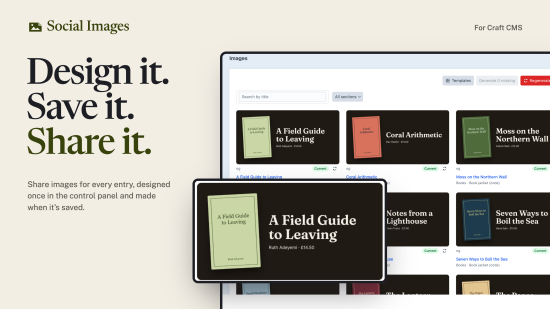
Share images for every entry, made for you. Design a card once in the control panel, bind it to your entries' titles, photos, authors and dates, and Social Images makes a 1200 × 630 image for each entry when it's saved. Your og:image and twitter:image point at it, so links to your site look like they were designed one by one.
Works with SEOmatic, or with no SEO plugin at all.
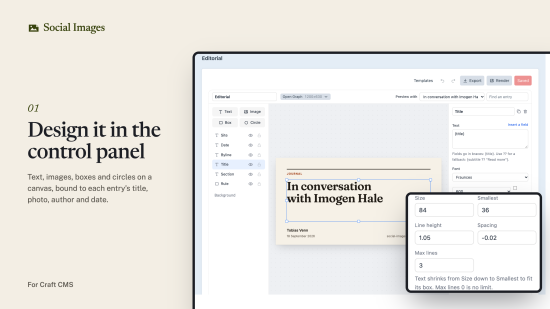
Design it in the control panel
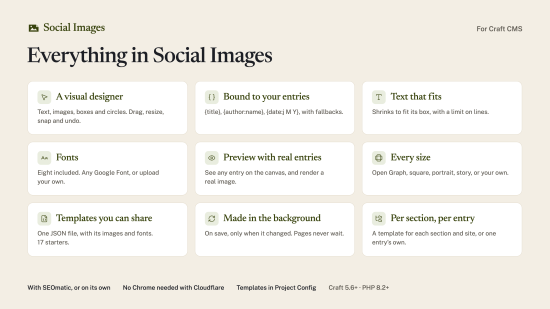
- A visual designer. Text, images, boxes and circles on a canvas. Drag, resize and snap them; undo anything. Gradients, shadows, borders, rounded corners, rotation and opacity.
- Bound to your entries. Text can show any field:
{title},{summary ?? excerpt},{author:name},{date:j M Y},{section:title},{site:name}. Pictures come from asset fields, with fallbacks, cropped around each asset's focal point. - Text that fits. Each text layer shrinks between a largest and smallest size to fit its box, with an optional limit on lines. Long titles stay readable; short ones stay big.
- Fonts. Eight open-licence fonts are included. Add any Google Font (copied to your site once) or upload your own.
- Preview with real entries. Pick an entry and the canvas shows its title and photo. Render a real image without leaving the designer.
- Every size. Open Graph plus square, portrait, Pinterest, story or any size you like, each with its own layout in the same template.
Made the Craft way
- Templates live in Project Config, beside your sections and fields, so they deploy with the rest of your site.
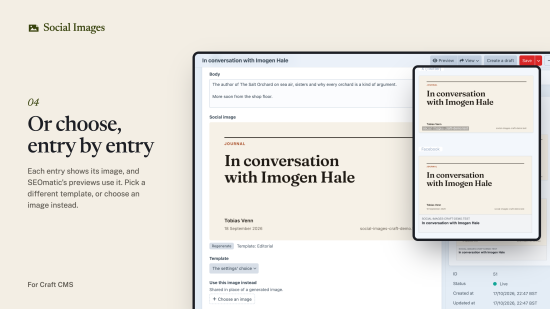
- One field type. Add the Social image field to an entry type to see the entry's image, regenerate it, choose another template, or pick an image to use instead.
- Rules per section and site choose which template each entry uses.
- Every site gets its own image, in its own language.
- Made in the queue, only when needed. An image is made when an entry is saved, and only if what it shows has changed. Pages never wait: until the new image is ready, they keep the previous one or your fallback.
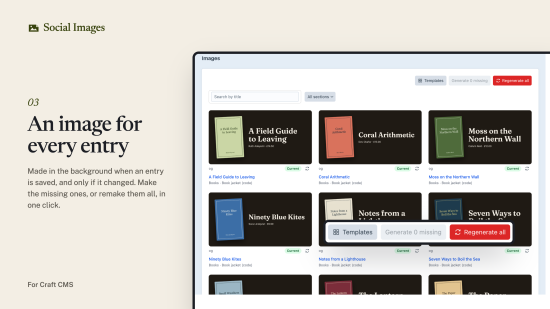
- In bulk. See every entry's image on one page, make the missing ones or remake them all, use the Regenerate social images action on the entries index, or run
php craft social-images/generate. - Any filesystem. Keep images in your web folder, or on S3, R2 or any filesystem with public URLs.
Templates you can share
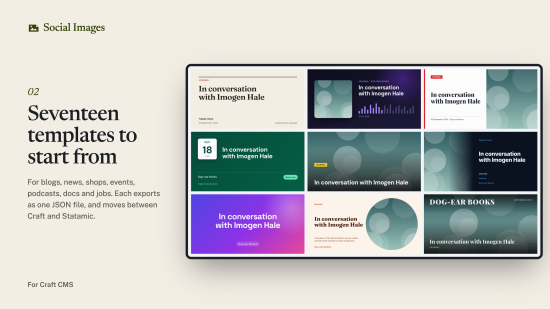
- Seventeen starters for blogs, news, shops, events, podcasts, docs, jobs and more.
- Import and export a template as one JSON file, with its images and fonts inside. Paste it, upload it, or give its address.
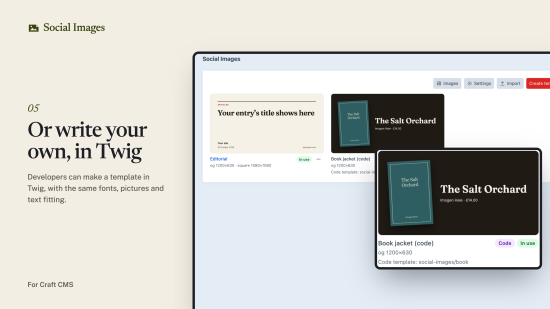
- Developers can write their own as a Twig template, with helpers that inline fonts and pictures and the same text fitting.
Rendering your way
Images are rendered by Chrome: on your server with Browsershot, or on Cloudflare Browser Rendering, so you don't need Chrome on your server at all. Rate limits are waited out automatically. php craft social-images/doctor (or the Test button in the settings) checks rendering works and says what to change if it doesn't.
Requirements
- Craft CMS 5.6 or later, PHP 8.2 or later.
- Chrome or Chromium and Node.js on the server (with
spatie/browsershot), or a Cloudflare account for Browser Rendering.
Documentation
Everything is covered in the documentation, and there's a demo site, Dog-ear Books, to try it on: social-images-craft-demo.
Standard
Plus $19/year after one year.
To install this plugin, copy the command above to your terminal.
This plugin doesn't have any reviews.