 SEO & Accessibility
 AI
AI Localization
 Ecommerce
 Forms
Forms Fields
 Development
 Security
 Templating
 Performance
 Control Panel
 Widgets
 Assets
 Utilities
 Mailer Adapters
 Social Networking
 Integrations
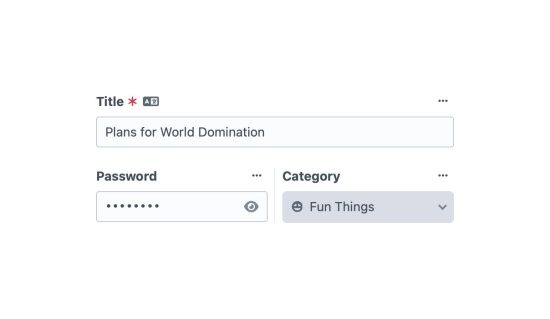
Password-protect individual entries on the front-end with an encrypted field.
Add a Password field to an entry type's field layout, and once a password has been set, anonymous visitors get an unlock screen when they visit that entry. Passwords are encrypted at rest with your project security key.
🚧 Speakeasy is in beta. It's feature-complete and safe to try, but the API, settings, and stored-value formats may still change before 1.0.0. Please report anything you hit. If you'd like to help test, here's a handy checklist.
ℹ️ These are shared access passwords, not user credentials. Speakeasy gates a page behind a shared passphrase, it doesn't authenticate individual users. If you need per-user login, use Craft's user accounts.
Why Speakeasy
- Field-first: protection = the field has a value.
- Encrypted, not plaintext: the value lives encrypted in the database.
- Editor-driven: editors set passwords in the element editor.
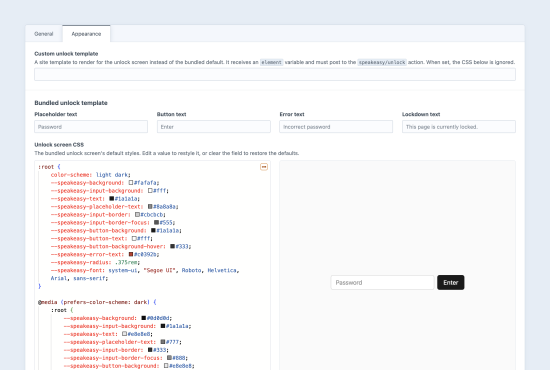
- Customisable: restyle the bundled unlock screen from a live-previewed CSS editor, or replace it with your own site template.
- Safe defaults: constant-time comparison, per-IP/element rate limiting,
no-store+noindexon protected responses, shared unlock when passwords match, and a CP-user bypass so live preview keeps working.
To install this plugin, copy the command above to your terminal.
This plugin doesn't have any reviews.