 SEO & Accessibility
 AI
AI Localization
 Ecommerce
 Forms
Forms Fields
 Development
 Security
 Templating
 Performance
 Control Panel
 Widgets
 Assets
 Utilities
 Mailer Adapters
 Social Networking
 Integrations


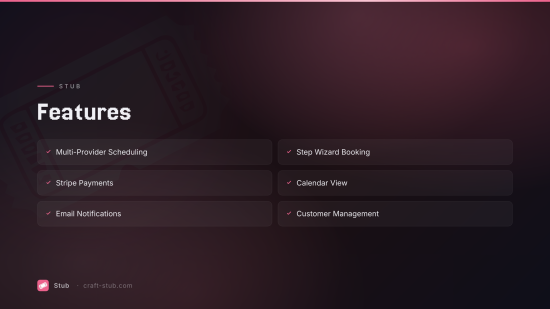
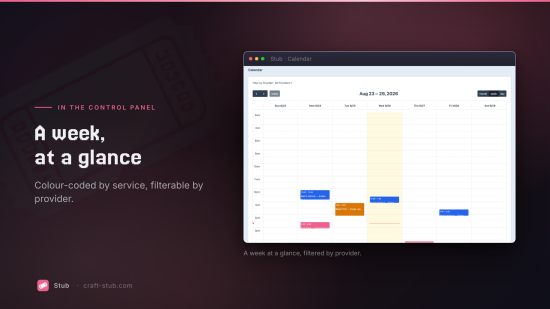
Stub is a booking and appointment scheduling plugin for Craft CMS 5. Built for service businesses, salons, consultants, and anyone who needs to accept bookings online. Multi-provider scheduling, Stripe payments, and a drop-in frontend booking form — no Commerce dependency required.
Features
Services
Define bookable services with duration, pricing, buffer times (before/after), capacity per slot, and color coding. Services support soft delete and drag-to-reorder.
Multi-Provider Scheduling
Each provider (staff member) gets:
- Weekly schedule — Set working hours per day of week (in the provider's own timezone)
- Breaks — Recurring break periods (lunch, etc.) per day of week
- Blocked dates — Date ranges for vacations, holidays, or closures
- Service assignments — Choose which services each provider offers
- Optional Craft user link — Tie a provider to a Craft user account
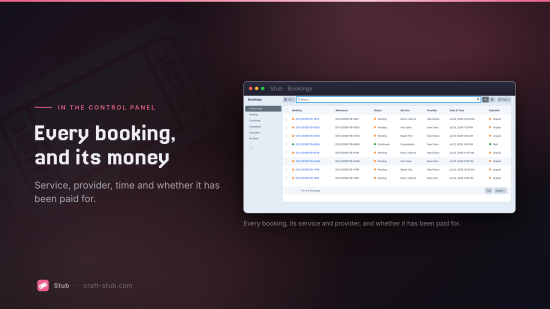
Bookings (Craft Element Type)
Bookings are native Craft elements. This means:
- Full element index with column customization, sorting, and search
- Status filters: Pending, Confirmed, Completed, Cancelled, No Show
- Trash/restore support
- Status transitions with cancellation reason tracking
- Payment status tracking (Unpaid, Paid, Refunded)
- Reference numbers (e.g.
STB-20260215-A1B2)
Availability Engine
The slot generation algorithm respects all constraints:
- Provider's weekly schedule and timezone
- Breaks and blocked dates
- Service duration and buffer times (before + after)
- Existing bookings and service capacity
- Minimum notice period and max advance booking window
Frontend Booking Form
A vanilla JS step wizard (no React/Vue dependency) with 6 steps:
- Select Service — Cards with name, duration, price
- Select Provider — AJAX-loaded providers for the chosen service
- Pick Date & Time — Custom calendar grid + time slot list
- Customer Info — Name, email, phone, notes with client-side validation
- Payment — Stripe Payment Element (if service has a price)
- Confirmation — Reference number and booking summary
Standard
Plus $59/year after one year.
To install this plugin, copy the command above to your terminal.
This plugin doesn't have any reviews.