 SEO & Accessibility
 AI
AI Localization
 Ecommerce
 Forms
Forms Fields
 Development
 Security
 Templating
 Performance
 Control Panel
 Widgets
 Assets
 Utilities
 Mailer Adapters
 Social Networking
 Integrations
Super Mailer
Super Mailer for Craft CMS 5
Super Mailer adds event-driven email notifications to Craft CMS. Create Control Panel managed notifications, choose the Craft or plugin event that should trigger them, add conditions, render Twig email templates, queue delivery, and review success or failure logs.
Features
- Create email notifications from the Craft Control Panel.
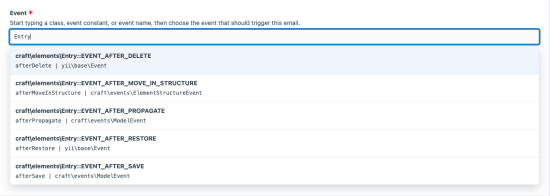
- Choose from Craft element lifecycle events and supported third-party plugin events such as form submission events.
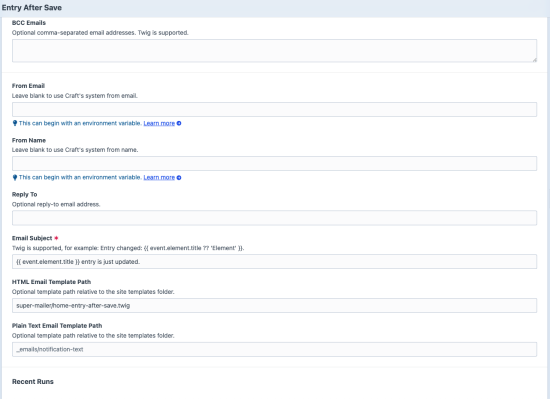
- Send HTML and/or plain text templates from the site templates folder.
- Use Twig in subjects, recipients, sender fields, and email templates.
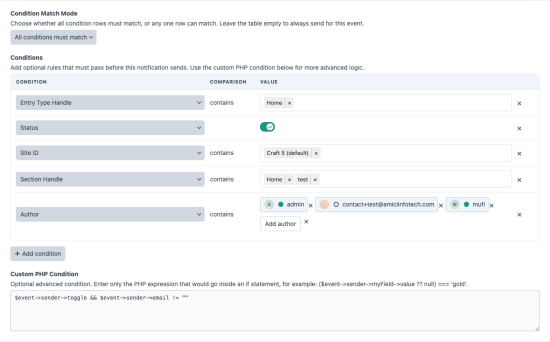
- Add event-aware condition rows and optional PHP expressions before a notification queues.
- Use dynamic condition selectors for field layout options, users, sites, categories, forms, submissions, and Commerce-style element metadata where available.
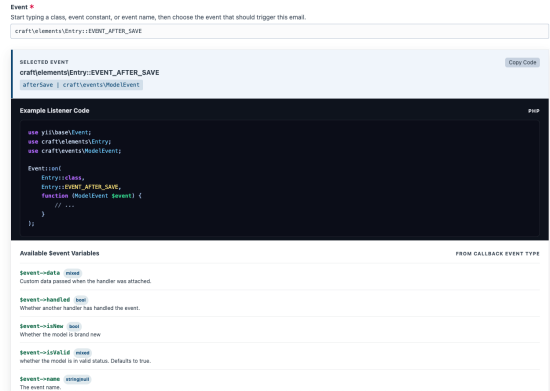
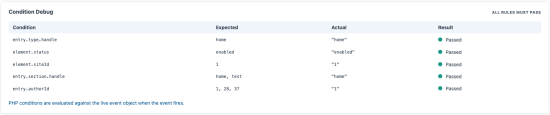
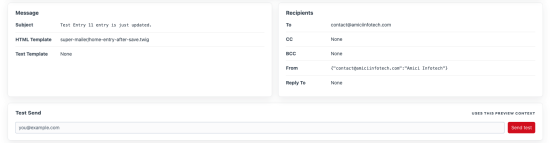
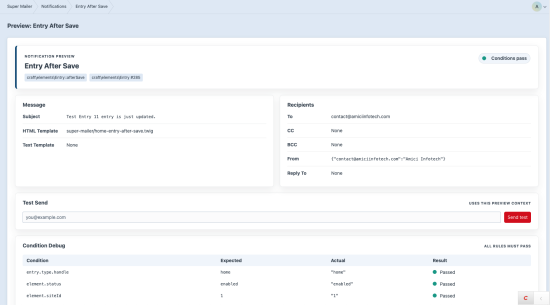
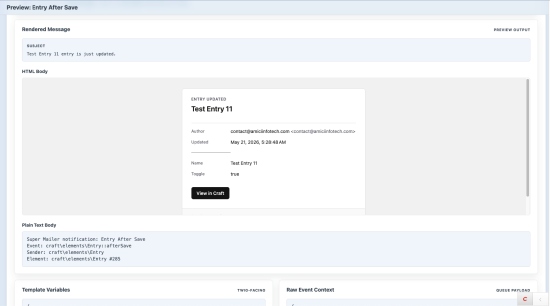
- Preview event context, rendered recipients, subject, body, and condition results before sending.
- Send test emails from the preview screen.
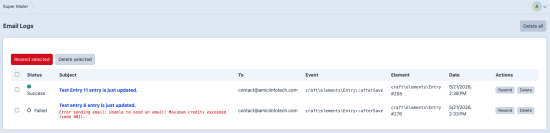
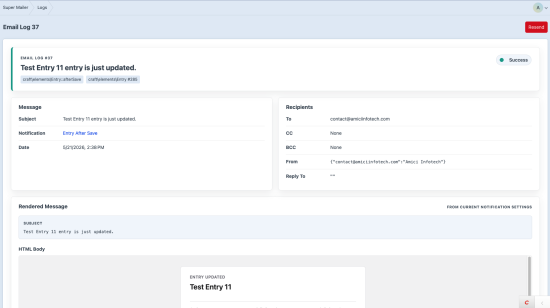
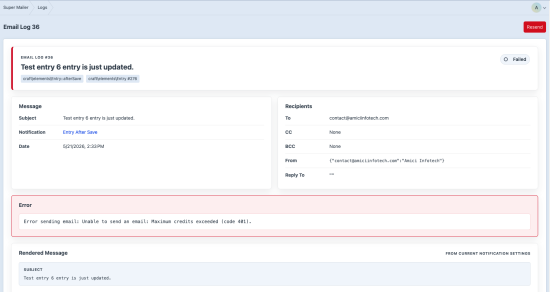
- Queue delivery with detailed success and failure logs.
- Resend logged emails individually or in bulk.
- Purge logs automatically by retention setting or manually from CP/console.
Requirements
- Craft CMS 5
- PHP 8.2 or newer
Installation
Run this command in your Craft project:
composer require amici/craft-super-mailer
php craft plugin/install super-mailer
You can also install it from Settings -> Plugins in the Craft Control Panel.
For the full setup flow, see the Super Mailer documentation.
Quick Setup
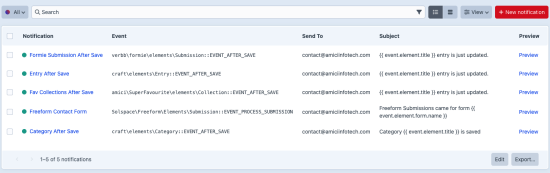
- Go to Super Mailer -> Notifications.
- Create a new notification.
- Choose the event that should trigger the email.
- Add recipients, subject, and template paths.
- Add conditions if the email should only send in certain cases.
- Use Preview to inspect rendered recipients, body, variables, and condition results.
- Send a test email, then enable the notification.
- Review delivery under Super Mailer -> Logs.
Documentation
Read the full documentation at docs.amiciinfotech.com/craft-cms/super-mailer.
Local docs are split by task:
- Documentation Home
- Installation and Setup
- Core Concepts
- Control Panel Guide
- Creating Notifications
- Email Templates
- Events and Conditions
- Preview and Test Send
- Logs and Resending
- Settings and Console Commands
- Troubleshooting
Control Panel
The plugin adds a Super Mailer section with:
- Notifications for creating and managing event-triggered emails.
- Logs for viewing delivery attempts, failures, details, and resends.
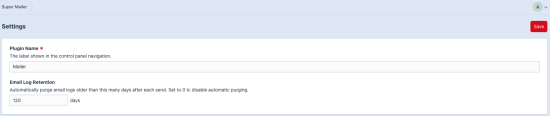
- Settings for plugin name and email log retention.
Permissions
The plugin registers these permissions:
super-mailer:view-notificationssuper-mailer:manage-notifications
License
Proprietary - Copyright (c) 2026 Amici Infotech
Standard
Plus $39/year after one year.
To install this plugin, copy the command above to your terminal.
This plugin doesn't have any reviews.