 SEO & Accessibility
 AI
AI Localization
 Ecommerce
 Forms
Forms Fields
 Development
 Security
 Templating
 Performance
 Control Panel
 Widgets
 Assets
 Utilities
 Mailer Adapters
 Social Networking
 Integrations
ThumbHash

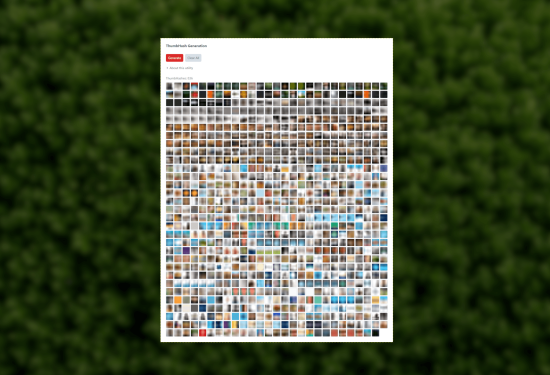
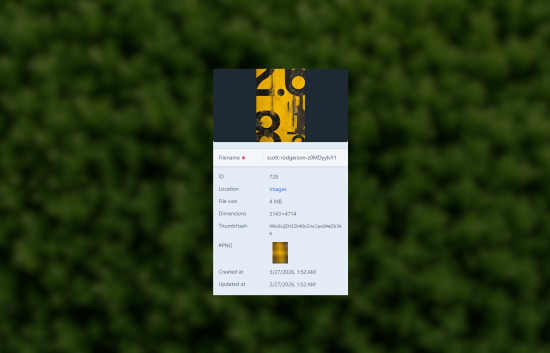
Automatic ThumbHash placeholder generation for your Craft CMS image assets.
ThumbHash encodes an image's color and structure into a tiny base64 string (~28 bytes) that decodes to a compact, content-aware placeholder PNG. Your visitors see an immediate visual preview while the full image loads — no extra requests, no layout jank.
Check it out - ThumbHash Example
How it works
- Backend — On upload (or via CLI), the plugin creates a small transform of the original image and encodes it to a ~28-byte base64 hash using the ThumbHash algorithm. Generation runs in a queue job so it never blocks a request.
- Frontend — A single inline decoder script (~5 KB minified) registers a MutationObserver that automatically converts every
data-thumbhashattribute into a PNG placeholder data URL as the DOM is built. It then applies that placeholder using the configured render method (bgby default, orimg/picture). No extra network requests, no visible pop-in.
That's it for most sites. Drop the hash in your markup, register the script once, and placeholders appear before images even start loading.
Using the bg mode even provides LQIPs for eager loaded images! Since the placeholder is decoupled from lazy loading the full image simply overlays the placeholder once downloaded natively by the browser.
Twig
{% set hash = thumbhash(asset) %}

<div class="relative z-0 w-full h-auto" data-thumbhash="{{ hash }}" data-thumbhash-render="bg">
    <img src="{{ thumbhashTransparentSvg() }}" alt="{{ asset.title }}"
        class="relative z-10 block w-full h-auto lazyload"
        width="{{ asset.width }}"
        height="{{ asset.height }}"
        data-src="{{ asset.getUrl() }}"
    />
</div>
*Bring your own lazy loading library
More examples and details in the documentation.
Control Panel
- ThumbHash metadata on asset detail pages.
- Utility screen for batch generation, preview, and cleanup.
- Console commands for backfilling and clearing stored data.
Requirements
- Craft CMS 5.0+
- PHP 8.2+
To install this plugin, copy the command above to your terminal.
This plugin doesn't have any reviews.