 SEO & Accessibility
 AI
AI Localization
 Ecommerce
 Forms
Forms Fields
 Development
 Security
 Templating
 Performance
 Control Panel
 Widgets
 Assets
 Utilities
 Mailer Adapters
 Social Networking
 Integrations
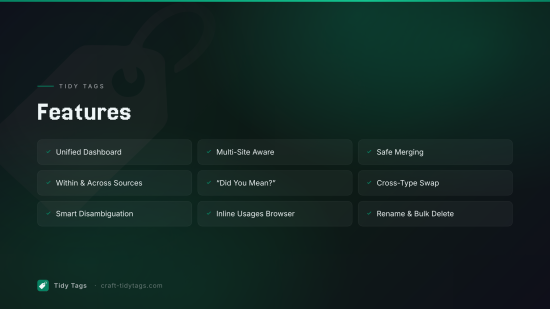
Tidy Tags gives you a control panel section for auditing, cleaning, and merging tags across every site in your Craft install. It compares tags against each other and against tag-like entry sections (Teams, Competitions, Topics, anything you've entrified or that should stay aligned), shows usages inline, and watches tag fields while editors are working so they're nudged toward existing taxonomy before they create yet another England tag.
Features
Dashboard
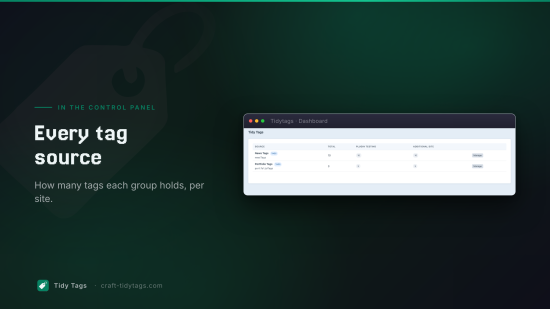
Navigate to Tidy Tags in the CP sidebar. The dashboard lists every source in the install with:
- The source name, handle, and a Tags or Entries badge
- Total count (unique elements across all sites)
- Per-site counts
Click Manage on a row to open that source's list. "Sources" includes every native tag group plus any channel sections you've designated as tag-like under Settings → Plugins → Tidy Tags.
Group view
The group view shows every tag in a group with per-site columns so you can see where a tag is translated and where it isn't. From here you can:
- Filter by site or search by title
- Rename a single tag (all sites or one site)
- Merge two or more tags, relations are re-pointed to the target tag, duplicates are de-duped, and source tags are deleted in a single transaction
- Delete one or more tags in bulk
All actions are multi-site aware. Choosing "All sites" in the filter shows every tag once (keyed to the primary site) with its translations in sibling columns; choosing a specific site scopes everything to that site.
Entry-backed sources are read-only for destructive actions but support Swap relations in the duplicate scanner, see below.
Duplicate scanner
The Duplicates tab has two scopes:
- Within source clusters near-duplicates inside a single tag group or section. Tag-group clusters get a one-click Merge. Entry-backed clusters offer Swap relations, which re-points relations from the duplicate entries onto the chosen target without deleting anything.
- Across sources pools every source together and surfaces clusters that span more than one source, the case where an editor has created a Tag for something already maintained as a Team or Competition. Always uses Swap relations, never auto-deletes.
Each cluster item links to its edit screen, shows the source it came from with a Tag/Entry badge, and has a Show usages button that lists every entry holding a relation to it. Handy for previewing what would move during a swap or merge.
Useful for cleaning up mistakes like:
marketing/Marketing/markettingjavascript/JavaScript/java scriptNew York/new york/new-york
The Levenshtein threshold is configurable per-scan (default 2, range 1–6).
Differentiator and display fields
Under Settings → Plugins → Tidy Tags you can pick, per source:
- Differentiator field when set, two items with the same normalized title but different differentiator values are not clustered as duplicates. This is how
England (Football)andEngland (Cricket)stay distinct from each other while a strayEnglandtag still gets flagged against both. - Display fields values appear next to each item in clusters and the editor warning (e.g.
sport: Football), so reviewers can disambiguate at a glance.
Cross-type relation swap
Swap is the element-type-agnostic version of merge. It runs the same relation re-pointing logic inside a transaction but never deletes the source elements, so it's safe across tags, entries, and tag-like sections. Use it when consolidating across sources (Tag → Team, Team → Competition, etc.) or when cleaning up entry-backed duplicates where you want to verify the result by hand before deleting anything.
"Did you mean?" warnings for editors
Tidy Tags ships a small JS asset bundle that loads on every control panel page. When an editor starts typing a new tag into a tag field, the plugin debounces the input, asks the tidytags/tags/check-duplicate action for similar items, and shows a non-blocking amber notice below the field listing matches across:
- The tag group the field is bound to
- Every configured tag-like entry section
Each match shows the differentiator value (if configured) and links directly to the existing item, so an editor about to create England in a tag field is told that England (Football) already exists as a Team and given a one-click way to open it. The warning is informational. It never blocks the editor but it nudges people toward reusing existing taxonomy instead of duplicating it across sources.
Permissions
Tidy Tags uses Craft's default plugin access permission: accessPlugin-tidytags. Grant it to any user group that should be able to view or manage tags through the dashboard.
Requirements
- Craft CMS 5.0.0 or later
- PHP 8.2 or later
To install this plugin, copy the command above to your terminal.
This plugin doesn't have any reviews.