 SEO & Accessibility
 AI
AI Localization
 Ecommerce
 Forms
Forms Fields
 Development
 Security
 Templating
 Performance
 Control Panel
 Widgets
 Assets
 Utilities
 Mailer Adapters
 Social Networking
 Integrations
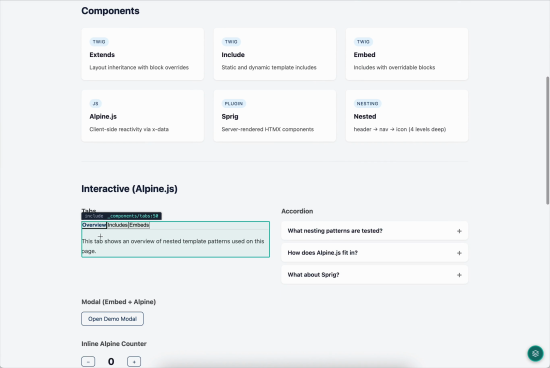
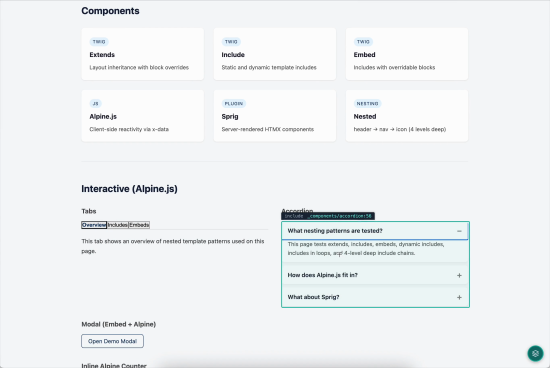
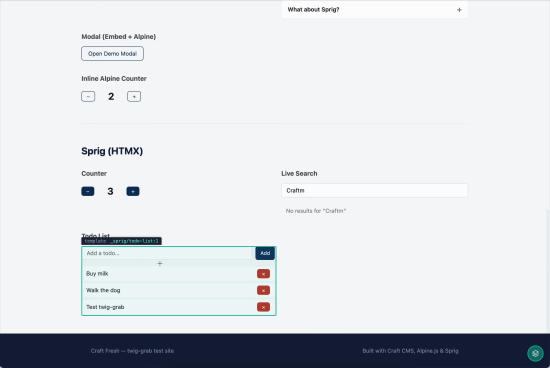
Twig Grab adds a developer overlay to your Craft CMS site that lets you instantly identify which Twig template rendered any element on the page.
Press G (or tap the floating icon) to activate grab mode. Hover over any element to see its source template and line number highlighted in real time. Click to copy the full template context — including the element's HTML, template type, and complete template chain — straight to your clipboard.
The copied output gives you everything you need to jump to the right file:
[include] _components/card.twig:12
Template chain:
in block "content" at _pages/home.twig:45
in template at _layouts/base.twig:1
What it tracks:
- Static and dynamic includes
- Embeds and blocks
- Full template ancestry from component all the way up to your layout
Works with dynamic content: Twig Grab uses a MutationObserver to automatically detect content injected by Alpine.js, Sprig, htmx, or any other JavaScript framework — no configuration needed.
Configurable shortcut: Customize the activation key via config/twig-grab.php if the default G key conflicts with your setup.
To install this plugin, copy the command above to your terminal.
This plugin doesn't have any reviews.