 SEO & Accessibility
 AI
AI Localization
 Ecommerce
 Forms
Forms Fields
 Development
 Security
 Templating
 Performance
 Control Panel
 Widgets
 Assets
 Utilities
 Mailer Adapters
 Social Networking
 Integrations
Block Collapse
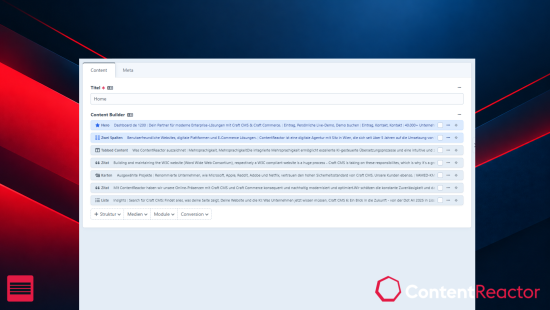
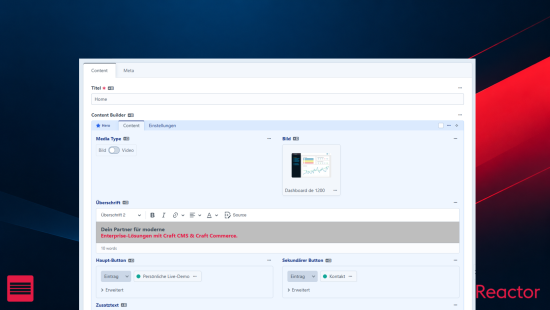
Entries with long Matrix or Neo fields mean a lot of scrolling and a lot of clicking blocks open and closed one at a time. Block Collapse adds two buttons to the edit screen that collapse or expand every block at once. Get an overview of even the most complex entry in a second, then open exactly the block you want to work on.
Features
- One click for every block. Collapse and Expand sit at the top of the edit screen and act on all blocks of the entry, across all fields.
- Keyboard shortcuts.
Ctrl + ,collapses,Ctrl + .expands (⌘instead ofCtrlon macOS). - Everyone picks their own. Users can set their own shortcuts under My Account → Preferences. Click the field, press the keys, done.
- Works in slideouts. In a slideout or nested editor, buttons and shortcuts only affect the blocks of the editor you're in.
- Stays out of the way. On pages without collapsible blocks, the buttons don't show up.
- Matrix and Neo are supported out of the box.
- English and German included, and every label is translatable.
Settings
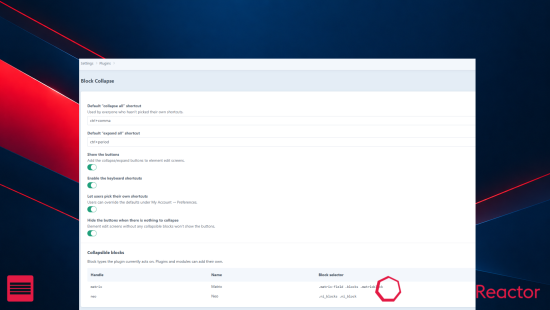
Admins set the default shortcuts for everyone and decide whether to show the buttons, enable the shortcuts and let users choose their own. All settings can also be set in config/block-collapse.php.
For developers
Using another block-based field type? Register it as a block provider with a selector and a collapse strategy, or hand it to your own JavaScript handler. You can also replace or remove the built-in providers. See the documentation for examples.
Requirements
Craft CMS 5.0 or later, PHP 8.2 or later.
Documentation and support
Full documentation is on GitHub. Found a bug or have an idea? Open an issue or write to support@contentreactor.com.
To install this plugin, copy the command above to your terminal.
This plugin doesn't have any reviews.