 SEO & Accessibility
 AI
AI Localization
 Ecommerce
 Forms
Forms Fields
 Development
 Security
 Templating
 Performance
 Control Panel
 Widgets
 Assets
 Utilities
 Mailer Adapters
 Social Networking
 Integrations
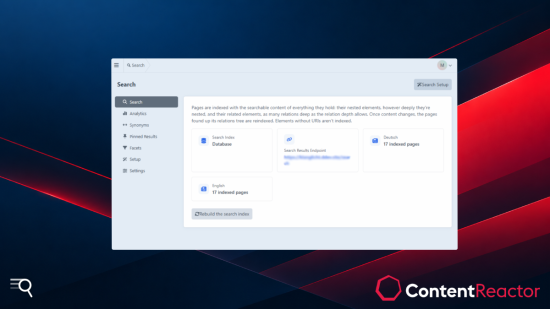
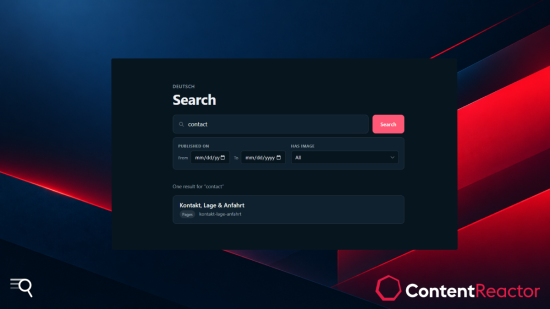
Search indexes every page of your Craft site the way visitors see it: with the content of its blocks, its CKEditor text and the entries it relates to. And it keeps that index right on its own.
Why site search misses so much
On most Craft sites, a page's content doesn't live in its own fields. It's spread across Matrix or Neo blocks, Content Block fields, CKEditor text with embedded entries, and the entries, categories and assets the page relates to.
Most site search stops at the top-level fields. So a concert page isn't found by the artist named in one of its blocks, and an event isn't found by its venue. When an artist's entry changes, every page showing it keeps the old text in the index until someone saves it again.
Search fixes both.
How it indexes
Every page with a URL becomes one search document, holding:
- its own fields and attributes, like the title
- the fields inside Matrix, Neo and Content Block fields, however deeply nested
- CKEditor text, including embedded entries
- the searchable content of related entries, categories and assets, as many relations deep as you allow
- SEO titles and descriptions the page overrides
When content changes, Search follows its relations back to every page that shows it and reindexes them in the background through Craft's queue. Edit an artist once, and every concert page featuring them is found by the new text.
Search Lite
A complete site search on the database you already have. No extra service to host or pay for.
- Full-text search with a FULLTEXT index on MySQL. On PostgreSQL, each site is searched in its own language, with stemming and stopwords, so Konzerte finds Konzert.
- Facets on any field or attribute, including fields of blocks and related entries. Keyword facets come with live counts, date facets filter by range.
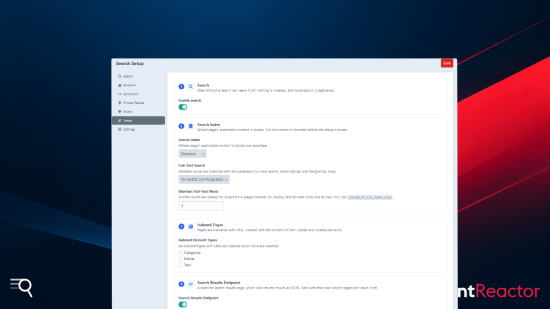
- Control over what's found. Exclude sections, category groups, volumes or entry types, or hide single pages with the Hide from Search field.
- Multi-site. Each site is indexed and searched on its own, in its own language.
- A ready-made search page. Turn on the results endpoint and you have working search right away. Replace the templates with your own, or build search into any page with Twig.
- GraphQL and JSON for headless front ends, scoped to what each schema may read.
- Set up in minutes from the control panel or with one console command.
Search Pro — scale and editorial control
- Elasticsearch. Move a large or busy site's index to Elasticsearch, with the same facets, templates and GraphQL query. Switching is a setting, not a front-end rebuild.
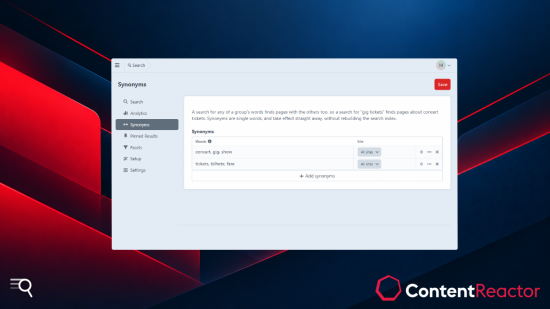
- Synonyms. Editors define words that match each other, like concert, gig, show, for all sites or just one.
- Pinned results. Put chosen pages first for a search term, in your order. Templates can tell which results are pinned, to mark them as featured.
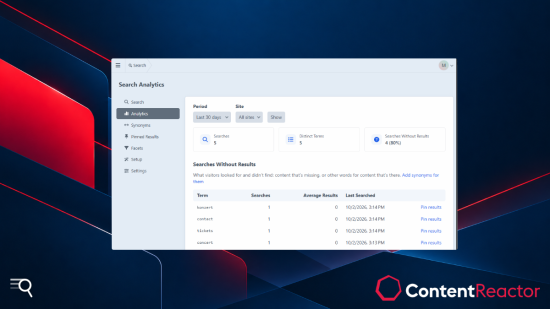
- Search analytics. Top searches and searches that found nothing, per site and period. Only the term, site and result count are logged, nothing about who searched.
Each Pro screen has its own user permission, so editors can manage synonyms or pins without access to the rest of the settings.
Lite and Pro compared
| Lite | Pro | |
|---|---|---|
| Pages indexed with nested and related content | ✓ | ✓ |
| Automatic reindexing when content changes | ✓ | ✓ |
| Database index on MySQL and PostgreSQL | ✓ | ✓ |
| Per-language search on PostgreSQL | ✓ | ✓ |
| Facets with counts and date ranges | ✓ | ✓ |
| Excluding sections, entry types and single pages | ✓ | ✓ |
| Search page, Twig, GraphQL and JSON | ✓ | ✓ |
| Elasticsearch index | ✓ | |
| Synonyms | ✓ | |
| Pinned results | ✓ | |
| Search analytics | ✓ |
Start on Lite and upgrade when you need Pro. Your index, facets and templates stay as they are.
For developers
Facets are paths of field and attribute handles in config/cr-search.php, and can reach into blocks of one entry type:
return [
    'facets' => [
        'speakers' => 'blocks.talk:speaker.title',
        'published' => ['type' => 'date', 'value' => 'postDate', 'label' => 'Published'],
    ],
];
A search form and its results in Twig:
{{ crSearchForm({facets: ['speakers']}) }}
{% set results = craft.crSearch.search({q: craft.app.request.getQueryParam('q')}) %}
Events before and after every search let you change queries and results. Other events decide which pages are indexed, and plugins can register search indexes of their own.
Requirements
Craft CMS 5.9 or later, PHP 8.2 or later.
Documentation and support
Full documentation is on GitHub. Found a bug or have an idea? Open an issue or write to support@contentreactor.com.
To install this plugin, copy the command above to your terminal.
This plugin doesn't have any reviews.