 SEO & Accessibility
 AI
AI Localization
 Ecommerce
 Forms
Forms Fields
 Development
 Security
 Templating
 Performance
 Control Panel
 Widgets
 Assets
 Utilities
 Mailer Adapters
 Social Networking
 Integrations
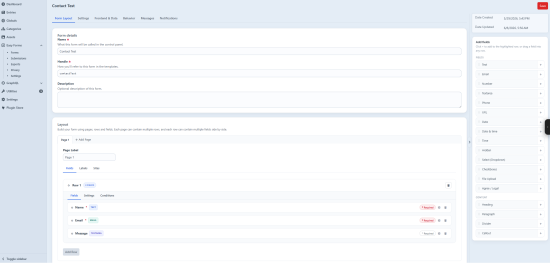
Easy Form is a forms and submissions plugin for Craft CMS 5, built around three things most form plugins trade away: high submission volume, easy translations, and developer freedom.
Built for volume
- Non-element storage — forms and submissions live in their own database tables, skipping Craft's element and content-table overhead, so a contact form and a 100,000-entry campaign run in the same plugin without slowing down.
- Promoted columns — common fields are promoted to real, indexed columns for fast filtering and search.
- Field snapshots — a snapshot of the form is stored with each submission, so old entries stay readable after the form changes.
- Background, batched exports — CSV exports run off the request cycle and read in batches, so large datasets never exhaust memory.
Multilingual, client-managed
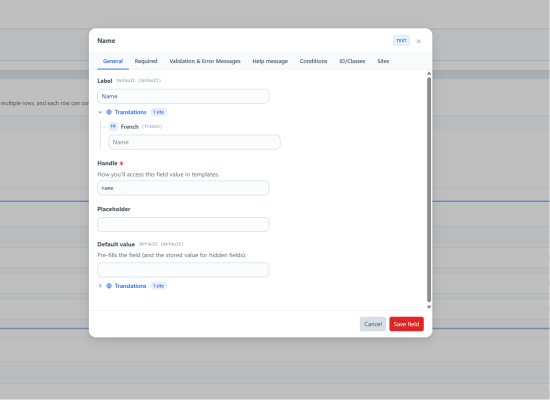
- Per-site content — labels, success and error messages, the submit button, and the notification subject all translate per Craft site, with the default as a fallback.
- Translated validation, automatically — frontend validation and UI messages follow the current site's language out of the box, shipped in English, French, German, Spanish, Italian, and Dutch.
- No developer round-trip — editors adjust wording in every language from the control panel; you never touch a template to fix a typo.
Developer freedom
- One-line render — output a whole form with
{{ easyForm('contact') }}, validation and AJAX submit included. - Bring your own markup — get the layout model with
easyFormLayout(), or render field by field witheasyFormField(). - Custom frontend fields — declare a field on the form and populate it however you like (a select from live entries, a computed value, a custom payload); choose how strict unknown fields are: strict, allow-listed, or open.
- Front-end events — hook the JavaScript submit lifecycle (
easyform:success, and more) for analytics or custom behaviour. - Server-side events — PHP events around submission save, validation, email notifications (before/after send, cancelable), webhooks, and form save/delete.
Fields
Single-line text, Textarea, Email, Phone, URL, Number, Date, Date & time, Time, Dropdown, Radio buttons, Checkboxes, Agree/consent, File upload, and Hidden — plus Heading, Paragraph, Divider, and Callout content blocks.
- Conditional visibility — show or hide any page, row, or field based on another field's value.
- Multi-page forms — with a step indicator and custom navigation labels.
- URL pre-fill — populate fields from query-string parameters.
- Per-field validation — required, min/max length, min/max value, decimal places, and email/URL/phone formats, with custom (and per-site) messages.
Spam protection
- Honeypot — hardened against browser autofill and password managers.
- Blocked keywords & email domains — reject or silently file matching submissions.
- Per-IP rate limiting.
- Cloudflare Turnstile, reCAPTCHA v2 & v3 — v3 with a configurable score threshold, action verification, and a choice of Google's badge or an inline disclosure notice.
- Silent spam handling — file spam quietly (so bots can't probe your rules) or reject it with an error, per form.
- Spam reason — every block records why (honeypot, blocked domain, blocked keyword, or CAPTCHA), shown in the control panel and available as an export column.
- Every check is enforced server-side, not just in the browser.
Email notifications
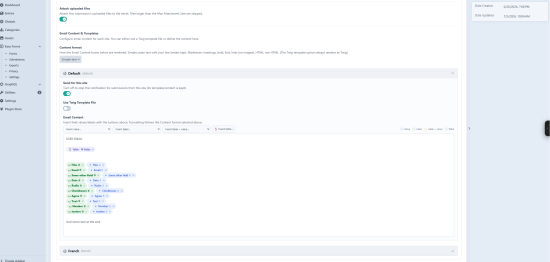
- Multiple notifications per form, each configured independently.
- Conditional sending — send only when a submission matches your rules.
- Dynamic recipients — send to an address submitted in the form.
- CC / BCC and attachments — attach the submission's uploaded files.
- Per-site subject and content, with optional Twig email templates.
- Localized dates — date and time values render in the submission's site language.
- Queued — sent in the background; re-send manually from the submission view.
- Before/after send events — rewrite, redirect, or cancel a notification in code.
Webhooks
- Queued and HMAC-signed — verify authenticity at the receiver.
- Before-send event to modify or authenticate the request.
- SSRF-aware — private hosts are blocked by default.
Submissions & exports
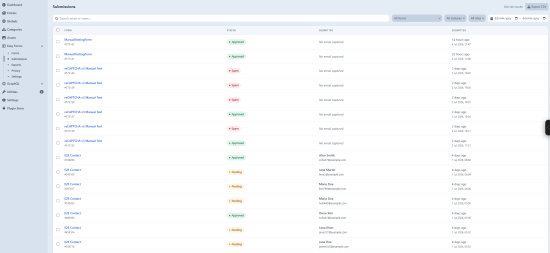
- Submissions list — search; filter by form, status, site, and date; bulk status changes and deletes; per-submission statuses (pending, approved, spam, archived).
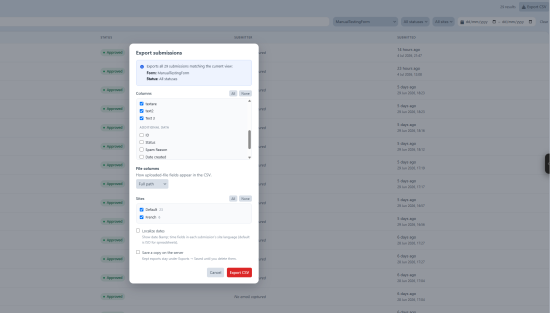
- Advanced CSV export — pick your columns; filter by site, status, date, and search; choose how file fields render (full path, file name, or Craft asset ID); optionally localize dates; run in the background; UTF-8 BOM for Excel; save copies for re-download; spreadsheet-formula values neutralized.
- Portable forms — duplicate a form in one click, or export and import form definitions as JSON to move them between sites and environments.
File uploads
- Store uploads as Craft assets (in a volume) or on the filesystem.
- Limit by max file size, max total size, max file count, and allowed types; dangerous executable and script extensions are always blocked.
- Per-form overrides for every upload setting.
Privacy & GDPR
- Optional IP storage, with full or anonymized modes.
- Per-email export and erasure console commands (right of access / right to be forgotten).
- Scheduled retention pruning, with a dry-run mode.
Requirements
Craft CMS 5.8+ and PHP 8.2+.
Standard
Plus $29/year after one year.
Installation Instructions
To install this plugin, copy the command above to your terminal.
Reviews
This plugin doesn't have any reviews.
Active Installs
2
License
Craft
Last release
July 5, 2026
Activity (30 days)
0
Closed Issues
0
Open Issues
0
Merged PRs
0
Open PRs