 SEO & Accessibility
 AI
AI Localization
 Ecommerce
 Forms
Forms Fields
 Development
 Security
 Templating
 Performance
 Control Panel
 Widgets
 Assets
 Utilities
 Mailer Adapters
 Social Networking
 Integrations
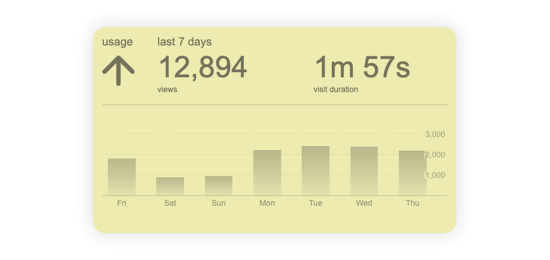
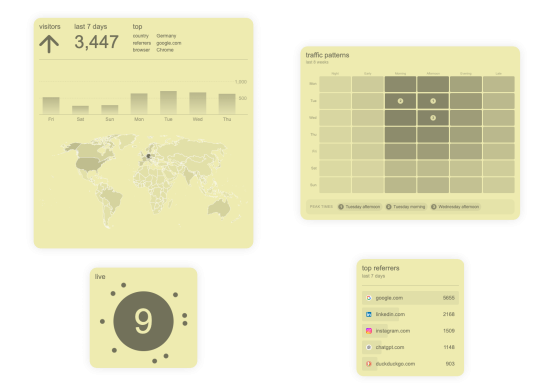
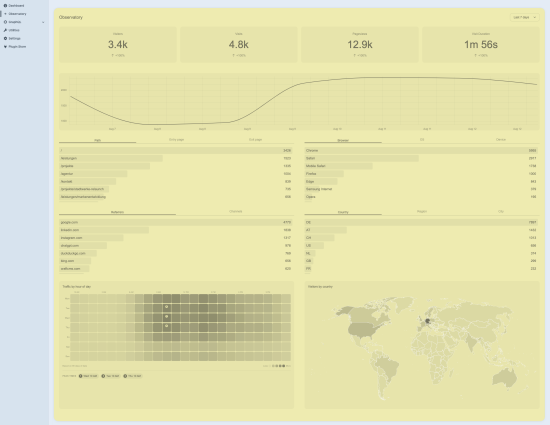
Stop switching tabs. Observatory pulls your PostHog data into a dedicated control panel section and a set of dashboard widgets.
This plugin is free via the Craft Plugin Store.
Features ✨
- Dedicated observatory section in the control panel with chart, KPIs and breakdowns
- Nine dashboard widgets covering the most common needs.
- Automatic background sync via the Craft queue, plus CLI commands for manual pulls
Requirements 📋
- Craft CMS
5.0.0+ - PHP
8.2+ - A PostHog project and a personal API key with read access
- A running Craft queue runner for background syncing (CRON or daemon)
Installation 📦
Plugin Store
Install observatory from the Craft Plugin Store
Composer
composer require szenario/craft-observatory
php craft plugin/install observatory
Quickstart 🚀
- Open Settings → Plugins → Observatory
- Enter your PostHog host, project ID and personal API key
- After the initial sync, you are good to go!
Screenshots


Console Commands
Syncing runs automatically in the background, so this command is optional — useful as a cron entry point to keep the mirror warm, or to rebuild stored data.
# pull any missing closed days (default 30) into the local mirror
php craft observatory/sync

# cover a longer window
php craft observatory/sync 90

# refetch days already recorded as synced
php craft observatory/sync 90 --force
Support
- Issues: https://github.com/szenario-fordesigners/craft-observatory/issues
- Source: https://github.com/szenario-fordesigners/craft-observatory
- Developer: https://www.szenario-design.com/
Created by szenario.design
Installation Instructions
To install this plugin, copy the command above to your terminal.
Reviews
This plugin doesn't have any reviews.
Active Installs
4
License
Craft
Last release
October 13, 2026
Activity (30 days)
0
Closed Issues
1
Open Issues
6
Merged PRs
2
Open PRs